Scorata scores summarize analyzed review evidence on a 1–5 scale; they are not laboratory measurements or a simple average of customer star ratings. Feature scores summarize the reviews covering that feature. The overall score averages feature scores within each review, then combines review averages. When both expert and customer evidence are available, those two groups receive equal weight. Products can have different review coverage, so small score gaps do not establish a winner.
Recommendations prioritize important features for the category, with a score of at least 3.5, a gap of at least 0.25 points and at least two supporting reviews per product. Features with widely varying scores or broad connectivity contexts are excluded from recommendations. These safeguards do not establish statistical significance.
Quick verdict
What each product is best for
The available evidence supports the recommendation below, but does not establish an overall winner. Check the remaining features against your priorities.
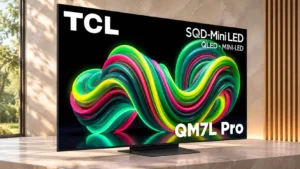
Choose TCL QM7L Pro for HDR brightness and HDR performance.
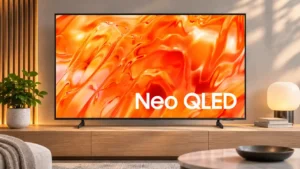
There is not enough comparable review evidence to recommend Samsung QN70H over the other product.
Why these recommendations?
TCL QM7L Pro
Where It Has the Edge
HDR brightness is 5.0 vs 1.3. Bright highlights are a recurring strength, giving HDR footage vivid impact and a realistic sense of illumination.
HDR performance is 4.5 vs 1.0. HDR content looks striking thanks to deep blacks, colorful scenes and strong highlights. Fine highlight detail and scene-to-scene...
refresh rate is 4.0 vs 1.3. 4K up to 144Hz and 1080p up to 288Hz provide broad high-refresh input options, subject to the capabilities...
Samsung QN70H
Where It Has the Edge
No clear scored advantage over the other product.
TCL QM7L Pro4.1 overall score
Samsung QN70H3.1 overall score
Compare features
Scores are out of 5. Missing scores mean missing review evidence, not a missing feature.
Scored on both products
Performance
Picture quality
TCL QM7L Pro
4.8
Color, contrast and fine detail make a powerful impression, but the image becomes less convincing from the sides and during fast action.
Samsung QN70H
4.2
Buyers are impressed by clarity and natural colors, but weaker contrast, HDR impact and motion keep the picture from competing with better-priced rivals.
HDR brightness
TCL QM7L Pro
5.0
Bright highlights are a recurring strength, giving HDR footage vivid impact and a realistic sense of illumination.
Samsung QN70H
1.3
HDR highlights are consistently called too dim, so bright objects fail to pop above the rest of the picture.
Dark-room performance
TCL QM7L Pro
4.5
Deep blacks and emphatic HDR highlights give films strong impact in dim rooms. The most precise HDR brightness balance is less consistent.
Samsung QN70H
1.0
Raised blacks, blooming and clouding make the set a poor choice for serious dark-room cinema.
HDR performance
TCL QM7L Pro
4.5
HDR content looks striking thanks to deep blacks, colorful scenes and strong highlights. Fine highlight detail and scene-to-scene brightness balance are less reliable.
Samsung QN70H
1.0
Flat highlights and washed-out blacks prevent the HDR experience from feeling cinematic, despite decent tone tracking.
Contrast ratio
TCL QM7L Pro
4.0
Dark movie scenes show convincing depth between light and dark areas, helped by deep black reproduction.
Samsung QN70H
2.0
Dark-scene contrast is the central picture problem: the edge-lit dimming adds little black depth and can wash out nighttime imagery.
Local dimming performance
TCL QM7L Pro
3.0
Local dimming supports strong dark-scene contrast, though halos around highlights become more conspicuous from an angle.
Samsung QN70H
1.0
The bottom-edge lighting rarely improves black depth and often creates glow around bright elements instead.
Peak brightness
TCL QM7L Pro
4.0
HDR highlights can be exceptionally bright. A short-lived Boost burst should not be mistaken for the same sustained brightness or a clear advantage over the QM7L and QM8L.
Samsung QN70H
2.0
The panel can serve moderate SDR lighting, but it lacks the peak output required for punchy HDR and bright-room use.
Bass performance
TCL QM7L Pro
3.5
Bass carries more weight than many built-in TV speakers, giving music and movie effects some fullness. At high volume, thumping and loss of balance become distracting.
Samsung QN70H
1.7
Deep bass is the clearest audio weakness: some testing calls it very thin, while another finds it merely adequate.
Overall image accuracy
TCL QM7L Pro
3.0
HDR colors can look convincing out of the box, but SDR leans too warm and certain HDR scenes render at the wrong brightness.
Samsung QN70H
4.5
Calibration produces very faithful SDR color and brightness tracking, even though the hardware's contrast is limited.
Daytime viewing performance
TCL QM7L Pro
4.0
The screen remains punchy in well-lit rooms, with blacks holding up against indirect light. Facing a strong light source can create distracting streaks.
Samsung QN70H
3.0
The TV manages ordinary bright scenes in modest daylight, but strong sunlight and glare can overwhelm it.
Color accuracy
TCL QM7L Pro
3.0
Color judgments differ by material and evaluation: one assessment notes a warm, reddish SDR cast, while another finds natural skin tones and good HDR color.
Samsung QN70H
3.8
Natural-looking colors and skin tones are bright spots; minor white-balance and color biases benefit from calibration.
Gaming performance
TCL QM7L Pro
2.5
Control response is a standout, yet fast-moving objects leave blur and soft trails. This is a responsive gaming TV rather than a particularly sharp one in motion.
Samsung QN70H
2.5
Owners enjoy colorful, sharp console gaming, but formal motion testing and missing premium features make this a weak high-end gaming television.
Picture detail
TCL QM7L Pro
5.0
Fine image textures and detail reproduce excellently in tested content.
Samsung QN70H
5.0
Fine details and 4K image clarity are frequent strengths, especially in owner impressions and higher-resolution material.
Sound quality
TCL QM7L Pro
3.0
Audio is acceptable at ordinary listening volumes, with some bass fullness. Loud playback can become unbalanced and less intelligible.
Samsung QN70H
3.0
Some owners are satisfied with the sound, but detailed listening and another hands-on evaluation find thin bass and limited impact.
Other features
Motion handling
TCL QM7L Pro
2.7
Motion performance is inconsistent across assessments. Some moving scenes appear reasonably clean, but fast sports and games can show significant blur or artifacts.
Samsung QN70H
2.3
Movement quality draws mixed assessments, with controlled testing identifying substantial blur despite some acceptable broadcast results.
Input lag
TCL QM7L Pro
5.0
Input delay is extraordinarily low in Game Master, particularly at higher refresh rates, keeping controller actions immediate.
Samsung QN70H
5.0
Game controls feel consistently responsive, especially when using 1080p/120Hz where supported.
Ease of use
TCL QM7L Pro
4.0
An uncluttered, backlit remote makes basic control straightforward, even in a darkened room.
Samsung QN70H
3.7
Tizen's basic settings are approachable, although crowded menus and sparse remote buttons make some tasks needlessly involved.
HDMI 2.1 port count
TCL QM7L Pro
5.0
Four full-bandwidth HDMI 2.1 inputs are a practical upgrade over the standard QM7L for several consoles or other demanding sources.
Samsung QN70H
1.0
None of the HDMI ports offers full HDMI 2.1 bandwidth, limiting connections to high-refresh 4K sources.
Motion interpolation
TCL QM7L Pro
5.0
Frame interpolation noticeably reduces stutter and can smooth gameplay without a major input-lag penalty.
Samsung QN70H
1.3
Judder reduction offers little useful smoothing and may introduce new artifacts, so leaving it off is often preferable.
Banding control
TCL QM7L Pro
5.0
Near-black shading looks smooth with no obvious vertical banding, and gradual HDR tones also transition cleanly.
Samsung QN70H
2.0
Dark gray and green gradients reveal visible contouring in one detailed picture test.
Black uniformity
TCL QM7L Pro
5.0
Near-black areas are impressively even, with no apparent vertical bands and only small differences in darkness.
Samsung QN70H
2.0
Dark scenes can appear cloudy and patchy, although some near-black patterns remain relatively even.
Low-resolution content handling
TCL QM7L Pro
5.0
Older HD broadcasts are cleaned up effectively, with smooth upconverted edges and strong 1080i deinterlacing.
Samsung QN70H
2.0
Older or low-quality sources can look soft, with fine text and small features harder to resolve.
Stand quality
TCL QM7L Pro
5.0
The height-adjustable center stand offers useful placement options and takes up relatively little furniture space.
Samsung QN70H
2.0
The simple two-foot stand looks more basic than the pedestal fitted to the preceding generation.
Variable refresh rate
TCL QM7L Pro
4.0
VRR works well for consoles and AMD graphics and reduces tearing at low frame rates. NVIDIA systems locked to 60Hz remain a specific exception.
Samsung QN70H
1.0
Without VRR, the panel cannot synchronize refresh timing to variable console or PC frame rates.
Refresh rate
TCL QM7L Pro
4.0
4K up to 144Hz and 1080p up to 288Hz provide broad high-refresh input options, subject to the capabilities of the connected system.
Samsung QN70H
1.3
Native 60Hz is a major downgrade from the earlier QN70F's faster panel and restricts high-refresh entertainment.
Calibration options
TCL QM7L Pro
2.0
HDR picture adjustments are limited, which matters because some scenes appear too bright or too dark. Careful buyers should not assume every imbalance can be corrected.
Samsung QN70H
4.5
Proper calibration can deliver exceptionally accurate SDR colors, though panel-specific values should not be blindly copied to another unit.
Remote control usability
TCL QM7L Pro
5.0
The remote works without direct line of sight and makes everyday navigation easier.
Samsung QN70H
2.8
The minimalist remote is easy to understand and needs no precise aiming, but missing shortcuts and a slim shape add inconvenience.
Black levels
TCL QM7L Pro
4.7
Deep blacks give dark scenes convincing weight and remain surprisingly stable under ambient light. That makes contrast a particular strength for centered viewers.
Samsung QN70H
2.6
Measured black depth is weak and corner light bleed can be visible; owners may still perceive dark game scenes as impressive.
Color gamut
TCL QM7L Pro
5.0
The in-store picture looks notably vibrant and colorful, an immediate part of its visual appeal.
Samsung QN70H
3.0
Mainstream DCI-P3 coverage is reasonable, but wider color reproduction and pale tones are weaker.
Flicker control
TCL QM7L Pro
4.0
The backlight flickers at an extremely high frequency that should be imperceptible to most viewers; particularly sensitive people may still notice discomfort.
Samsung QN70H
2.0
Backlight dimming introduces flicker that may be bothersome in most presets, especially for sensitive viewers.
Gradient handling
TCL QM7L Pro
5.0
Gradual color and brightness changes remain smooth, with no obvious banding across gently shaded HDR areas.
Samsung QN70H
3.0
One test finds banding in dark tones, while another reports smooth shaded areas, so the verdict is not unanimous.
PC text clarity
TCL QM7L Pro
5.0
Full chroma 4:4:4 and an RGB subpixel layout help desktop lettering stay legible.
Samsung QN70H
3.0
4K/60Hz PC mode can reproduce full-color detail, while 1080p/120Hz has reduced chroma and visibly softer lettering.
Screen uniformity
TCL QM7L Pro
4.0
Near-black shading is very even, although the edges can appear slightly dimmer than the center.
Samsung QN70H
2.0
Darker side regions and a central dirty-screen patch can make even-toned images look uneven.
Stutter handling
TCL QM7L Pro
4.0
Relatively low stutter keeps most panning footage watchable, though slow pans can still look slightly choppy.
Samsung QN70H
2.0
Slow camera pans in films and shows can look jerky despite the available picture-smoothing controls.
Upscaling quality
TCL QM7L Pro
5.0
Upscaling is one of the stronger areas, keeping HD-to-4K edges smooth and improving lower-quality feeds.
Samsung QN70H
3.3
Processing is praised on some HD material but can look soft and leave text indistinct in other tests.
Wall-mount compatibility
TCL QM7L Pro
4.7
The slim body sits close to the wall and the side-facing inputs are relatively accessible even after mounting.
Samsung QN70H
3.0
Wall mounting is feasible, but VESA patterns change by size and recessed inputs are difficult to reach afterward.
Motion clarity
TCL QM7L Pro
2.3
This is one of the biggest disagreements: one test found minimal blurring, while others report obvious softness, ghosting and slow pixel transitions.
Samsung QN70H
1.0
Slow pixel transitions leave noticeable trails and softness on quick movement, especially in games.
Overall satisfaction
TCL QM7L Pro
5.0
The thin design and striking store-display picture leave a strongly positive first impression, although those impressions do not resolve the deeper motion tradeoffs.
Samsung QN70H
3.7
Everyday owners are enthusiastic about the clear image and conveniences, while technical evaluations question the price and performance balance.
Viewing angles
TCL QM7L Pro
2.8
This is a disputed weakness: two reports flag strong degradation from the sides, while other evaluations find typical off-center seating more acceptable.
Samsung QN70H
1.7
Colors and brightness deteriorate off-axis, making the TV best suited to central seats rather than wide groups.
Advertising intrusiveness
TCL QM7L Pro
1.0
Google TV serves advertisements that cannot be disabled while keeping the full smart interface. Basic TV mode avoids them, but strips out most smart features.
Samsung QN70H
2.0
Ads cannot be fully removed from Tizen, even though targeted-ad settings can be disabled.
Backlight strobing
TCL QM7L Pro
2.0
Optional backlight strobing operates at 60Hz and 120Hz but introduces image duplication and fails to eliminate the television’s motion softness.
Samsung QN70H
1.0
The optional motion-sharpening strobe produces double images, making it a poor remedy for the TV's motion blur.
Cable management
TCL QM7L Pro
5.0
A dedicated channel through the stand helps keep wires tidy, particularly with several HDMI devices connected.
Samsung QN70H
4.0
Rear grooves and a foot-mounted clip provide a simple way to route visible cables.
Dialogue clarity
TCL QM7L Pro
3.0
Speech sounds clear at modest listening levels but becomes hard to follow when the speakers are pushed to maximum volume.
Samsung QN70H
4.0
Speech remains understandable at moderate volume, and an AI-adjustable voice boost can help against background noise.
Gaming mode quality
TCL QM7L Pro
5.0
Game Master mode delivers exceptionally low lag and responsive control. Motion interpolation can make play appear smoother without adding much delay.
Samsung QN70H
4.0
Game Mode prioritizes responsiveness and offers the lowest input lag without requiring extensive extra adjustments.
Remote layout
TCL QM7L Pro
4.0
A small selection of buttons keeps the remote straightforward rather than crowded.
Samsung QN70H
3.0
A small number of buttons keeps the remote neat but pushes input switching and custom shortcuts into menus.
Response time
TCL QM7L Pro
2.0
Slow pixel changes smear action even at 120Hz and 144Hz, undermining motion clarity despite the low input lag.
Samsung QN70H
1.0
Very slow pixel transitions make fast movement visibly blurry even with low input lag.
Shadow detail
TCL QM7L Pro
5.0
Nuanced tones in dark scenes are preserved well, bringing out texture that flatter-looking images may obscure.
Samsung QN70H
4.0
Tone tracking preserves subtle dark detail better than the weak overall black levels might suggest.
Stand width
TCL QM7L Pro
5.0
The compact stand footprint makes it easier to position the TV on a smaller cabinet.
Samsung QN70H
4.0
Adjustable foot spacing helps the television sit on both broad and compact cabinets.
Blooming control
TCL QM7L Pro
3.0
Bright-object halos become more noticeable when viewed from the side, so local-dimming artifacts can intrude for off-center seats.
Samsung QN70H
2.5
One assessment reports minimal subtitle halos, but detailed testing finds clearly visible blooming around bright objects and subtitles.
Reflection handling
TCL QM7L Pro
2.5
Direct reflections are conspicuous in dark content despite respectable overall reflection reduction; positioning matters.
Samsung QN70H
2.0
Direct lights appear as mirror-like reflections, particularly noticeable against dark pictures.
Color volume
TCL QM7L Pro
4.0
Colors retain their visual strength in ambient light. Apparent advantages over neighboring TCL models partly come from a fleeting brightness boost rather than a lasting improvement.
Samsung QN70H
3.7
Some comparative viewing finds pleasantly rich reds, although limited brightness and contrast restrain the strongest HDR colors.
Glare resistance
TCL QM7L Pro
3.0
Indirect room light is reasonably manageable, but lamps or windows reflecting directly off the screen can create a distracting band or rainbow smear.
Samsung QN70H
3.3
Owners perceive useful glare resistance compared with OLED, yet direct reflections remain prominent and daylight brightness is limited.
Auto low-latency mode
TCL QM7L Pro
5.0
The TV switches into its low-lag game setting automatically with compatible consoles, avoiding manual mode changes.
Samsung QN70H
5.0
Automatic Game Mode activation helps ensure a responsive experience without manually changing presets every session.
Burn-in resistance
TCL QM7L Pro
5.0
LCD construction avoids permanent image burn-in, an advantage for static interfaces and prolonged use.
Samsung QN70H
5.0
Permanent burn-in is considered extremely unlikely, making static menus and channel graphics less worrisome than on OLED.
Dirty screen effect
TCL QM7L Pro
3.0
A little screen unevenness appears near the center and the edges look dimmer, though the dirty-screen pattern is not severe.
Samsung QN70H
3.0
A broad uneven patch is distracting in one test, whereas another sample's dirty-screen effect is barely noticeable.
HDR highlight detail
TCL QM7L Pro
3.0
The brightest specular areas can lose fine detail even while the TV creates an otherwise impressive sense of luminance.
Samsung QN70H
3.0
Gradual tone mapping retains some bright detail, but other testing still finds detail loss in the most intense highlights.
High-refresh-rate gaming
TCL QM7L Pro
2.0
Fast 4K and 1080p modes look appealing on paper, but pixel transitions make 144Hz action surprisingly blurry.
Samsung QN70H
2.0
1080p/120Hz is a conditional workaround on screens 55 inches and larger, not a replacement for 4K/120Hz or VRR.
Judder handling
TCL QM7L Pro
3.5
Most film judder is removed effectively, but 1080i film compensation and unusual 25p-in-60p signals are less polished.
Samsung QN70H
3.5
Film-based 1080i is processed well in one test, but 60Hz external sources can show noticeable judder.
Maximum volume
TCL QM7L Pro
3.0
Assessments disagree about how loud its speakers can play: one finds them adequate for a quiet room, another hears limited output and worsening dialogue at higher levels.
Samsung QN70H
3.0
One test finds speakers relatively quiet, while another says they reach adequate room volume, making loudness situational.
Ownership and support
Reliability
TCL QM7L Pro
4.0
The panel design is judged at low risk for common degradation problems, while individual stuck pixels and failed LEDs remain possible over time.
Samsung QN70H
1.8
Edge-lit components pose long-term backlight concerns, while a cited early failure and owners' unexpected power-on events add caution.
4K at 120 Hz support
TCL QM7L Pro
5.0
The television handles the 4K/120Hz output offered by current PlayStation and Xbox consoles, making it an easy match for their higher-frame-rate modes.
Samsung QN70H
1.0
The QN70H cannot run 4K at 120Hz; even newer consoles are limited to 4K/60Hz, with 1080p/120Hz available only on some larger sizes.
HDMI 2.1 support
TCL QM7L Pro
5.0
Every HDMI socket offers modern high-bandwidth video capability, giving buyers more flexibility than sets with only one or two fast inputs.
Samsung QN70H
1.0
The HDMI 2.0-only inputs cannot unlock the full output capabilities of modern consoles and PCs.
4K gaming support
TCL QM7L Pro
5.0
Current Xbox and PlayStation feature sets are well covered, including 4K/120Hz output. Players still need to tolerate motion blur in quick sequences.
Samsung QN70H
2.0
4K games work at 60Hz, but the panel cannot combine native resolution with the high frame rates many modern players expect.
Value for money
TCL QM7L Pro
4.0
The showroom impression is that the picture and slim design look good for the asking price, although price comparisons with other TCL models need care.
Samsung QN70H
1.7
Its limited HDR, contrast and gaming features undercut the asking price; it makes more sense only for shoppers prioritizing Samsung’s interface and slim design.
Controls and connectivity
Smart TV platform
TCL QM7L Pro
3.0
Google TV offers the familiar connected experience, but advertisements cannot be disabled without switching to a stripped-down Basic TV mode.
Samsung QN70H
4.8
Tizen offers an extensive app selection and useful connected features; its busy navigation, account requirement and uneven speed are the drawbacks.
HDR tone mapping accuracy
TCL QM7L Pro
3.0
Some HDR material renders too bright or too dark, so the otherwise appealing image is not perfectly balanced in every scene.
Samsung QN70H
4.0
HDR luminance tracking is impressively accurate through shadows and midtones, even though peak brightness and black depth remain limited.
Comfort and build
Build quality
TCL QM7L Pro
4.0
Mostly plastic construction nonetheless feels solid and convincingly finished.
Samsung QN70H
3.0
Construction is acceptable, though the back flexes and the narrow-foot configuration can wobble when touched.
Size options
TCL QM7L Pro
3.0
The range of larger panels offers room-matching flexibility, but bigger is not automatically better if it strains furniture placement or budget.
Samsung QN70H
4.0
Six screen sizes offer flexibility from compact rooms to large spaces, but the 43- and 50-inch variants lack the higher-refresh DLG option.
Design and appearance
TCL QM7L Pro
4.0
The thin chassis has a premium appearance, even though much of the housing is plastic. It looks especially sleek mounted close to a wall.
Samsung QN70H
3.7
Its very thin silhouette is striking, although the basic stand and styling feel less premium than the predecessor.
Evidence available for one product
Ownership and support
4K at 144 Hz support
TCL QM7L Pro
4.5
All four HDMI connections support 4K at 144Hz, a useful advantage for compatible gaming PCs. The ability to accept those signals is much stronger than the clarity of fast-moving images.
Samsung QN70HNo score yet
AirPlay support
TCL QM7L ProNo score yet
Samsung QN70H
5.0
Built-in AirPlay allows mirroring from an iPhone or iMac without purchasing another streaming box.
Dolby Vision support
TCL QM7L ProNo score yet
Samsung QN70H
2.0
Dolby Vision is missing, leaving HDR10+ as an alternative but reducing compatibility with Dolby Vision content.
DTS support
TCL QM7L ProNo score yet
Samsung QN70H
1.0
DTS audio is unsupported, a drawback for people using Blu-ray discs and compatible home-theater audio tracks.
EARC support
TCL QM7L Pro
5.0
eARC can deliver uncompressed audio to a compatible soundbar or receiver, helping the TV pair with better external speakers.
Samsung QN70HNo score yet
FreeSync support
TCL QM7L Pro
5.0
Variable refresh works well with AMD graphics hardware and compatible consoles, reducing visible tearing as frame rates vary.
Samsung QN70HNo score yet
Setup ease
TCL QM7L ProNo score yet
Samsung QN70H
5.0
Owners find initial setup uncomplicated and enjoy the clear picture once configured.
Tuner support
TCL QM7L ProNo score yet
Samsung QN70H
2.0
The older terrestrial tuner cannot receive newer 4K over-the-air broadcasts.
Other features
Accessibility features
TCL QM7L ProNo score yet
Samsung QN70H
4.0
Closed captions, high-contrast menus and zoom controls improve readability and help when dialogue is hard to hear.
Account requirements
TCL QM7L ProNo score yet
Samsung QN70H
2.0
A Samsung account is needed to use apps, including preinstalled ones, adding an unnecessary login step.
Ambient Experience
TCL QM7L ProNo score yet
Samsung QN70H
5.0
Owners like filling the idle screen with landscapes, artwork, and decorative backgrounds instead of leaving it blank.
Content recommendations
TCL QM7L ProNo score yet
Samsung QN70H
3.0
Streaming suggestions can be rearranged or hidden selectively, but the home screen remains busier than a fully customizable interface.
Documentation quality
TCL QM7L ProNo score yet
Samsung QN70H
3.0
The built-in guide is convenient, but confusing differences between on-screen menus and written instructions can frustrate setup.
Free streaming channels
TCL QM7L ProNo score yet
Samsung QN70H
4.0
Samsung's free TV and movie options are a handy alternative when you don't want another streaming subscription.
G-SYNC compatibility
TCL QM7L Pro
2.0
NVIDIA systems locked to 60Hz can fail to use variable refresh correctly. Higher-refresh PC modes avoid the specific problem.
Samsung QN70HNo score yet
HDMI port count
TCL QM7L Pro
5.0
Four HDMI connections let multiple devices stay plugged in without constantly swapping cables.
Samsung QN70HNo score yet
Image processing
TCL QM7L Pro
5.0
The upgraded processor provides cleaner scaling and smoothing of low-quality video, a useful strength beyond the extra HDMI ports.
Samsung QN70HNo score yet
Input accessibility
TCL QM7L ProNo score yet
Samsung QN70H
2.5
Side-facing connections become awkward to reach once wall-mounted, and the remote lacks a convenient dedicated input button.
Mini LED marketing clarity
TCL QM7L ProNo score yet
Samsung QN70H
1.0
The Mini LED label sounds more premium than the QN70H's edge-lit zone control actually performs.
Model naming clarity
TCL QM7L ProNo score yet
Samsung QN70H
3.0
Similar-looking size and warehouse model codes deserve a careful check before purchase, especially because smaller screens lack a gaming mode.
Motion artifacts
TCL QM7L Pro
1.5
Colored trails, ghosting and soft edges can follow moving objects, particularly in fast sports and gameplay.
Samsung QN70HNo score yet
Network media playback
TCL QM7L ProNo score yet
Samsung QN70H
5.0
Media played smoothly from a network drive, including high-resolution video, without apparent loading or compatibility problems.
Remote control quality
TCL QM7L Pro
5.0
Backlit buttons are a welcome convenience when using the TV in darkness.
Samsung QN70HNo score yet
Resolution
TCL QM7L ProNo score yet
Samsung QN70H
5.0
4K pictures look unusually crisp to owners upgrading from older televisions.
Screen mirroring
TCL QM7L ProNo score yet
Samsung QN70H
5.0
Direct mirroring from an iMac and iPhone works well, avoiding separate casting hardware.
Search quality
TCL QM7L ProNo score yet
Samsung QN70H
4.0
On-screen search makes settings easier to locate without repeatedly digging through nested menus.
Speaker quality
TCL QM7L Pro
3.0
Built-in speakers are generally serviceable for routine TV, but they lack the polish and balance of stronger sound systems.
Samsung QN70HNo score yet
Stand stability
TCL QM7L ProNo score yet
Samsung QN70H
3.0
The wide foot position provides a firmer base; the narrower position may wobble briefly when the TV is touched.
Video input versatility
TCL QM7L ProNo score yet
Samsung QN70H
2.0
The selection is basic, without the HDMI bandwidth needed for high-refresh 4K consoles or gaming PCs.
VRR range
TCL QM7L Pro
4.0
Low Framerate Compensation helps games stay nearly free of tearing even when performance dips sharply.
Samsung QN70HNo score yet
Performance
AI audio processing
TCL QM7L ProNo score yet
Samsung QN70H
4.0
AI voice-enhancement controls can lift speech above background noise, making dialogue easier to follow.
Art display mode
TCL QM7L ProNo score yet
Samsung QN70H
3.8
Personal photos, decorative backgrounds and the Art Store make idle screens more attractive, although some premium art requires payment.
Audio passthrough
TCL QM7L Pro
5.0
High-quality uncompressed audio and major formats can pass to a receiver or soundbar, making an external sound system straightforward to use.
Samsung QN70HNo score yet
Automatic brightness adjustment
TCL QM7L ProNo score yet
Samsung QN70H
3.0
Adaptive brightness can make a carefully chosen picture level fluctuate, so fixed settings are preferable for accuracy-minded viewing.
Display technology
TCL QM7L ProNo score yet
Samsung QN70H
2.0
Edge-lit Mini LED construction permits a thin body but delivers noticeably weaker local dimming than direct-lit alternatives.
Noise reduction
TCL QM7L ProNo score yet
Samsung QN70H
1.5
Heavy streaming compression and macroblocking remain visible; processing does little to clean up poor sources.
Optical audio output
TCL QM7L ProNo score yet
Samsung QN70H
4.0
The optical connection works for attaching an existing soundbar or external speaker system.
Picture consistency between source changes
TCL QM7L ProNo score yet
Samsung QN70H
2.0
SDR, HDR, HDMI sources and game settings can retain different adjustments, requiring separate tuning to keep the picture consistent.
Picture mode tuning
TCL QM7L ProNo score yet
Samsung QN70H
4.3
Filmmaker Mode is useful for accuracy, and Standard is an easy casual choice; settings can be fine-tuned to suit the room.
Soundbar clearance
TCL QM7L Pro
5.0
The higher stand setting creates enough clearance for almost any soundbar to fit below the panel.
Samsung QN70HNo score yet
Sustained brightness
TCL QM7L Pro
2.0
The brightest Boost output lasts only briefly, so exceptional peak measurements do not translate into constant luminance.
Samsung QN70HNo score yet
White balance accuracy
TCL QM7L ProNo score yet
Samsung QN70H
3.0
Default whites can look too green or warm, though calibration helps correct the balance.
Controls and connectivity
App performance
TCL QM7L ProNo score yet
Samsung QN70H
4.0
Apps can install while other menus remain usable; transitions and initial loads can be slower than navigation within an open app.
App selection
TCL QM7L ProNo score yet
Samsung QN70H
5.0
The broad selection covers popular streaming platforms and is a major everyday convenience for owners.
Bluetooth audio connectivity
TCL QM7L ProNo score yet
Samsung QN70H
5.0
Bluetooth speaker pairing is quick, and volume can be controlled straight from the TV remote.
Menu responsiveness
TCL QM7L ProNo score yet
Samsung QN70H
3.5
The smart interface is often smooth once open, but startup and full-screen transitions can feel sluggish.
Operating system speed
TCL QM7L ProNo score yet
Samsung QN70H
3.0
Tizen can be quick once warmed up, but startup and page transitions sometimes feel slow.
Privacy controls
TCL QM7L ProNo score yet
Samsung QN70H
3.0
Data-sharing options can be turned off, though doing so may disable the voice assistant and its AI features.
Smart home integration
TCL QM7L ProNo score yet
Samsung QN70H
4.0
Integrated SmartThings access is useful for controlling compatible home devices from the TV.
Software updates
TCL QM7L ProNo score yet
Samsung QN70H
4.0
Samsung's promised long update window provides a meaningful software-longevity advantage.
Streaming app support
TCL QM7L ProNo score yet
Samsung QN70H
5.0
The built-in app library covers popular streaming platforms, and an owner enjoys accessing them without additional hardware.
Tone mapping
TCL QM7L ProNo score yet
Samsung QN70H
3.0
More aggressive HDR mapping can raise overall brightness, but it does not improve peak output or fix the hardware's HDR limits.
Voice assistant support
TCL QM7L ProNo score yet
Samsung QN70H
3.0
Voice commands are available, but some privacy opt-outs disable the assistant entirely.
Voice control accuracy
TCL QM7L ProNo score yet
Samsung QN70H
1.0
Bixby sometimes fails to understand normal commands, prompting repeat attempts or louder speech.
Wi-Fi performance
TCL QM7L ProNo score yet
Samsung QN70H
5.0
Wireless streaming stays reliable even when the TV is positioned some distance from the router.
Comfort and build
Bezel size
TCL QM7L ProNo score yet
Samsung QN70H
4.7
The narrow frame and slim enclosure are repeatedly praised for keeping attention on the image rather than the hardware.
Battery and charging
Solar remote charging
TCL QM7L ProNo score yet
Samsung QN70H
4.0
The rechargeable solar remote can also use USB-C for backup charging, reducing reliance on disposable batteries.
Choose the S90H for bright-room OLED viewing, deep blacks and top-tier gaming without flagship pricing. Skip it if you want Dolby Vision, a glossy screen or the simplest smart-TV software.
Best for bright Mini-LED picture, excellent built-in audio, easy Roku navigation, and responsive 4K/120 gaming. Skip it if you want ad-free menus, premium motion consistency, or stronger confidence in long-term...
Choose the QM8L for a big, brilliantly bright TV with vivid HDR, deep mini-LED blacks, low input lag, and four HDMI 2.1 ports. Skip it if you need OLED-clean motion,...
Choose the G6 for class-leading bright-room OLED picture, rich color, deep blacks and elite gaming. Skip it if you want strong built-in audio, polished launch firmware, no account sign-in, or...