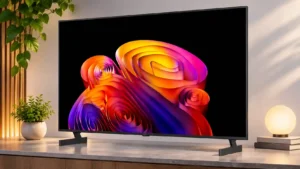
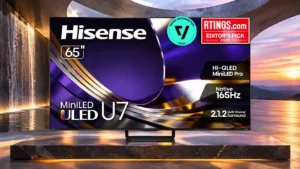
LG B6E OLED
Where It Has the Edge
- response time is 5.0 vs 2.3. OLED pixel transitions are nearly instantaneous, keeping fast game movement exceptionally crisp.

Scorata scores summarize analyzed review evidence on a 1–5 scale; they are not laboratory measurements or a simple average of customer star ratings. Feature scores summarize the reviews covering that feature. The overall score averages feature scores within each review, then combines review averages. When both expert and customer evidence are available, those two groups receive equal weight. Products can have different review coverage, so small score gaps do not establish a winner.
Recommendations prioritize important features for the category, with a score of at least 3.5, a gap of at least 0.25 points and at least two supporting reviews per product. Features with widely varying scores or broad connectivity contexts are excluded from recommendations. These safeguards do not establish statistical significance.
Quick verdict
The review evidence points to a tradeoff: response time versus glare resistance and daytime viewing performance. Choose according to which strengths matter more to you; the overall score alone does not settle that choice.
Choose LG B6E OLED for response time.
Choose Hisense U7SG for glare resistance and daytime viewing performance.
Scores are out of 5. Missing scores mean missing review evidence, not a missing feature.
OLED blacks, vivid colors and sharp texture make an excellent overall image, tempered by some color inconsistency and modest daylight performance.
The screen gives vivid color, crisp detail and a bright image for the money, but uniformity and the accuracy of some presets vary.
Reasonable ambient light is manageable, but bright windows can wash out the experience and make the screen mirror its surroundings.
The matte treatment and strong light output overcome typical windows and room lights with little glare distraction.
Sound largely stays inside the width of the screen rather than creating an enveloping cinematic field.
Height channels add spaciousness, but the integrated system cannot match the width of separate speakers.
Low-end impact is restrained, so engines and dramatic effects lack the rumble that the vivid OLED picture deserves.
Some listeners hear fuller, surprisingly punchy bass, while others find the deepest rumbles weak or the default boost overpowering.
The regular B6 offers a reduced set of sound presets, while the B6E needs the optional Magic Remote for room correction.
A useful EQ, sound modes, dialogue boosts and subwoofer controls offer lots of flexibility, but intelligent settings can complicate manual adjustments.
Basic viewing is serviceable, but thin bass, limited volume and a narrow presentation leave the speakers behind the picture.
Built-in sound often surprises with spaciousness and punch, but assessments vary on dialogue balance and deep bass.
This is where the B6E is at its best: dark scenes retain deep blacks, strong contrast and the vivid look that makes OLED attractive.
Dark scenes can look impressively deep for LCD, but raised blacks, residual blooming and shadow-processing quirks keep OLED ahead.
The B6E is noticeably brighter than some older budget OLEDs, yet substantially dimmer than the C6 and G6 and not equipped for very bright rooms.
The panel delivers exceptional peak brightness for the price, keeping HDR highlights vivid and maintaining visibility in daylight.
Textures and skin detail look clean and natural, although a direct Samsung comparison found slightly crisper fine details on the rival.
Well-mastered 4K footage reveals convincing textures and fine detail, especially in brighter HDR scenes.
Near-infinite OLED contrast brings deep blacks and expressive highlights to films and games, particularly in darker rooms.
High native contrast and local dimming add depth, although OLEDs and some pricier Mini-LED alternatives are stronger in challenging darkness.
HDR highlights have satisfying punch for an affordable OLED, but larger bright scenes look subdued beside premium LG models.
Highlights and bright HDR scenes have serious punch, giving the U7SG an advantage over many similarly priced screens.
Quick response, extremely low input lag and refined 120Hz motion make this one of the strongest areas of the B6E.
An impressive gaming feature list and very low lag coexist with middling motion sharpness for fast-moving objects.
Many scenes look beautifully balanced and natural, but a greenish cast is visible in certain side-by-side comparisons.
Filmmaker Mode can look impressively faithful, but HDR white balance and default brightness curves need care for reference results.
Per-pixel OLED control achieves the effect of perfect local dimming, with no zone transitions to distract from dark scenes.
The dimming system gives dark scenes strong contrast and mostly controlled glow, with occasional odd highlighting or flicker.
Strong contrast and colorful highlights make HDR enjoyable, although peak and full-screen brightness leave room for improvement.
Colorful, high-impact HDR is a highlight of the set, but some presets require correction for their cooler color or tone-mapping behavior.
Compression artifacts and blockiness are handled extremely well, giving rough streams a cleaner appearance.
Low-quality video gets useful compression cleanup, but added image enhancements sometimes introduce unwanted grain.
The B6E can look accurate out of the box, but a green cast appears in some side-by-side scenes. Other content renders skin tones vibrantly and naturally.
SDR color and skin tones can be remarkably natural, but uncalibrated HDR or different presets may introduce green or blue tints.
Filmmaker Mode suits darker dramatic scenes while Cinema Home enhances colorful films and animation.
Theater, Filmmaker and Dolby Vision IQ each offer useful alternatives, and turning off certain defaults can substantially improve realism.
The panel cannot maintain the same visual punch when much of the screen is bright, a drawback for sports and sunny outdoor scenes.
Full-screen bright content dims compared with smaller HDR highlights, something most visible in white-heavy sports.
White balance can look close to ideal by default, but a visible green or yellow bias appears in some scenes alongside the C6 and B5.
SDR white balance is generally good, while uncalibrated HDR can look noticeably cool until adjusted.
Fast action looks clean with minimal smearing, although lower-frame-rate material can still reveal stutter.
Real-world sports can look fluid, but slow pixel transitions, film judder and occasional artifacts mean motion is not consistently premium.
Gaming-mode latency is exceptional, supporting nearly immediate responses to controller inputs.
Controller actions appear rapidly across supported modes, making this one of the set's clearest gaming strengths.
webOS menus are generally intuitive and well organized, even if the software can occasionally feel heavier than expected.
Everyday streaming is simple, but advanced picture settings, forced updates and signup prompts can complicate the first experience.
Static logos or news banners pose a meaningful permanent burn-in risk. Mixed viewing helps, but caution is worthwhile for fixed content.
The LCD panel is effectively immune to permanent OLED-style image burn-in, a useful advantage for long-term static-content use.
The glossy panel does little to hide window or lamp reflections, especially when darker scenes are playing.
The matte screen suppresses direct sunlight and bright lamps better than many similarly priced TVs; larger glossy variants differ.
OLED pixel transitions are nearly instantaneous, keeping fast game movement exceptionally crisp.
Pixel transitions are slower than the refresh-rate label suggests, leaving dark smearing and blur in fast scenes.
Glossy mirror-like reflections are one of the most consistent complaints, with strong lamps and windows disrupting darker scenes.
Direct reflections are strongly reduced by the matte surface, and indirect ambient glare is mostly kept in check.
Fixed, widely spaced feet take up a substantial amount of furniture space.
A compact central footprint can fit narrower media units than widely spaced feet.
The instant OLED pixel response produces exceptionally crisp moving objects, especially at 120Hz.
Sports and some games can look crisp, yet laboratory testing and several owners note blur during dark transitions.
Very dark gray scenes can reveal distracting vertical bands even though ordinary gray screens are relatively clean.
Dark scenes tend to look clean, but bright uniform backgrounds may expose vignetting or dirty-screen patches depending on the panel.
Low-frame-rate compensation extends variable refresh operation below the panel’s normal minimum to reduce tearing.
The broad adaptive-refresh window is useful at high frame rates, but 60Hz handshakes and certain VRR transitions can be problematic.
webOS organizes entertainment with helpful Quick Cards, while settings allow a cleaner home page if suggestions feel intrusive.
Google's show-first home page can be useful for discovery but offers limited control over the promoted rows.
The feet provide adequate support but look and feel cheaper than the metal stand parts on the B5.
The redesigned metal pedestal is solid and stylish, with a heavier feel than previous plastic stands.
Colors and contrast stay remarkably consistent off-axis, with only mild fading from extreme positions.
Head-on viewing is strongest, with off-center colors and contrast fading more than ideal for large family seating.
A revised subpixel structure improves the sharpness of computer text compared with less PC-friendly OLED arrangements.
Full chroma support helps desktop detail, yet the BGR subpixel layout can cause text fringing on a PC.
The central picture stays fairly clean on gray fields, with only minor patchiness that is unlikely to stand out at normal distances.
Some tests found clean sports fields, while others exposed blotchy patches and darker screen edges on uniform backgrounds.
Optional black-frame insertion can reduce perceived blur, but its 60Hz-only operation limits flexibility.
The black-frame insertion option is compromised by image duplication and a pronounced loss of brightness.
Speech can be clear during ordinary watching, but it can also sound uneven and patchy. A soundbar offers more consistent voices.
Speech is generally clear on the integrated speakers, but one comparison found voices harder to hear against effects and music.
Slow camera pans in movies can look jumpy because the OLED pixels transition so quickly; fast games are less affected.
Low-frame-rate films can stutter on slow pans, but a little interpolation makes motion easier to watch.
Bright objects sit against dark backgrounds without distracting halos, thanks to individually controlled OLED pixels.
Most bright highlights are well contained, although small subtitles and starfields can reveal halos.
The B6E handles mainstream HDR color well but covers less of the widest color spaces than some alternatives and even its predecessor.
The panel covers most of DCI-P3 with vivid results, but it cannot reproduce every shade of the wider BT.2020 gamut.
The supplied B6E remote is simpler than the B6’s Magic Remote and misses its motion and voice conveniences; the more advanced remote can be bought separately.
The backlit remote and brushed finish are practical, although the large utilitarian shape looks dated to some people.
Four high-bandwidth HDMI connections accommodate several modern devices, but rear-facing sockets complicate tight wall mounts.
A rich input selection handles multiple consoles and external audio equipment without demanding constant cable swaps.
TruMotion can smooth sports and panning shots, but its frame cadence is not always consistent and may introduce choppiness.
Adding light smoothing helps slow pans and 24p stutter, although aggressive settings can change the cinematic look.
VRR works across a broad span of refresh rates and helps gameplay stay smooth and tear-free.
VRR is useful over a broad gaming range, but 60Hz handshakes and certain frame-rate changes can produce flicker or incompatibility.
Calibration is straightforward and can refine accuracy, although the default image is already strong enough that gains may be subtle.
Careful calibration can yield excellent accuracy, although the absence of a familiar automatic calibration option is disappointing.
The two stand feet support the thin display securely despite their basic materials.
The heavy center base gives the TV reassuring resistance to wobble.
The B6E succeeds as a versatile, good-value OLED with exceptional gaming and dark-room pictures. Reflections and several cost-saving details keep it below pricier models.
A bright, feature-packed Mini-LED set makes a convincing mainstream choice, with motion performance and dark-room precision its main compromises.
A large webOS banner ad can crowd the home page. Home-screen promotions can be disabled, but ads remain on the apps page.
Large promoted banners and personalized recommendations consume much of the Google TV home screen; switching off personalized ads does not remove them.
Black screens remain truly dark without the glow or haloing that can appear on backlit TVs.
Dark backgrounds generally look even, with little backlight bleed, though sample variation can affect the edges.
Subtle refresh-related brightness dips should not bother most viewers, but the picture is not entirely flicker-free.
Fast-frequency backlight PWM is hard to see normally, although transitions and VRR flicker may trouble sensitive viewers.
Perfect, inky OLED blacks are a standout strength across dark scenes, helping highlights and shadows feel sharply separated.
The Mini-LED backlight usually produces deep blacks, but some dark-room comparisons reveal raised shadows and residual halos.
Clips behind the stand feet provide a simple, useful way to keep cables tidier.
Channels in the pedestal help hide cords, but some find the routing limited outside the stand itself.
Compression cleanup and texture enhancement help older or low-quality video look cleaner without excessive sharpening.
Compressed streams and older HD material get cleaner edges and reduced macroblocking without excessive over-sharpening.
Connected consoles can trigger Game Optimizer automatically, helping players get the TV’s fastest responses without changing settings manually.
Games can trigger the lowest-lag mode automatically rather than requiring manual switching.
The 120Hz panel gives games convincingly fluid, crisp motion, though it does not reach the higher rates of premium gaming displays.
Up to 165Hz at 4K is excellent for a midrange television, even though frame transitions are not always as fast as the refresh number implies.
DVDs and HD streams gain clear, natural-looking detail without aggressive edge sharpening.
Older HD and lower-bitrate sources receive sharper detail with minimal artificial edge enhancement.
Game Optimizer offers accessible controls for tuning responsiveness and other gameplay settings.
The game overlay supplies frame-rate, HDR and crosshair tools, but reaching the panel can take more remote presses than ideal.
Rich reds, blues and other saturated colors look engaging in ordinary scenes, but the brightest colors can fade and higher-end OLEDs have more punch.
Bright highlights retain richly saturated colors, with little washout in strong light.
Without the Magic Remote’s pointer and built-in microphone, some navigation and smart functions are less convenient out of the box.
The backlit tactile keys are helpful at night, but shortcut placement and missing direct playback controls bother some users.
Four HDMI 2.1 inputs are unusually generous for a budget-oriented OLED and make it easy to connect multiple modern systems.
Four full-bandwidth HDMI inputs on the common sizes provide unusual flexibility for consoles, PCs and soundbars; the biggest model is an exception.
Game Optimizer delivers excellent responsiveness, while ordinary picture modes can add noticeable input delay.
Game Mode keeps HDR brightness strong and latency low, though it cannot eliminate the screen's slower response times.
Dark detail is generally strong, but occasional black crush and inaccurate shadow rendering can hide fine textures.
Many dark scenes retain fine texture, although some modes flatten shadows or raise near-black detail.
Fast 120Hz play is sharp and fluid, with variable refresh rate helping avoid tears when frame rates fluctuate.
The 165Hz native 4K mode and faster reduced-resolution options favor capable PCs, but response-time blur limits ultimate competitive clarity.
Most film and TV signals play with even frame pacing, although a few unusual frame-rate combinations can retain judder.
Common sources play without major judder, while some 24p material or 25p sources can require motion tweaks.
Normal processing cleans up many low-quality sources without destroying fine detail, though an optional sharpening mode on the regular B6 can look artificial.
Low-bitrate cleanup and upscaling are strong, although certain default settings can make highlights or motion look unnatural.
The panel has relatively low risk of many common failures, but static imagery can burn in and edge-pixel issues may appear with age.
As an LCD, the TV avoids permanent burn-in and several common panel risks, but the newest generation lacks long-term owner history.
AMD FreeSync support contributes to the broad, smooth variable-refresh gaming package.
AMD FreeSync Premium Pro adds a valuable adaptive-refresh option for compatible gaming equipment.
Discounted pricing makes the B6E a standout introduction to OLED, but a cheaper B5 or a closely priced C6 can change the calculation.
When discounted, the U7SG combines standout daylight viewing and connectivity for far less than many flagship models; full price is less persuasive.
Modern games look sharp and run smoothly, with the HDMI bandwidth and gaming modes to make the most of 4K sources.
4K console games benefit from bold HDR, low lag, and up to 120Hz support, though some motion smears on rapid transitions.
4K/120Hz gaming is a clear highlight, with strong compatibility across modern consoles and the responsive motion OLED is known for.
PS5 and Xbox consoles can use 4K at 120Hz without giving up their usual VRR options.
All four HDMI inputs offer high-bandwidth gaming support, including 4K/120Hz and variable refresh rate.
High-bandwidth connections extend to all four standard-size HDMI inputs, avoiding the typical compromise of only one or two gaming-ready ports.
The basic B6E remote lacks the microphone needed for some voice features; using those functions requires an optional Magic Remote.
Google's hands-free Gemini commands and searches are convenient, but they are not always able to complete playback tasks.
HDR luminance tracking closely follows the intended image, preserving subtle differences in bright details.
Core brightness tracking can be close to the intended curve, while optional dynamic tone mapping sometimes produces a strange, overprocessed image.
webOS does not always feel as smooth as its well-organized interface suggests, with occasional hesitation.
Google TV generally feels snappy and responsive, although it is not always as fast as premium rivals.
Highlights retain smooth gradation, though the TV sometimes protects detail by limiting how bright tiny elements appear.
HDR tracking is mostly good, while optional dynamic mapping can brighten scenes or make movement look unnatural.
The redesigned webOS layout is easier to navigate, though some operation can feel sluggish as the software becomes more demanding.
Navigation is usually quick, with occasional slower responses or extra clicks in deeper menus.
Some home-screen promotions and suggested content can be turned off for a cleaner interface, but apps-page ads remain.
A hardware microphone mute and software toggles offer control, though tracking and promotions may be enabled by default.
webOS works with a broad range of connected-home platforms, making the TV adaptable to existing setups.
Google Home and Android integration is useful for linked devices, photos and household smart-home controls.
webOS offers an expansive app library for streaming and gaming, leaving few obvious gaps for everyday entertainment.
The Google TV catalog covers popular subscription services along with plenty of additional streaming choices.
The screen has a clean, thin-edged appearance, although the B6E’s bezels are thicker than those on some premium OLEDs.
Thin bezels keep the picture visually prominent and give the set a clean, modern appearance.
Slim styling, narrow borders and a restrained profile look attractive in a living room, without the bulk of many conventional TVs.
A thin frame and substantial industrial-style center pedestal make this look more expensive than an ordinary budget screen.
Construction feels solid and generally premium, even if the stand feet and some finishing touches are less upscale than flagship alternatives.
The sturdy metal stand and improved finish feel substantial for the price, even though the cabinet remains midrange rather than luxury-grade.
The set handles 1440p/120Hz game signals and can run at even higher frame rates at reduced resolution with suitable PCs.
Google setup brings account prompts and legal agreements, which can slow down first use.
Automatic picture switching is handy for viewers who would rather let the TV choose between movies, sports, and games.
Subtle HDR gradients sometimes break into visible steps, particularly darker greens and grays.
The upward-firing speakers can add welcome width and height, but separate surround speakers still create a larger sound field.
Free ad-supported channels add extra viewing choices, including some worthwhile older programming.
NVIDIA G-SYNC compatibility helps reduce tearing for supported gaming PCs.
Dark HDR skies and gradients may show banding, with unusual artifacts sometimes visible in greens.
Side-mounted, labeled ports are straightforward to find and connect once the TV is on its stand.
Four inputs provide room for several consoles, streamers or a PC without constantly swapping cables.
Small bright objects and sunlight often retain clear separation, with occasional dimming of the tiniest specular highlights.
A full set of standard accessories is packed with the TV, although the box location can initially be confusing.
Some rear-facing HDMI ports are awkward to reach, especially when the television is mounted close to a wall.
The very large versions offer imposing cinematic scale, and the strong brightness keeps that extra screen area lively.
The zones generally follow movement well, but highlights can visibly flicker while moving across the screen.
The B6E’s modest speaker output struggles to fill loud or large spaces.
Color ghosting, soft edges and distracting transition trails may appear in rapid action despite the high refresh specification.
Color and contrast can fade rapidly as viewers move away from the center, especially on the tested VA panel.
Lift-off packaging can make unboxing safer and easier, although one demonstration used special shipping protection not supplied to retail buyers.
The newer budget WOLED panel excels at black levels but does not match tandem OLED for maximum brightness or rich highlight colors.
A conventional removable two-prong cord is a welcome practical touch.
Spaced tactile keys are easy to locate, but the missing play/pause shortcut and awkward tuner key slow certain actions.
The metal pedestal is secure once assembled; some find the screws straightforward, while others recommend an extra pair of hands.
The available app storage is adequate for everyday streaming, although heavy app users may want more space.
High frequencies retain good definition without as much harshness as cheaper television speakers.
The television can be mounted, but backward-facing HDMI ports may require angled adapters for a close-to-wall installation.
AI Sound Pro can improve clarity and detail, but it cannot make the built-in speakers deliver deep bass or a wide soundstage.
Compatible receivers and soundbars can receive high-quality audio using eARC and support for major surround formats.
Ambient-light adaptation can gently adjust the screen for changing room conditions without repeated manual changes.
Self-lit WOLED pixels deliver true blacks and bloom-free contrast, although the affordable panel is less luminous than premium OLED designs.
SDR looks bright and colorful, although Filmmaker and PC/Game presets favor different aspects of accuracy.
The pedestal offers height options that can make room for an external soundbar without blocking the screen.
On-TV streaming generally runs smoothly, although the newer phone setup app can struggle to connect during onboarding.
webOS has broad app support and intuitive menus, though sluggish moments and persistent advertising interrupt an otherwise polished experience.
Google TV delivers familiar apps and easy browsing, but the recommendation-heavy home screen and layered menus can feel cluttered.
A wide selection of familiar streaming services helps make webOS a complete television platform.
Gemini handles ordinary questions but sometimes points to the wrong service or stops at a show's information page.
Dolby Atmos material can be played, but the built-in speakers struggle to reproduce spacious effects convincingly.
Dolby Vision streaming looks vivid and detailed, though compatibility with the newer Dolby Vision 2 format is uncertain.
The eARC port makes high-quality audio transfer to a soundbar or AV receiver straightforward.
Dolby Vision and HDR10+ cover both major premium HDR ecosystems, so format compatibility is rarely a concern.
A discounted 75-, 85- or 100-inch model can deliver substantial screen space for the cost, though premium extra-large sizes rise sharply in price.
Google TV onboarding can be fast, but the heavy stand, app-pairing failures and unskippable updates may slow a new owner's setup.
Smaller and larger variants differ in peak output, coating, stand and sometimes connections, so specifications should be checked for the precise screen size.
A broad selection extends well beyond 85 inches, but brightness, coating and stand designs are not identical across sizes.

Choose the S90H for bright-room OLED viewing, deep blacks and top-tier gaming without flagship pricing. Skip it if you want Dolby Vision, a glossy screen or the simplest smart-TV software.
Pros: glare resistance, black levels
Cons: Dolby Vision support, color gamut

Best for bright Mini-LED picture, excellent built-in audio, easy Roku navigation, and responsive 4K/120 gaming. Skip it if you want ad-free menus, premium motion consistency, or stronger confidence in long-term...
Pros: overall satisfaction, picture quality
Cons: reliability, portability and versatility

Choose the QM8L for a big, brilliantly bright TV with vivid HDR, deep mini-LED blacks, low input lag, and four HDMI 2.1 ports. Skip it if you need OLED-clean motion,...
Pros: picture quality, value for money
Cons: stand quality, judder handling

Choose the G6 for class-leading bright-room OLED picture, rich color, deep blacks and elite gaming. Skip it if you want strong built-in audio, polished launch firmware, no account sign-in, or...
Pros: picture quality, peak brightness
Cons: value for money, sound quality