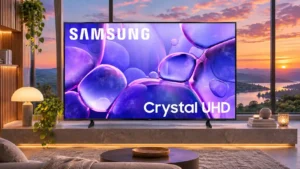
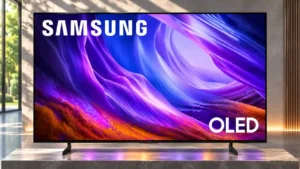
Compare Samsung S85H OLED vs Samsung U8000F

Samsung S85H OLED

Samsung S85H OLED

Overall score 4.0 / 5

Based on 14 scored reviews

vs
Samsung U8000F

Samsung U8000F

Overall score 3.3 / 5

Based on 19 scored reviews

How we score

Scorata scores summarize analyzed review evidence on a 1–5 scale; they are not laboratory measurements or a simple average of customer star ratings. Feature scores summarize the reviews covering that feature. The overall score averages feature scores within each review, then combines review averages. When both expert and customer evidence are available, those two groups receive equal weight. Products can have different review coverage, so small score gaps do not establish a winner.

Recommendations prioritize important features for the category, with a score of at least 3.5, a gap of at least 0.25 points and at least two supporting reviews per product. Features with widely varying scores or broad connectivity contexts are excluded from recommendations. These safeguards do not establish statistical significance.

Quick verdict

What each product is best for

The review evidence points to a tradeoff: ease of use and response time versus dialogue clarity and remote layout. Choose according to which strengths matter more to you; the overall score alone does not settle that choice.

Choose Samsung S85H OLED for ease of use and response time.

Choose Samsung U8000F for dialogue clarity and remote layout.

Why these recommendations?

Samsung S85H OLED

Where It Has the Edge

  • ease of use is 4.5 vs 4.0. Settings and apps are easier to navigate.
  • response time is 5.0 vs 1.0. OLED pixels transition almost instantly, leaving fast objects with very little trailing blur. Minor overshoot is generally hard...
  • solar remote charging is 4.9 vs 1.7. Solar recharging and a USB-C backup eliminate regular battery changes, a convenience rarely found on budget televisions.

Samsung U8000F

Where It Has the Edge

  • dialogue clarity is 4.3 vs 2.7. Dialogue remains easy to follow at normal volumes, making ordinary television and conversational shows comfortable without extra speakers.
  • remote layout is 4.0 vs 3.1. The full-button remote offers more direct controls; the smaller smart remote is easier to hold but more minimalist.
  • banding control is 3.8 vs 3.0. Most gradual shading is acceptable, but dark gray and green gradients can reveal visible bands.
Samsung S85H OLED 4.0 overall score
Samsung U8000F 3.3 overall score

Compare features

Scores are out of 5. Missing scores mean missing review evidence, not a missing feature.

Scored on both products

Performance

Picture quality
Samsung S85H OLED
4.6

Perfect blacks, punchy color and crisp textures give the S85H a compelling picture for its price. Premium OLEDs can look brighter, more natural and more finely detailed.

Samsung U8000F
3.4

Picture quality splits opinion: crisp, natural-looking SDR images win praise, but weak brightness, restrained color, and uneven dark scenes stop this from feeling like a premium 4K screen.

Local dimming performance
Samsung S85H OLED
5.0

Self-emissive pixels create flawless local dimming-like precision.

Samsung U8000F
1.8

Without effective local dimming, darker parts of mixed-brightness scenes can appear gray, and backlight behavior may be distracting. Avoid expecting distinct bright highlights against deep blacks.

Soundbar clearance
Samsung S85H OLED
4.5

Foot placement leaves practical soundbar space.

Samsung U8000F
2.0

Short fixed feet leave little clearance beneath some sizes, so placing a soundbar directly in front may need planning.

HDR performance
Samsung S85H OLED
4.1

Most HDR movies and games look vivid and contrasty, but the image lacks flagship brightness and sometimes renders highlights too aggressively.

Samsung U8000F
1.6

HDR10+ playback is supported, but real HDR impact is often underwhelming because highlights are dim and color lacks pop. Standard mode receives better comments than Filmmaker Mode in some sizes.

Contrast ratio
Samsung S85H OLED
5.0

Near-infinite OLED contrast makes bright highlights stand out sharply against rich dark backgrounds, producing a convincing sense of depth.

Samsung U8000F
2.6

Contrast is more convincing in some VA-panel tests than in IPS examples, yet still lacks the separation and depth of stronger backlit TVs.

HDR brightness
Samsung S85H OLED
3.4

HDR highlights can look striking against perfect blacks, but the S85H lacks the full intensity of pricier OLEDs. Large bright scenes are especially restrained.

Samsung U8000F
1.1

Small bright details struggle to stand out in HDR. This is not a strong choice for the brilliant highlights associated with premium HDR displays.

Dark-room performance
Samsung S85H OLED
5.0

The S85H looks its best in a dim room, where its inky blacks and vivid HDR effects make films and games feel immersive.

Samsung U8000F
3.0

Some VA panels look reasonably convincing for evening films, but clouding, shallow blacks, and dimming behavior limit serious dark-room appeal.

Noise reduction
Samsung S85H OLED
3.0

Artifacts remain after the TV processes low-quality material.

Samsung U8000F
1.0

Low-bitrate streaming artifacts are not cleaned up particularly well; blockiness and pixelization can remain visible.

Gaming performance
Samsung S85H OLED
4.9

Fast inputs, nearly instantaneous response and flexible sync make this a standout entry-level gaming TV. Dolby Vision gaming is unavailable.

Samsung U8000F
3.4

Casual 60fps play is responsive enough, but motion blur and restricted image performance keep gaming from being a standout strength.

Overall image accuracy
Samsung S85H OLED
4.0

Overall SDR accuracy is strong with some HDR deviations.

Samsung U8000F
2.8

SDR images can look impressively faithful, especially in Movie or Filmmaker presets. HDR accuracy is less convincing, with some samples showing cooler, less natural colors.

Bass performance
Samsung S85H OLED
1.3

Explosions, engines and other low-frequency effects lack force, making action-heavy movies feel much smaller than they look.

Samsung U8000F
2.3

Bass tends to be shallow or only adequate, leaving action and music less full-bodied than a separate soundbar can provide.

AI audio processing
Samsung S85H OLED
3.0

AI speech mode helps intermittently, at times making sound thin.

Samsung U8000F
4.0

Adaptive Sound can tailor the tonal balance usefully to a particular room, even if it cannot add much raw speaker power.

Peak brightness
Samsung S85H OLED
3.3

Brightness is respectable for a basic OLED, especially in smaller bright areas. It struggles to maintain punch when much of the picture is bright.

Samsung U8000F
2.3

Peak brightness is the most persistent weakness, particularly under strong ambient light or in HDR. A few owners find it sufficient for ordinary evening television.

Sound quality
Samsung S85H OLED
2.6

Built-in sound is adequate for casual programs, but several tests find it muffled, underpowered or lacking cinematic impact. A soundbar is a worthwhile addition.

Samsung U8000F
3.4

Built-in sound is often clean, balanced, and better than expected for a budget set, but it lacks the weight and output of a proper sound system.

Audio passthrough
Samsung S85H OLED
2.5

Some Blu-ray audio formats cannot be passed through.

Samsung U8000F
3.0

Dolby Digital Plus passthrough can work well, but DTS and some multichannel LPCM configurations remain restricted.

Soundstage
Samsung S85H OLED
4.0

There is some useful separation and direction between sounds, though weak dynamics and bass limit the overall sense of space.

Samsung U8000F
3.7

The audio has pleasing balance and occasional directional width, but it does not deliver a powerful cinematic soundstage.

Color accuracy
Samsung S85H OLED
3.9

Filmmaker mode gives the most faithful colors and can look excellent without calibration. Default presets and some HDR scenes exaggerate warm tones, reds or blues.

Samsung U8000F
4.1

Natural SDR colors and convincing skin tones are recurring strengths, although HDR color errors, blue casts, and panel differences leave accuracy uneven overall.

Daytime viewing performance
Samsung S85H OLED
2.3

Ordinary daylight is manageable, but very bright rooms expose the S85H’s limited light output and reflective screen. Windows facing the panel are particularly troublesome.

Samsung U8000F
2.2

Daytime visibility is a weak point: brightness and reflection handling often fall short when the curtains are open.

White balance accuracy
Samsung S85H OLED
4.3

Out-of-box SDR whites are close to reference, with only a small cool cast. Filmmaker settings help deliver a natural-looking image.

Samsung U8000F
4.3

White balance and color temperature can be very good in SDR, though some settings or models lean too cool and dark.

Other features

Motion handling
Samsung S85H OLED
4.8

Sports and games appear clean and crisp thanks to fast pixel response. Low-frame-rate material can still show stutter or persistence blur.

Samsung U8000F
3.1

Motion results vary considerably, from pleasingly smooth after adjustments to noticeable blur and color trails in fast action.

Input lag
Samsung S85H OLED
4.9

Game Mode delivers extremely quick controls, with measurements around single-digit milliseconds. Optional game interpolation adds substantial latency.

Samsung U8000F
4.8

Input lag is consistently very low, giving button presses an immediate feel even on this inexpensive 60Hz set.

Ease of use
Samsung S85H OLED
4.5

Settings and apps are easier to navigate.

Samsung U8000F
4.0

The basic menus are approachable and common adjustments are accessible, despite some delays during navigation.

Response time
Samsung S85H OLED
5.0

OLED pixels transition almost instantly, leaving fast objects with very little trailing blur. Minor overshoot is generally hard to see.

Samsung U8000F
1.0

Slow pixel transitions are a drawback for sharper fast-paced gaming and sports, especially on the tested 60Hz panel.

VRR range
Samsung S85H OLED
5.0

Adaptive synchronization remains effective across the refresh range, including lower frame rates when compensation is available.

Samsung U8000F
1.5

The roughly 48–60Hz VRR window is too restrictive to prevent tearing when a game dips further in frame rate.

HDMI 2.1 port count
Samsung S85H OLED
5.0

All four HDMI ports offer full gaming bandwidth, making the S85H practical for households with several consoles or a gaming PC.

Samsung U8000F
1.8

All three HDMI ports lack full 2.1 gaming bandwidth, constraining configurations that need 4K at 120Hz.

Cable management
Samsung S85H OLED
4.0

Included foot clips help organize exposed cables.

Samsung U8000F
1.0

There is little help for tidying cables behind the set, particularly when several external devices are connected.

Refresh rate
Samsung S85H OLED
4.3

120Hz capability suits console gaming.

Samsung U8000F
1.6

The native 60Hz ceiling is a firm limitation for high-frame-rate console and PC play; ordinary 60fps games remain usable.

Black uniformity
Samsung S85H OLED
5.0

Pure black regions are impressively uniform and free of haloing around bright objects. Some near-black scenes still reveal vertical bands.

Samsung U8000F
2.3

Black shading is relatively even on some screens, while other samples show visible clouding in dark scenes.

Gaming dashboard
Samsung S85H OLED
4.8

Samsung’s Game Bar puts VRR information and gaming controls close at hand, while the Gaming Hub helps with console-free cloud play.

Samsung U8000F
2.3

The Gaming Hub is useful for consolidating sources, but the more capable Samsung Game Bar and its overlays are absent.

HDMI port count
Samsung S85H OLED
5.0

Four capable HDMI sockets provide plenty of room for consoles, streaming hardware and other sources.

Samsung U8000F
2.5

Three HDMI sockets cover simple setups but can be restrictive once a console, soundbar, and streaming device are all connected.

High-refresh-rate gaming
Samsung S85H OLED
3.9

120Hz OLED motion is crisp for consoles and most PC gaming, but fast competitive PCs can benefit from higher refresh rates offered elsewhere.

Samsung U8000F
1.4

Anyone used to 120Hz or faster screens will notice the 60Hz limit, which makes this a poor upgrade for competitive high-refresh play.

Black levels
Samsung S85H OLED
5.0

Black areas look genuinely inky, with individual OLED pixels switching fully off. This is one of the TV’s clearest advantages over comparable LCD displays.

Samsung U8000F
2.6

VA versions can give dark scenes reasonable depth, especially in Standard mode, but black areas can turn gray when brighter objects enter the frame. IPS examples struggle more with dark blacks.

Stand width
Samsung S85H OLED
4.3

Two foot positions make it easier to fit the TV on narrower furniture or make space for a soundbar.

Samsung U8000F
2.0

Wide-set, minimally adjustable feet can demand a broad cabinet and complicate soundbar placement.

Burn-in resistance
Samsung S85H OLED
2.8

Static logos and HUD elements carry a risk of permanent burn-in over time. Built-in protections help, and varied viewing is less concerning.

Samsung U8000F
5.0

Permanent image retention is an unlikely concern with this direct-lit LCD panel, even during prolonged static-image use.

Variable refresh rate
Samsung S85H OLED
4.9

Adaptive refresh works smoothly across much of the panel’s range and helps keep gameplay free of tearing.

Samsung U8000F
2.7

Basic VRR is present on several models, but the narrow operating range means its practical improvement is limited.

Viewing angles
Samsung S85H OLED
4.8

Off-center seating retains convincing color and contrast, making the panel a good fit for wider couches or seating arrangements.

Samsung U8000F
2.6

Off-center picture quality depends on panel type: VA samples lose contrast and shift color at the sides, while one IPS version fares much better.

Blooming control
Samsung S85H OLED
5.0

Bright subtitles and small highlights sit cleanly against dark backgrounds without the glowing halos that can surround them on many LCD TVs.

Samsung U8000F
3.0

Blooming is not a major annoyance on the tested VA model, although that reflects its simple, globally lit design rather than precise local dimming.

Gaming mode quality
Samsung S85H OLED
5.0

Game Mode offers useful tools and responsiveness.

Samsung U8000F
3.0

Game Mode keeps controls feeling snappy, though it cannot fix sluggish pixel transitions or the modest HDR picture.

Wall-mount compatibility
Samsung S85H OLED
3.8

The set can be mounted using standard VESA hardware, but recessed ports are harder to reach when installed flush against a wall.

Samsung U8000F
2.0

Wall mounting is possible, but rear-facing connections can require extra clearance or right-angle cables.

Calibration options
Samsung S85H OLED
4.3

Calibration is easy but changes little for SDR.

Samsung U8000F
2.5

Picture calibration can improve accuracy, but achieving the best results can require extensive tweaking or prove frustrating.

G-SYNC compatibility
Samsung S85H OLED
4.8

G-SYNC compatibility is effective with supported sources.

Samsung U8000F
3.0

G-SYNC-compatible VRR behavior is limited by the TV's narrow refresh range, so it is less helpful than on a proper gaming display.

Color volume
Samsung S85H OLED
3.6

Colors are lively for an entry OLED, but highly saturated HDR highlights can look washed out compared with stronger QD-OLED or tandem panels.

Samsung U8000F
1.8

HDR colors lack the depth and brightness of more advanced displays, with some rich shades looking muted or flat.

Color gamut
Samsung S85H OLED
4.0

Everyday movies show rich, saturated color, with strong DCI-P3 coverage. Extreme Rec.2020 reds and greens are not as intense as on premium OLEDs.

Samsung U8000F
2.3

The limited gamut reduces saturation and HDR impact, even though colors often look balanced in regular SDR viewing.

Motion clarity
Samsung S85H OLED
5.0

Fast-moving objects stay sharp, making dynamic games and sport broadcasts particularly satisfying.

Samsung U8000F
3.3

Rapid action can lose fine detail or look smeared, even though some reviewers find the motion quite acceptable for normal television.

Dialogue clarity
Samsung S85H OLED
2.7

Speech is generally audible at moderate levels, but the sound can become muffled or compressed when the volume climbs.

Samsung U8000F
4.3

Dialogue remains easy to follow at normal volumes, making ordinary television and conversational shows comfortable without extra speakers.

Flicker control
Samsung S85H OLED
3.5

Minor refresh-linked brightness pulsing remains.

Samsung U8000F
2.0

Backlight flicker could trouble sensitive viewers, with behavior varying by mode and brightness setting.

Judder handling
Samsung S85H OLED
4.5

Most film cadence is handled cleanly.

Samsung U8000F
3.0

Native 24p material can play smoothly, but some sources or settings introduce visible judder that requires tuning.

Stutter handling
Samsung S85H OLED
2.5

Slow frame-rate motion can stutter noticeably.

Samsung U8000F
4.0

Film-like frame rates can avoid micro-judder, which helps slower cinematic scenes feel steady.

Overall satisfaction
Samsung S85H OLED
4.6

The S85H earns strong praise for its OLED picture, extensive gaming features and accessible pricing. Bright-room visibility and audio quality remain the most common reservations.

Samsung U8000F
3.3

Opinions span from a very satisfying bargain to a disappointing entry-level set. The divide largely comes down to expectations for brightness, contrast, and picture quality.

HDR highlight detail
Samsung S85H OLED
3.1

The TV can preserve bright effects with careful tone mapping, but overly bright skin highlights and demanding HDR masters sometimes lose subtle detail.

Samsung U8000F
1.8

Bright HDR highlights may lose subtle shading or simply lack enough luminance to stand out.

Backlight strobing
Samsung S85H OLED
3.0

BFI helps only at 60Hz and leaves some blur.

Samsung U8000F
2.0

Black-frame insertion produces distracting image duplication and flicker, limiting its usefulness for cleaning up motion.

Remote layout
Samsung S85H OLED
3.1

Minimal buttons keep the remote tidy, but it can be easy to lose and difficult to use in darkness. Some common functions require on-screen menus.

Samsung U8000F
4.0

The full-button remote offers more direct controls; the smaller smart remote is easier to hold but more minimalist.

Banding control
Samsung S85H OLED
3.0

Dark gray and green show mild banding.

Samsung U8000F
3.8

Most gradual shading is acceptable, but dark gray and green gradients can reveal visible bands.

Remote control quality
Samsung S85H OLED
4.4

The compact SolarCell remote is a favorite for its simple controls and rechargeable battery. Missing backlighting and small size can be inconvenient.

Samsung U8000F
3.6

Included remotes are generally usable and comfortable, though the basic models omit conveniences such as a microphone or solar charging.

Dirty screen effect
Samsung S85H OLED
3.5

Some panel variations are difficult to notice from normal distance.

Samsung U8000F
2.8

A mild dirty-screen effect and patchiness are visible in tests, though several reviewers find them less noticeable with real content.

Stand quality
Samsung S85H OLED
2.6

Adjustable feet support different cabinet widths, but the plastic pieces feel cheap and can wobble slightly.

Samsung U8000F
2.0

The basic plastic feet are functional but feel cheaper than the rest of Samsung's design language.

Maximum volume
Samsung S85H OLED
2.5

High volume creates compression that hurts intelligibility.

Samsung U8000F
3.1

Speaker volume suits many everyday rooms, but reviewers disagree about its headroom and several find it too quiet for large or noisy spaces.

Advertising intrusiveness
Samsung S85H OLED
1.5

Interface ads cannot be removed entirely.

Samsung U8000F
2.0

Home-screen advertisements cannot be completely removed, even though targeted advertising can be disabled.

Gradient handling
Samsung S85H OLED
3.5

Color gradients are generally smooth with some darker banding. Dark gradients can show posterization.

Samsung U8000F
4.0

Gradients are generally smooth for the price, with only moderate banding showing up in select dark colors.

Screen uniformity
Samsung S85H OLED
2.5

Near-black scenes can reveal vertical bands, even though ordinary bright and dark content often looks uniform.

Samsung U8000F
2.0

Large uniform fields reveal uneven shading, side bands, or vignetting on some screens, which can distract during sports.

Shadow detail
Samsung S85H OLED
2.8

OLED blacks create atmosphere, but fine detail in nearly black scenes can be crushed or swallowed. Results depend on the content and processing settings.

Samsung U8000F
3.2

Shadow visibility varies with picture mode and screen version. Some tests praise preserved dark-scene detail, while others find shadowy areas hard to distinguish.

Upscaling quality
Samsung S85H OLED
3.9

Older movies and low-resolution streams generally look clear and well defined. Some competing models preserve more sharpness and texture from weaker sources.

Samsung U8000F
4.3

HD sources upscale respectably and often look clean, though the result can seem a little soft. Very low-resolution streams remain the weak point.

Resolution
Samsung S85H OLED
5.0

4K resolution shows strong detail on large panels.

Samsung U8000F
4.6

Fine detail in 4K material looks crisp, and several sizes reproduce HD-to-4K detail well. It does not deliver sharper motion simply because the panel has 4K resolution.

Auto low-latency mode
Samsung S85H OLED
4.8

Automatic low-latency switching removes a gaming setup step.

Samsung U8000F
4.5

Auto low-latency switching is a useful convenience, putting the TV into its responsive game setting when a console starts.

Reflection handling
Samsung S85H OLED
2.2

Glossy reflections are a major weakness compared with Samsung’s S90H and S95H. A controllable, moderately lit room is the safest setting.

Samsung U8000F
2.0

Bright reflections remain conspicuous in harsher rooms, despite one more favorable appraisal of the screen's coating.

Motion interpolation
Samsung S85H OLED
3.0

Smoothing helps but brings a soap-opera effect.

Samsung U8000F
2.9

Motion adjustment can improve judder on some samples, but other testing finds interpolation inconsistent or ineffective.

Low-resolution content handling
Samsung S85H OLED
3.3

DVDs and standard-definition streams remain watchable, though the picture can be somewhat soft and fine details may disappear.

Samsung U8000F
3.2

Lower-quality broadcasts may preserve jagged edges, blocks, or softness; HD input fares much better than 480p material.

Glare resistance
Samsung S85H OLED
1.9

Direct lamps and windows remain clearly visible on the screen. The S85H cannot match the anti-glare coatings on Samsung’s step-up OLEDs.

Samsung U8000F
2.0

Overhead lights may be tolerable, but windows and direct reflections can make the dim picture harder to enjoy.

Energy efficiency
Samsung S85H OLED
4.0

AI energy settings can cut power use.

Samsung U8000F
4.0

Sleep-timer functions can stop an idle TV and avoid unnecessary power use.

PC text clarity
Samsung S85H OLED
4.0

The RGWB arrangement improves computer text rendering.

Samsung U8000F
4.0

PC text is generally readable with full chroma support, but the BGR subpixel arrangement may cause issues in certain desktop applications.

Ownership and support

Reliability
Samsung S85H OLED
3.0

Most panel problems are not expected to occur quickly, but potential burn-in and eventual edge-pixel defects deserve consideration.

Samsung U8000F
4.0

Long-term dimming risk appears relatively low for this direct-lit LCD design, although component failures remain possible.

HDMI 2.1 support
Samsung S85H OLED
5.0

All HDMI sockets carry the full gaming bandwidth.

Samsung U8000F
2.0

Missing HDMI 2.1 bandwidth limits access to higher-refresh 4K modes, though casual users may not miss it.

Setup ease
Samsung S85H OLED
2.5

Installation benefits from another person and careful handling.

Samsung U8000F
5.0

The slot-in feet and straightforward first setup are repeated bright spots, with no screwdriver needed for the stand.

4K gaming support
Samsung S85H OLED
5.0

4K console play is strongly supported aside from Dolby Vision.

Samsung U8000F
3.0

The TV can display 4K game signals at 60Hz, but not the high-frame-rate 4K modes of newer gaming displays.

FreeSync support
Samsung S85H OLED
4.8

FreeSync provides tear-free play.

Samsung U8000F
3.0

FreeSync-style variable refresh can help in a narrow band, but dips below the supported window can still show tearing.

Value for money
Samsung S85H OLED
4.5

Premium-looking OLED contrast and a broad gaming toolset come at an appealing entry-level price. LG B6 deals or discounted older Samsung models can sometimes offer stronger value.

Samsung U8000F
3.3

The low entry price attracts budget shoppers, but several reviewers argue that competing Mini LED televisions deliver substantially more picture quality per dollar.

Cloud gaming support
Samsung S85H OLED
4.8

The Gaming Hub makes supported titles accessible without connecting a console, though a compatible service subscription is needed.

Samsung U8000F
3.8

Gaming Hub offers convenient cloud-gaming access where services are available, although support and subscriptions vary by location.

Casting support
Samsung S85H OLED
4.5

Sharing Galaxy media to the TV is straightforward.

Samsung U8000F
4.0

Samsung device casting is convenient through the TV's smart interface, alongside supported Apple mirroring.

DTS support
Samsung S85H OLED
1.5

DTS tracks are unsupported, which can complicate lossless surround audio from Blu-ray discs.

Samsung U8000F
1.0

No DTS passthrough is a drawback for Blu-ray owners using lossless DTS audio tracks.

HDR format support
Samsung S85H OLED
2.5

Available HDR formats are useful, but Dolby Vision is excluded.

Samsung U8000F
2.0

The available HDR formats provide basic compatibility, but limited luminance and missing Dolby Vision reduce the appeal for format-focused viewers.

Dolby Vision support
Samsung S85H OLED
1.8

Dolby Vision is missing for both movies and games, although HDR10 and HDR10+ are available. This is a real consideration for Dolby Vision-heavy libraries.

Samsung U8000F
2.0

Dolby Vision is unavailable, so services and discs using that format cannot use its dynamic metadata here.

HDR10+ support
Samsung S85H OLED
4.0

HDR10+ mitigates some of the missing Dolby Vision functionality.

Samsung U8000F
4.0

HDR10+ is a welcome supported alternative, although its benefits cannot compensate for the TV's relatively modest panel brightness.

Battery and charging

Solar remote charging
Samsung S85H OLED
4.9

Solar recharging and a USB-C backup eliminate regular battery changes, a convenience rarely found on budget televisions.

Samsung U8000F
1.7

The included smart remote lacks solar charging, so replacing batteries remains part of ownership.

Controls and connectivity

App performance
Samsung S85H OLED
4.8

Streaming apps work reliably.

Samsung U8000F
1.7

Opening streaming services can take longer than expected on this budget processor, despite the broad app catalog.

Menu responsiveness
Samsung S85H OLED
4.5

Switching inputs and settings is intuitive.

Samsung U8000F
2.0

Settings can be easy to locate, although delayed responses and sluggish navigation frustrate some users.

Operating system speed
Samsung S85H OLED
4.5

Navigation feels brisk. Tizen improves organization rather than raw speed.

Samsung U8000F
2.3

Menu navigation and launches feel quick to some owners but slow to several expert testers, particularly on demanding Tizen screens.

Software updates
Samsung S85H OLED
5.0

Samsung’s promise of up to seven years of Tizen updates is a welcome long-term benefit.

Samsung U8000F
4.0

A software refresh brings the newer One UI interface; the experience can still be less responsive than on pricier Samsungs.

HDR tone mapping accuracy
Samsung S85H OLED
3.1

Overall tonal tracking can be impressive, though some scenes expose exaggerated highlights and loss of shadow detail. A brighter setting can further trade accuracy for punch.

Samsung U8000F
4.0

HDR brightness tracking is reasonably faithful in many scenes, but the dim panel and raised near-black areas keep it from full accuracy.

Wi-Fi performance
Samsung S85H OLED
4.5

Modern wireless compatibility is a welcome upgrade.

Samsung U8000F
5.0

The 43-inch model held a stable wireless connection even at a considerable distance from the router, without noticeable streaming lag.

Smart home integration
Samsung S85H OLED
4.4

Built-in smart home control is versatile.

Samsung U8000F
4.0

SmartThings integration and compatible routines are useful for managing the TV alongside other connected devices.

App selection
Samsung S85H OLED
5.0

The major streaming platforms are present, with services such as Netflix, Prime Video, Disney+ and Apple TV working well.

Samsung U8000F
4.8

Major streaming apps and catch-up services are widely available, making a separate streaming stick unnecessary for most viewers.

Tone mapping
Samsung S85H OLED
3.2

Bright effects are controlled effectively. Tone mapping sometimes flattens image depth.

Samsung U8000F
3.0

Tone mapping works surprisingly well on some samples in Standard mode, but other settings flatten highlights, shift shadows, or clip bright detail.

Privacy controls
Samsung S85H OLED
3.0

Ad targeting can be disabled, but ads themselves remain.

Samsung U8000F
3.0

Targeted ads can be switched off, but this does not remove all promotional material from the home screen.

Comfort and build

Bezel size
Samsung S85H OLED
5.0

The thin borders keep attention on the image.

Samsung U8000F
4.0

Narrow bezels make the screen look relatively modern, although a small inactive border remains visible on some versions.

Size options
Samsung S85H OLED
4.9

Sizes from 48 to 83 inches cover everything from smaller rooms to large living rooms, adding flexibility within the entry-level OLED range.

Samsung U8000F
4.0

Screen sizes run from compact bedrooms to very large living-room options, giving buyers considerable size flexibility.

Design and appearance
Samsung S85H OLED
3.9

A very thin panel and narrow bezels make the S85H attractive from the front, while the plastic stand and rear are less premium.

Samsung U8000F
3.8

Its restrained design and thin bezels look tidy from the front, while plastic details and a bulky rear lower the premium impression.

Build quality
Samsung S85H OLED
3.1

The thin design looks attractive from the front but uses fairly inexpensive plastic, with some fragility during handling.

Samsung U8000F
3.2

Build quality is mixed: inexpensive plastics and flex bother some testers, while others find the lightweight body adequately sturdy.

Evidence available for one product

Ownership and support

4K at 120 Hz support
Samsung S85H OLED
4.9

Current-generation consoles can run at 4K and 120Hz with VRR support. Enthusiast PC gamers may miss a higher 144Hz or 165Hz ceiling.

Samsung U8000FNo score yet
AirPlay support
Samsung S85H OLEDNo score yet
Samsung U8000F
4.3

Built-in AirPlay makes it convenient to send content from iPhones, iPads, and Macs without adding another box.

EARC support
Samsung S85H OLED
4.5

Audio connectivity accommodates external soundbars.

Samsung U8000FNo score yet
Large-screen value
Samsung S85H OLEDNo score yet
Samsung U8000F
4.3

Big sizes are tempting at entry-level prices, though several competitors promise noticeably stronger image quality for little extra.

Tuner support
Samsung S85H OLED
2.5

No ATSC 3.0 option for next-gen broadcasts.

Samsung U8000FNo score yet

Other features

Accessibility features
Samsung S85H OLEDNo score yet
Samsung U8000F
4.0

Closed captions are a useful accessibility option when voices need to remain readable in a noisy household.

Account requirements
Samsung S85H OLEDNo score yet
Samsung U8000F
2.5

Some online features need a Samsung account and current software, an extra hurdle for anyone wanting a sign-in-free TV.

AI scene optimization
Samsung S85H OLED
2.3

Abundant AI extras fail to add obvious utility.

Samsung U8000FNo score yet
AI Soccer Mode
Samsung S85H OLED
3.7

The soccer preset brightens the pitch and can enhance stadium sound, but it can also make colors look excessive and needs manual switching on this model.

Samsung U8000FNo score yet
Bass reproduction
Samsung S85H OLED
1.0

Low frequencies fail to convey crashes and engines.

Samsung U8000FNo score yet
Built-in speaker surround immersion
Samsung S85H OLEDNo score yet
Samsung U8000F
4.0

OTS Lite lends voices and effects a more convincing screen position than the simple stereo speaker count suggests.

Chassis thickness
Samsung S85H OLEDNo score yet
Samsung U8000F
2.7

The television can look slim from the front, but its thickest rear sections are less elegant than premium designs.

Content recommendations
Samsung S85H OLED
4.0

Personalized recommendations are better integrated.

Samsung U8000FNo score yet
Device security
Samsung S85H OLEDNo score yet
Samsung U8000F
4.0

Samsung Knox is presented as a worthwhile extra safeguard for connected apps and services, a welcome touch on an inexpensive smart TV.

Distortion control
Samsung S85H OLEDNo score yet
Samsung U8000F
5.0

The speakers avoid obvious buzzing and crackling even as louder effects play, an advantage at this price.

Free streaming channels
Samsung S85H OLEDNo score yet
Samsung U8000F
4.5

Samsung TV Plus offers a convenient no-extra-subscription stream of channels, including programming beyond the major paid services.

Game Motion Plus
Samsung S85H OLED
4.0

Optional interpolation makes 30fps single-player games look smoother, but it substantially raises latency and is less suitable for competitive action.

Samsung U8000FNo score yet
HDMI port accessibility
Samsung S85H OLEDNo score yet
Samsung U8000F
2.0

Rear-facing HDMI ports make wall-mounted devices and cables harder to connect cleanly.

Image processing
Samsung S85H OLED
3.6

Processing is competent for everyday sources, and crisp textures help the picture look detailed. Compression cleanup, over-sharpening and aggressive HDR treatment are less consistent.

Samsung U8000FNo score yet
Image realism and naturalness
Samsung S85H OLEDNo score yet
Samsung U8000F
4.7

Natural skin tones and balanced SDR color help ordinary images look believable, though cooler HDR colors can undermine that look.

Mac integration
Samsung S85H OLEDNo score yet
Samsung U8000F
5.0

AirPlay makes it easy to mirror a Mac screen without purchasing a separate Apple TV box.

Motion artifacts
Samsung S85H OLEDNo score yet
Samsung U8000F
2.0

Some quick color transitions leave visible red or other motion artifacts, although a few owners notice little smearing.

Packaging and unboxing
Samsung S85H OLEDNo score yet
Samsung U8000F
4.5

Unboxing is straightforward, with the television well protected and key parts easy to identify.

Packaging quality and presentation
Samsung S85H OLEDNo score yet
Samsung U8000F
4.0

Protective packaging and included basic hardware make initial handling uncomplicated.

Screen mirroring
Samsung S85H OLEDNo score yet
Samsung U8000F
5.0

Phone-to-TV mirroring is especially handy for owners of Apple devices who want a simple display connection.

Speaker quality
Samsung S85H OLEDNo score yet
Samsung U8000F
4.0

The internal speakers perform respectably at ordinary levels, but bass power and maximum volume are not their strong points.

Stand assembly
Samsung S85H OLEDNo score yet
Samsung U8000F
5.0

The feet slot into position quickly and securely, making assembly easier than screw-fastened stands.

Stand stability
Samsung S85H OLEDNo score yet
Samsung U8000F
4.0

The supplied legs hold the panel securely without elaborate mounting hardware.

Treble clarity
Samsung S85H OLEDNo score yet
Samsung U8000F
4.0

Treble is generally clear, though sometimes a bit bright or thin at higher frequencies.

TV recording capabilities
Samsung S85H OLED
1.0

Traditional broadcast viewers cannot record tuner programs directly to a USB drive.

Samsung U8000FNo score yet
Video input versatility
Samsung S85H OLED
4.7

Several demanding devices can stay connected simultaneously.

Samsung U8000FNo score yet
Weight and handling
Samsung S85H OLEDNo score yet
Samsung U8000F
3.5

The lightweight cabinet is easier to handle, but larger models still benefit from help during unboxing.

Performance

Art display mode
Samsung S85H OLEDNo score yet
Samsung U8000F
4.0

Personal images can double as an idle-screen gallery, offering a basic display alternative to Samsung's more advanced art modes.

Audio settings
Samsung S85H OLEDNo score yet
Samsung U8000F
4.0

Equalizer and channel-balance options offer useful control over the sound without adding external equipment.

Display technology
Samsung S85H OLEDNo score yet
Samsung U8000F
3.0

The basic LCD architecture can offer respectable native contrast on VA-panel examples, but the absence of zone-by-zone backlight control limits the result.

Optical audio output
Samsung S85H OLEDNo score yet
Samsung U8000F
1.0

The missing optical audio output disappoints owners of older sound equipment; some video descriptions conflict on connection layouts.

Picture-in-picture availability
Samsung S85H OLED
1.5

Picture-in-picture is missing, preventing two sources from sharing the screen at once.

Samsung U8000FNo score yet
Picture consistency between source changes
Samsung S85H OLEDNo score yet
Samsung U8000F
1.0

Abrupt changes between bright and dark shots can provoke distracting backlight pumping that settings do not fully eliminate.

Picture detail
Samsung S85H OLEDNo score yet
Samsung U8000F
4.8

Detailed textures and fine edges are a strength for the price, especially with good-quality 4K or HD sources.

Picture mode tuning
Samsung S85H OLEDNo score yet
Samsung U8000F
3.4

Standard mode looks best to several testers; other presets offer accuracy but can dim or flatten the image, making adjustments a tradeoff.

Q-Symphony soundbar integration
Samsung S85H OLEDNo score yet
Samsung U8000F
4.0

Q-Symphony is a useful option with compatible Samsung soundbars for combining audio output and adding impact.

SDR brightness
Samsung S85H OLEDNo score yet
Samsung U8000F
1.0

SDR remains dim by bright-room standards, even when the most luminous preset is selected.

SDR picture performance
Samsung S85H OLEDNo score yet
Samsung U8000F
3.8

Standard-definition-range picture quality is frequently balanced and natural, especially in carefully chosen presets.

Sustained brightness
Samsung S85H OLED
2.3

A larger bright area causes the image to dim considerably, limiting the impact of snowfields, bright skies and full-screen highlights.

Samsung U8000FNo score yet

Controls and connectivity

Aspect-ratio zoom controls
Samsung S85H OLEDNo score yet
Samsung U8000F
5.0

Flexible zoom and aspect-ratio controls help older 4:3 video fill the screen when desired.

Bluetooth audio connectivity
Samsung S85H OLED
5.0

Bluetooth soundbar pairing works smoothly.

Samsung U8000FNo score yet
SmartThings phone remote control
Samsung S85H OLEDNo score yet
Samsung U8000F
4.0

SmartThings provides a workable phone-based alternative when the physical remote is inconvenient.

Smart TV platform
Samsung S85H OLED
4.4

The redesigned Tizen layout feels improved.

Samsung U8000FNo score yet
Smart TV platform
Samsung S85H OLEDNo score yet
Samsung U8000F
4.1

Tizen provides a familiar, capable smart-TV experience with strong content access, though budget hardware can make it sluggish.

Streaming app support
Samsung S85H OLEDNo score yet
Samsung U8000F
5.0

Netflix, Disney+, Apple TV, and other popular services work conveniently through the built-in streaming platform.

Voice assistant support
Samsung S85H OLEDNo score yet
Samsung U8000F
2.0

Voice commands generally require a phone app or external assistant rather than a microphone in the included remote.

Other Top TVs to Consider

#1 Samsung S90H
4.5

Choose the S90H for bright-room OLED viewing, deep blacks and top-tier gaming without flagship pricing. Skip it if you want Dolby Vision, a glossy screen or the simplest smart-TV software.

Pros: glare resistance, black levels

Cons: Dolby Vision support, color gamut

#2 Roku Pro Series (2025)
4.4

Best for bright Mini-LED picture, excellent built-in audio, easy Roku navigation, and responsive 4K/120 gaming. Skip it if you want ad-free menus, premium motion consistency, or stronger confidence in long-term...

Pros: overall satisfaction, picture quality

Cons: reliability, portability and versatility

#3 TCL QM8L
4.4

Choose the QM8L for a big, brilliantly bright TV with vivid HDR, deep mini-LED blacks, low input lag, and four HDMI 2.1 ports. Skip it if you need OLED-clean motion,...

Pros: picture quality, value for money

Cons: stand quality, judder handling

#4 LG G6
4.4

Choose the G6 for class-leading bright-room OLED picture, rich color, deep blacks and elite gaming. Skip it if you want strong built-in audio, polished launch firmware, no account sign-in, or...

Pros: picture quality, peak brightness

Cons: value for money, sound quality