If you want better Weather resistance
Choose Lockly Secure Plus Smart Lock. It scores 4.5 vs 2.5 for Weather resistance, with a 3.8 overall score.

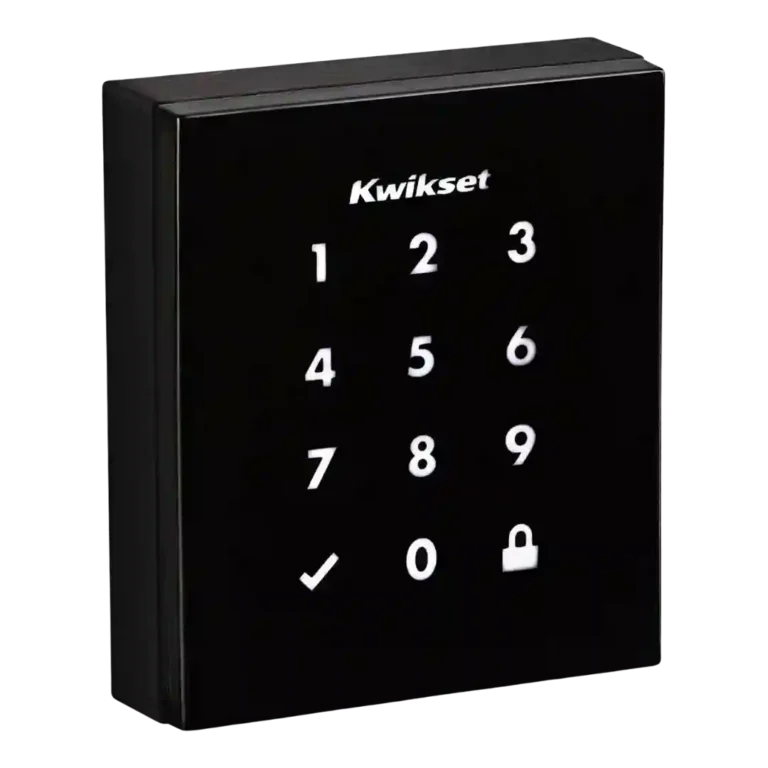
Choose the Kwikset Obsidian for a sleek keyless touchscreen lock with strong SecureScreen and Z-Wave routines. Skip it if you need built-in Wi-Fi, Bluetooth, HomeKit/Google support, a physical key, or low-maintenance batteries.
Best for people who want a clean, key-free touchscreen deadbolt and already use, or are willing to use, a compatible Z-Wave, Wink, SmartThings, or Alexa setup. It also fits buyers who value SecureScreen-style code privacy over physical-key backup.
Not for shoppers who need a physical key, built-in Bluetooth or Wi-Fi, easy HomeKit or Google integration, or robust code scheduling on every platform. It is also less ideal for doors exposed to strong sun if heat buildup is a concern.
Reviewers consistently framed the Kwikset Obsidian as a stylish, minimalist key-free lock with strong everyday keypad use and useful security extras, especially SecureScreen. Its best evidence comes from design praise, reliable locking, easy Z-Wave pairing, and app or voice control when the right hub or ecosystem is in place. The tradeoff is that its smart side is fragmented: some versions or platforms lack remote code creation, code scheduling, Bluetooth, built-in Wi-Fi, or broad HomeKit and Google support. Installation is another split area, ranging from simple to frustrating depending on fit and instructions. Battery life and hub costs also keep it from feeling universally easy.
Compared with other Smart Locks, this product is above average in Pick/drill resistance (if rated), Existing hardware reuse, Fingerprint, near average in Security features (encryption), Physical attack resistance, below average in Weather resistance, Locking motor, User access management.
| Attribute | This product | Category average | Difference |
|---|---|---|---|
| Weather resistance | 2.5 | 4.3 | -1.8 |
| Locking motor | 2.5 | 4.1 | -1.6 |
| User access management | 3.4 | 4.3 | -0.9 |
| Value and Price | 3.0 | 3.9 | -0.9 |
| Battery | 2.8 | 3.8 | -0.9 |
| Lock/unlock speed | 3.8 | 4.7 | -0.9 |
| Pick/drill resistance (if rated) | 4.5 | 3.6 | +0.9 |
| Existing hardware reuse | 4.5 | 3.6 | +0.9 |
Choose Lockly Secure Plus Smart Lock. It scores 4.5 vs 2.5 for Weather resistance, with a 3.8 overall score.
Choose Aqara UWB Smart Lock U400. It scores 4.3 vs 2.8 for Battery, with a 4.4 overall score.
Choose ULTRALOQ Bolt Fingerprint Smart Lock. It scores 4.8 vs 3.4 for User access management, with a 4.2 overall score.
Choose Google Nest x Yale Smart Lock. It scores 4.5 vs 2.5 for Locking motor, with a 3.8 overall score.
Products reviewers directly compared with this model, grouped into quick takeaways.
It can work as a keyless touchscreen deadbolt, but reviewers found the connected experience depends heavily on the version and platform. Remote control, voice control, and some code features generally require a compatible hub or ecosystem.
Most reviewers found keypad locking and unlocking intuitive or responsive. The main caveats were occasional wake-up touches and some glossy smudging.
SecureScreen received repeated praise because it helps hide code patterns from fingerprint trails. Reviewers also liked the keywayless design for removing pick and bump-key risks.
It depends on the version and platform. Some evidence praised temporary, scheduled, or one-time codes, while other reviews criticized limited code counts, no expiration, or no remote code creation.
Installation evidence was mixed. Some reviewers called it simple or easy with helpful hardware, while others lost time on door handling or found the instructions and machining frustrating.
The main drawbacks were hub dependence, limited ecosystem support, no Bluetooth, no physical key, inconsistent code management, battery-life concerns, and one report of heat buildup on the black exterior.
These are a few of the reviews included in our analysis.
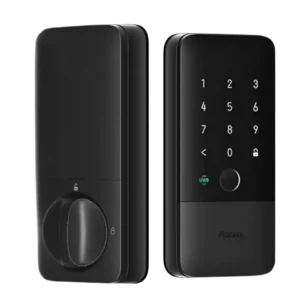
Choose the Aqara U400 if you want hands-free UWB unlocking, strong Apple Home integration, and many backup entry methods. Skip it if you dislike bulky smart-lock hardware or need a...
Pros: Battery, Smart-home integration (Alexa, Google, Siri, HomeKit, Matter, Thread)
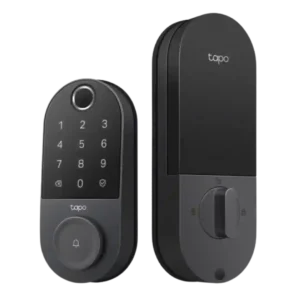
Choose the Tapo DL110 if you want fast fingerprint entry, strong app control, long battery life, and premium features under a lower price. Skip it if your door/strike alignment is...
Pros: App, Guest Codes and Access
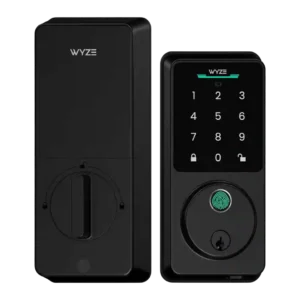
Choose the Wyze Lock Bolt v2 for low-cost Wi-Fi, fast fingerprint entry, and flexible codes. Skip it if you need Matter/HomeKit support, rechargeable batteries, or stronger door-sense behavior.
Pros: Fingerprint, Value and Price
Cons: Smart-home integration (Alexa, Google, Siri, HomeKit, Matter, Thread)
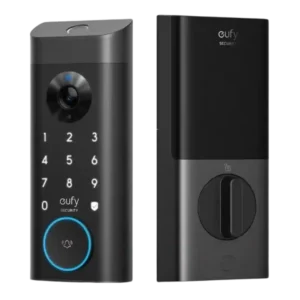
Good if you want one polished lock, camera, and doorbell with excellent fingerprint access. Skip it if short battery life, screen/storm doors, or a narrow camera view would frustrate you.
Pros: Camera and doorbell performance, Installation and Setup
Cons: Keyway quality, Door compatibility (deadbolt fit)