Best for Button control usability
Shokz OpenRun Air 2
4.9 attribute score
Highest scored product for this attribute based on supporting review evidence.

Highest scored product for this attribute based on supporting review evidence.
Balances the attribute score, supporting reviews, and overall product strength.
Has the broadest review evidence for this attribute.
Strongest overall product among items with scored evidence for this attribute.

Separated physical buttons make volume changes and track skipping easy even mid-run, with sweaty hands or gloves. Their reliable tactile feel is consistently preferred to finicky touch controls.
Pros: Charging, Stability
Cons: Bass performance, Sound quality
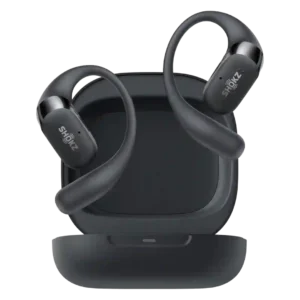
Physical button controls are one of the clearest upgrades, widely praised as easier, more precise, and better for workouts than touch-only controls.
Pros: Sound quality, Comfort during long use
Cons: Active noise cancellation, Sensors
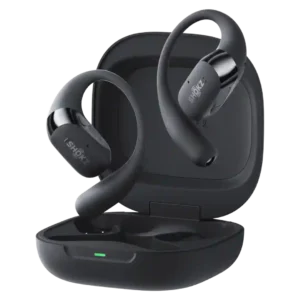
Physical buttons were widely praised as easier, more reliable, and more comfortable than touch-only controls, though one ultrarunner wanted an on/off button.
Pros: Comfort during long use, Sound quality
Cons: Find My, Carry case quality

Dedicated physical buttons are especially useful when running or sweating. Their spacing and position take practice, and the small volume keys can be hard to distinguish with gloves.
Pros: Sound quality, Overall satisfaction
Cons: Volume output, Sound leakage

Pressure-sensitive controls cut accidental taps and are a notable improvement over the old touch system. Finding the small buttons can still be fiddly, particularly with gloves.
Pros: Weight comfort, Sound quality
Cons: Noise isolation (passive), Wireless charging
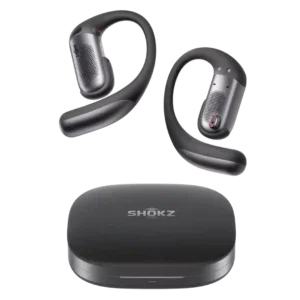
Physical buttons are more dependable than touch controls with sweat, gloves, or movement and are easy to find once learned. The small size and multi-click combinations can feel fiddly.
Pros: Sound quality, Comfort during long use
Cons: Value for money, Volume output
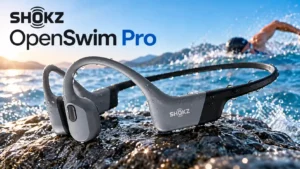
Most find the tactile controls workable while running or swimming, including with wet hands or gloves. Smaller volume and mode buttons can be fiddly, with occasional accidental switching.
Pros: Sound quality, Comfort during long use
Cons: Bass performance, Cable quality
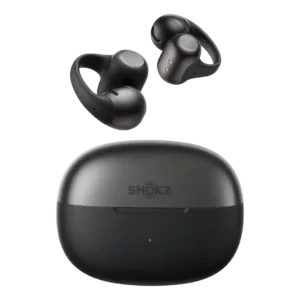
Controls improved over the first generation and can be customized heavily, but they remain one of the more divisive parts of the product. Pinch controls tend to fare better than...
Pros: Overall satisfaction, Sound quality
Cons: Value for money, Noise isolation (passive)

The separated physical buttons make pausing, skipping, and adjusting volume straightforward, even during activity. Small controls, unintended commands, and especially loud confirmation beeps frustrate some users.
Pros: Situational awareness, Value for money
Cons: Sound quality, Bass performance

Physical play and pause controls are convenient while exercising, but closely packed volume buttons and triple presses can be fiddly with gloves.
Pros: Situational awareness, Overall satisfaction
Cons: Bass performance, Volume output