Best for Start and Select button design
Retro Fighters BattlerGC Pro
5.0 feature score
Highest scored product for this feature based on supporting review evidence.

Highest scored product for this feature based on supporting review evidence.
Balances feature score, supporting reviews, and overall product strength.
Has the broadest review evidence for this feature.
Strongest overall product among items with scored evidence for this feature.
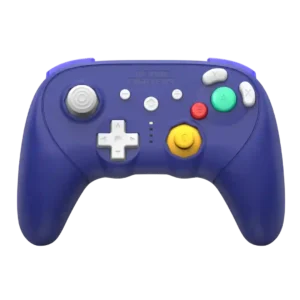
The simplified plus, minus, and Home area gives the front face a cleaner, more streamlined look than earlier Retro Fighters GameCube pads.
Pros: Hall effect stick performance, bumper quality
Cons: material quality, consistency across sessions
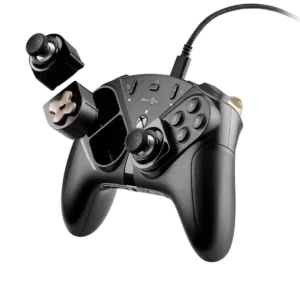
The View and Menu controls are more prominent than on some related Thrustmaster designs, making them easier to find in play.
Pros: durability, button quality
Cons: ease of setup, firmware update support
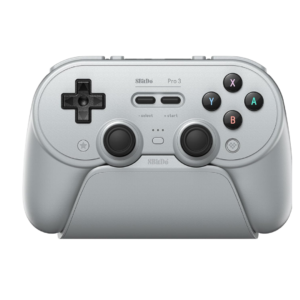
Start and Select preserve the soft retro feel, but many users find them mushy, cramped together, or awkwardly centered. They stand out as less immediate than the surrounding controls.
Pros: Hall effect stick performance, analog stick smoothness
Cons: cloud gaming compatibility, audio jack quality

Menu, View, and Share controls are a recurring weak spot because they sit too flat, too small, or too far from the thumbs. They can be easy to miss by...
Pros: ergonomics, hand fatigue over long sessions
Cons: compatibility with PlayStation, microphone passthrough quality
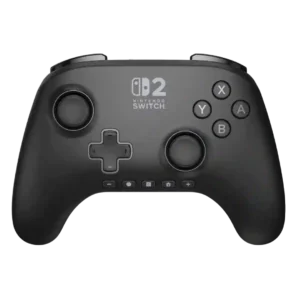
The Plus/Minus placement is the most consistent design complaint. Their small, identical bottom-row position disrupts muscle memory and makes quick presses harder.
Pros: wireless latency, input lag
Cons: trigger smoothness, analog trigger precision
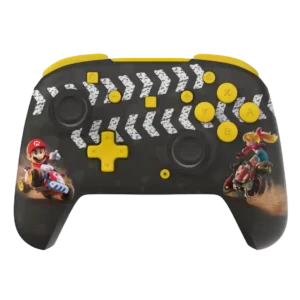
Rearranged Home, Capture, plus, and minus controls are a recurring annoyance on Switch models, causing repeated accidental presses until muscle memory adjusts.
Pros: analog stick precision, analog stick smoothness
Cons: Switch wake support, Amiibo/NFC support
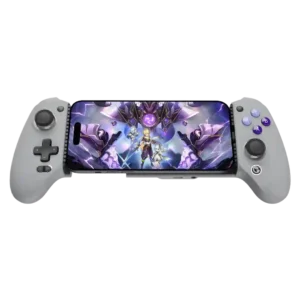
Start, Select, Menu, and mode functions provide useful shortcuts, but the layout can become crowded. The capture and macro controls beneath the D-pad are especially easy to trigger accidentally.
Pros: weight balance, face button responsiveness
Cons: firmware update support, customer support

The extra ROG Ally shortcut keys repeatedly interfere with the usual Start/View layout. Several testers hit the wrong button or found the real menu controls awkward to reach.
Pros: face button travel, trigger responsiveness
Cons: Start and Select button design, button label visibility