Best for screenshot button usefulness
Scuf Valor Pro Wireless Controller
5.0 feature score
Highest scored product for this feature based on supporting review evidence.

Highest scored product for this feature based on supporting review evidence.
Balances feature score, supporting reviews, and overall product strength.
Has the broadest review evidence for this feature.
Strongest overall product among items with scored evidence for this feature.
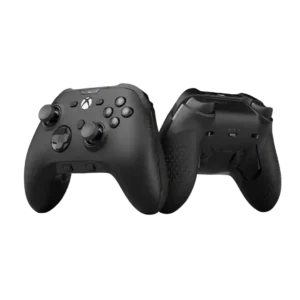
Screenshot button usefulness had limited but strong positive evidence, with one reviewer valuing the dedicated capture button.
Pros: grip texture, analog stick smoothness
Cons: compatibility with Nintendo Switch, platformer control precision
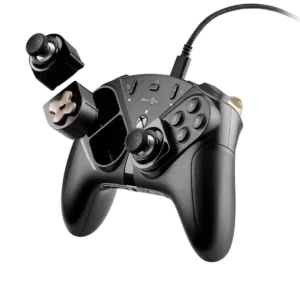
The Share button is prominent and easy to locate alongside the other Xbox function controls.
Pros: durability, button quality
Cons: ease of setup, firmware update support
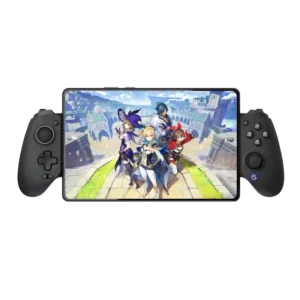
The dedicated capture control is convenient and improved placement reduces accidental presses, though one system button remained firmware-limited.
Pros: d-pad accuracy, analog stick precision
Cons: gyro aiming performance, brand software support

One reviewer liked the simple screenshot/share button placement as part of a more scannable function-button layout.
Pros: hand fatigue over long sessions, macro support
Cons: compatibility with Xbox, compatibility with PlayStation
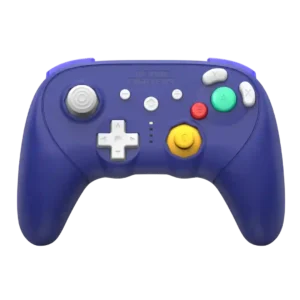
The multifunction top button keeps Switch screenshot capture available while also serving programming duties, preserving useful modern-console functionality.
Pros: Hall effect stick performance, bumper quality
Cons: material quality, consistency across sessions
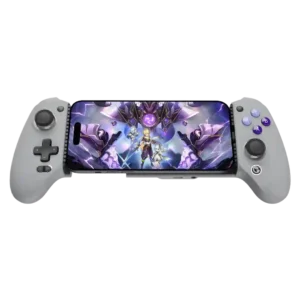
A dedicated capture button is convenient when intentionally used. Its close placement beneath the D-pad causes accidental screenshots for some players.
Pros: weight balance, face button responsiveness
Cons: firmware update support, customer support

The share/screenshot control sits lower than ideal, making its placement a minor usability complaint.
Pros: face button travel, trigger responsiveness
Cons: Start and Select button design, button label visibility

The lack of a dedicated capture control is a noticeable downgrade for users who frequently save clips or screenshots.
Pros: ergonomics, hand fatigue over long sessions
Cons: compatibility with PlayStation, microphone passthrough quality
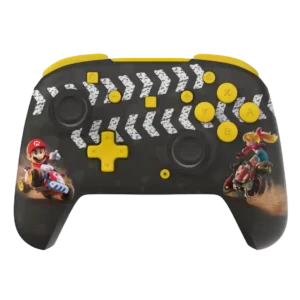
On one Switch 2 version, the relocated screenshot control contributes to muscle-memory mistakes because the system buttons are rearranged.
Pros: analog stick precision, analog stick smoothness
Cons: Switch wake support, Amiibo/NFC support
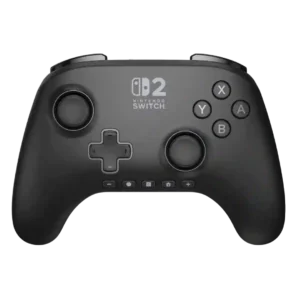
The bottom-row layout can cause accidental screenshot presses when users reach for nearby system buttons.
Pros: wireless latency, input lag
Cons: trigger smoothness, analog trigger precision