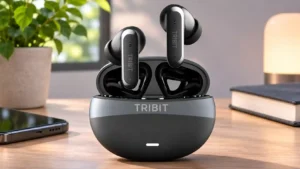
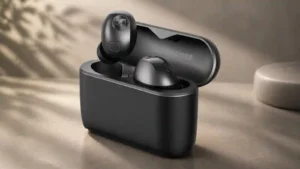
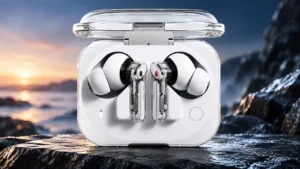
Compare Nothing Ear (3a) vs Tribit FlyBuds C3

Nothing Ear (3a)

Nothing Ear (3a)

Overall score 4.0 / 5

Based on 44 scored reviews

vs
Tribit FlyBuds C3

Tribit FlyBuds C3

Overall score 3.7 / 5

Based on 12 scored reviews

How we score

Scorata scores summarize analyzed review evidence on a 1–5 scale; they are not laboratory measurements or a simple average of customer star ratings. Feature scores summarize the reviews covering that feature. The overall score averages feature scores within each review, then combines review averages. When both expert and customer evidence are available, those two groups receive equal weight. Products can have different review coverage, so small score gaps do not establish a winner.

Recommendations prioritize important features for the category, with a score of at least 3.5, a gap of at least 0.25 points and at least two supporting reviews per product. Features with widely varying scores or broad connectivity contexts are excluded from recommendations. These safeguards do not establish statistical significance.

Quick verdict

What each product is best for

The review evidence points to a tradeoff: Treble clarity and Instrument separation versus Portability/foldability and Stability. Choose according to which strengths matter more to you; the overall score alone does not settle that choice.

Choose Nothing Ear (3a) for Treble clarity and Instrument separation.

Choose Tribit FlyBuds C3 for Portability/foldability and Stability.

Why these recommendations?

Nothing Ear (3a)

Where It Has the Edge

  • Treble clarity is 4.0 vs 2.6. Highs are often crisp or smooth without harshness, particularly with suitable EQ or LDAC. Other listeners want more...
  • Instrument separation is 3.8 vs 3.0. Instrument and vocal separation can be convincing, especially after reducing the bass. Busy arrangements sometimes become congested or...
  • Maximum volume clarity is 3.7 vs 3.0. Several listeners praise clean, controlled playback without harshness at higher levels. One reports sub-bass distortion on demanding electronic...

Tribit FlyBuds C3

Where It Has the Edge

  • Portability/foldability is 5.0 vs 4.1. The small, rounded charging case fits easily into jeans and workout pockets.
  • Stability is 5.0 vs 4.4. The earbuds stayed in place on walks, light jogging and sweaty workouts, with little readjustment needed.
Nothing Ear (3a) 4.0 overall score
Tribit FlyBuds C3 3.7 overall score

Compare features

Scores are out of 5. Missing scores mean missing review evidence, not a missing feature.

Scored on both products

Performance

Sound quality
Nothing Ear (3a)
4.2

The sound is widely considered capable and enjoyable for the price, with strong energy across music and movies. Listeners seeking finer detail or balance often need EQ, while bass fans may enjoy it immediately.

Tribit FlyBuds C3
4.1

Energetic bass and good affordable sound are the main attractions; recessed vocals, metallic highs and congestion make EQ adjustments worthwhile.

Positional audio accuracy
Nothing Ear (3a)
3.0

Gaming effects stay focused and footsteps can be distinguished to the left and right. The reported directional placement is usable rather than especially precise.

Tribit FlyBuds C3
5.0

Footsteps and gunshots are easy to locate in mobile shooters, supporting directional awareness.

Bass performance
Nothing Ear (3a)
3.7

The powerful low end delights bass lovers, especially with electronic music and hip-hop. Many others find the stock bass boomy or overpowering and prefer to reduce it in the equalizer.

Tribit FlyBuds C3
4.6

Deep, punchy bass is a standout, with satisfying sub-bass and strong impact. Boosting it can become excessive on already bass-heavy tracks.

Microphone noise reduction
Nothing Ear (3a)
3.6

Wind filtering and voice isolation impress several testers, including a call taken near a hair dryer. Others hear background chatter or find that aggressive suppression makes voices compressed and less intelligible.

Tribit FlyBuds C3
3.0

Background filtering is inconsistent: street noise is manageable in some tests, but chatter and indoor noise can remain audible on calls.

Soundstage width
Nothing Ear (3a)
3.9

Several testers hear an open, generously wide stage with room around vocals and instruments. Others find orchestral mixes tight or less spacious than competing buds.

Tribit FlyBuds C3
3.3

The soundstage is relatively wide in some tests, especially with spatial processing, but others found it basic and lacking nuance.

Frequency response accuracy
Nothing Ear (3a)
2.7

Stock tuning often sacrifices neutrality and detail to a dark, bass-heavy presentation, although some hear a pleasing balance. Sound changes between ANC and transparency also bother a few listeners.

Tribit FlyBuds C3
2.2

The energetic stock tuning is not a neutral reference response. Bass can be overemphasized, and EQ helps improve balance.

Noise isolation (passive)
Nothing Ear (3a)
3.6

A good tip seal gives helpful passive reduction in quieter spaces. It is less reliable against voices and higher sounds, so noisy journeys often still call for ANC.

Tribit FlyBuds C3
4.0

The in-ear seal offers some useful passive isolation against higher-frequency noise.

Active noise cancellation
Nothing Ear (3a)
3.9

Cancellation usually reduces engine hum, traffic, and travel noise well for the price, but voices and higher sounds often remain audible. Improvements over older Nothing buds vary with fit, and several listeners still want stronger suppression.

Tribit FlyBuds C3
3.7

ANC takes the edge off conversation and some traffic or hum, but lower-frequency noise and busy interiors remain problematic for several testers. Others found it surprisingly effective for the price.

Audio-video sync accuracy
Nothing Ear (3a)
4.3

Video lip sync and the low-lag mode work well in the reported tests, including on Android and iPhone. Latency is also described as reasonably low without enabling the dedicated mode.

Tribit FlyBuds C3
4.0

Video playback is generally well synchronized, with possible YouTube lag on cheaper Android devices; gaming mode helps with latency.

Spatial audio
Nothing Ear (3a)
2.4

Static spatial processing is often dismissed for adding echo, darkening tracks, or overriding EQ. A few listeners enjoy its immersive effect, especially for certain songs, concerts, films, or games.

Tribit FlyBuds C3
2.6

X-3D widens or brightens the presentation, but several listeners found it harsh, crackly or less refined. It can be more enjoyable for video than music.

Other features

Android compatibility
Nothing Ear (3a)
4.5

Fast Pair makes Android setup convenient, and Android users are a strong fit for the feature set. Compatibility advantages matter most to listeners who are not relying on Apple ecosystem switching.

Tribit FlyBuds C3
3.0

Android supports the app and gaming mode, but some controls can fail to load or apply until the page is restarted.

Treble clarity
Nothing Ear (3a)
4.0

Highs are often crisp or smooth without harshness, particularly with suitable EQ or LDAC. Other listeners want more sparkle and detail, or find treble adjustments metallic.

Tribit FlyBuds C3
2.6

Highs can sound articulate on acoustic tracks but tinny, metallic or edgy on busy music and at higher volumes.

Volume output
Nothing Ear (3a)
3.3

Output is enough for most listeners and can get very loud in some tests. Others want more headroom, particularly after EQ, while one first-impressions listener found maximum volume uncomfortable.

Tribit FlyBuds C3
2.0

One tester needed nearly maximum Android volume for active listening, indicating limited volume headroom.

Portability/foldability
Nothing Ear (3a)
4.1

Most find the slim case easy to pocket and carry. Others see the clear outer frame as unnecessary bulk and prefer a smaller or differently shaped case.

Tribit FlyBuds C3
5.0

The small, rounded charging case fits easily into jeans and workout pockets.

Instrument separation
Nothing Ear (3a)
3.8

Instrument and vocal separation can be convincing, especially after reducing the bass. Busy arrangements sometimes become congested or lose guitars beneath the low end.

Tribit FlyBuds C3
3.0

Distinct drums and separated jazz instruments are possible, particularly after tuning, but busier arrangements can blur individual elements.

Preset EQ profile quality
Nothing Ear (3a)
3.3

Balanced tuning appeals to bass fans, while the Vocal option can improve spoken-word listening. Other testers find the presets heavy-handed, thin, or less effective than making their own EQ.

Tribit FlyBuds C3
4.0

XBass and genre presets can improve warmth and tonal balance, though some listeners find the presets excessive or poorly tuned.

Maximum volume clarity
Nothing Ear (3a)
3.7

Several listeners praise clean, controlled playback without harshness at higher levels. One reports sub-bass distortion on demanding electronic tracks with the stock bass amplification.

Tribit FlyBuds C3
3.0

Bass stays clean at full volume, but upper vocals and treble may become harsh as volume increases.

Stability
Nothing Ear (3a)
4.4

The buds usually stay put during walking, gym sessions, and even running. A poor seal can still require frequent readjustment, and some rivals feel more secure to particular ears.

Tribit FlyBuds C3
5.0

The earbuds stayed in place on walks, light jogging and sweaty workouts, with little readjustment needed.

Overall satisfaction
Nothing Ear (3a)
4.3

Most listeners recommend these as stylish, capable everyday earbuds at a budget price. Reservations cluster around stock tuning, cancellation limits, case usability, and the usefulness or privacy implications of recording.

Tribit FlyBuds C3
3.8

Comfort and bass impress, but recommendations range from enthusiastic to qualified because of ANC, call and tuning compromises.

Touch control responsiveness
Nothing Ear (3a)
4.5

Touch gestures are described as responsive and usefully customizable through the app. The flexibility helps adapt everyday playback and noise controls to personal preferences.

Tribit FlyBuds C3
4.0

Touch controls are customizable and often responsive; some testers report missed taps, slow timing or reduced sensitivity with wet fingers.

Midrange clarity
Nothing Ear (3a)
3.6

Vocals can sound warm, clear, and expressive, but excessive stock bass often pushes them back or masks lower instruments. EQ adjustments commonly bring the midrange into better focus.

Tribit FlyBuds C3
3.1

Lower mids can sound warm and full, but central mids and vocals sometimes sit back in the mix. EQ helps bring them forward.

Packaging quality and presentation
Nothing Ear (3a)
3.7

The minimal presentation and helpful pull tab make unpacking pleasant. A thin outer box makes a less premium first impression, but the product itself matters more to that listener.

Tribit FlyBuds C3
4.0

Packaging avoids unnecessary waste, a welcome touch at the budget price.

Transparency mode quality
Nothing Ear (3a)
3.9

Some hear natural surroundings and hold conversations easily, while others notice hiss, boosted fan noise, or a blocked-ear effect when speaking. The result depends on fit and expectations of naturalness.

Tribit FlyBuds C3
3.6

Ambient mode can help retain awareness of traffic and colleagues, but its naturalness and wind handling disappoint some listeners.

Water/sweat resistance rating
Nothing Ear (3a)
4.3

Splash and sweat protection on both buds and case is appreciated for commutes and workouts. The reported protection is meant for everyday moisture rather than swimming or full submersion.

Tribit FlyBuds C3
4.1

IP55 provides practical sweat and rain protection, but it is not suitable for submersion and is a step down from some older models.

Carry case quality
Nothing Ear (3a)
3.6

The three-part status light is a useful, popular addition, and many like the case’s rounded feel. Its shallow opening lip, strong magnets, and occasional lid looseness or misplaced buds frustrate others.

Tribit FlyBuds C3
3.5

The case is slim and can retain earbuds securely when dropped, but its plastic scuffs and its small size makes it easy to drop.

Ownership and support

Codec support
Nothing Ear (3a)
4.2

AAC, SBC, and LDAC cover familiar listening needs, and codec flexibility is generally welcomed. Missing newer options are treated as a minor limitation rather than a universal dealbreaker.

Tribit FlyBuds C3
3.0

AAC and SBC are adequate for ordinary phone listening, but the lack of higher-resolution codecs limits more demanding playback.

Value for money
Nothing Ear (3a)
4.6

The $99 package is widely praised for combining distinctive styling, useful features, and capable audio. Strong budget rivals mean it is not everyone’s best-value pick, especially when ANC or untouched sound matters most.

Tribit FlyBuds C3
4.4

At around $40, adjustable EQ, multipoint and punchy sound are a persuasive combination. Several similarly priced or slightly dearer rivals deliver better cancellation or more polished audio.

Multipoint connectivity reliability
Nothing Ear (3a)
4.2

Dual-device connection usually works reliably and is useful for moving between a phone and computer. Some tests show a brief handoff delay or require pausing one device before starting the other.

Tribit FlyBuds C3
4.3

Switching between a phone and laptop is convenient when it works, but automatic switching can interrupt playback unexpectedly.

Warranty and support service
Nothing Ear (3a)
4.0

Standard warranty coverage and an established update history add confidence for one reviewer. This is reassurance about ongoing ownership rather than a report of a support claim being handled.

Tribit FlyBuds C3
4.0

The warranty and return window reduce purchase risk; actual support service quality has not been established.

Controls and connectivity

Microphone quality for calls
Nothing Ear (3a)
3.8

Calls are often clear in quiet rooms, with some testers rating them exceptionally highly for the price. Results outdoors and in busy spaces are less consistent, ranging from clean speech to distant or compressed voices.

Tribit FlyBuds C3
2.9

Call quality varies by environment: some tests produced clear speech, while team calls sounded echoey and noisy indoor calls became hard to understand.

App
Nothing Ear (3a)
4.6

Nothing X earns broad praise for its clean layout, dependable operation, and unusually extensive customization. The EQ tools are a particular highlight, although recording-account prompts and some fit-test quirks complicate the experience.

Tribit FlyBuds C3
4.1

The app offers useful EQ and control options and is often easy to navigate, but one tester encountered unreliable Android controls and repeated iPhone connection failures.

Software/setup simplicity
Nothing Ear (3a)
4.2

Pairing and navigating the app are generally quick and simple. Needing to adjust the sound before enjoying it can reduce the straight-out-of-the-box convenience.

Tribit FlyBuds C3
4.0

Setup and app navigation can be straightforward, but manual pairing and intermittent app failures add friction for some users.

Bluetooth
Nothing Ear (3a)
4.6

Connections are commonly described as stable, with successful playback across rooms and floors. Bluetooth 6.0 is welcomed, although its presence alone does not settle conflicting reports about optional audio standards.

Tribit FlyBuds C3
4.7

Bluetooth generally maintains a stable connection around the home and at ordinary distances.

Equalizer customization
Nothing Ear (3a)
4.4

The eight-band parametric EQ is one of the strongest reasons to buy, offering enough control to tame bass and improve clarity. A minority find adjustments less effective or notice a drop in volume.

Tribit FlyBuds C3
4.4

The custom ten-band EQ and adjustable profiles make it easy to tame sharp highs or add warmth. More advanced frequency and Q-factor control is absent.

Comfort and build

Design and aesthetics
Nothing Ear (3a)
4.6

Transparent stems and vivid pink or yellow finishes give these earbuds a distinctive, playful look. Most love the visual identity, though a few criticize the case’s bulky decorative frame.

Tribit FlyBuds C3
4.0

The stemmed buds and compact two-tone case look stylish to several testers, though others find the plastic finish cheap or less distinctive than earlier designs.

Hinge durability
Nothing Ear (3a)
4.5

The metal hinge is praised for a sturdy, precise feel. One extended test also reports that it stays tight after repeated opening and closing.

Tribit FlyBuds C3
5.0

A strong lid spring helps keep the charging case shut and the buds secure when dropped.

Eartips fit
Nothing Ear (3a)
4.4

Soft tips and revised shaping often deliver a comfortable, secure seal. A few listeners still struggle to fit one ear properly, making tip selection important for both sound and cancellation.

Tribit FlyBuds C3
4.6

The silicone tips can seal snugly and comfortably, giving good bass and secure fit for many ears.

Build quality
Nothing Ear (3a)
4.0

The earbuds often feel solid and more polished than their price suggests. The plastic case divides opinion, with reports of lid play, fine scratches, and a less premium feel alongside praise for durability.

Tribit FlyBuds C3
3.8

The buds generally feel sturdy for their price, although the plastic can look inexpensive or scuff.

Comfort during long use
Nothing Ear (3a)
4.5

Many listeners can wear the lightweight buds for hours without soreness or fatigue. Smaller ears and poor seals can make longer sessions less comfortable, so fit remains personal.

Tribit FlyBuds C3
4.7

Extended wearing comfort is one of the most consistent strengths, with several testers reporting little or no fatigue after hours of use.

Weight comfort
Nothing Ear (3a)
4.5

The low weight helps the buds feel unobtrusive during longer listening sessions. Several wearers describe barely noticing them in their ears.

Tribit FlyBuds C3
4.7

The very light earbuds are unobtrusive enough for extended wear without much fatigue.

Ear tip size options
Nothing Ear (3a)
4.2

The extra-small option broadens the fit range and helps several small-ear listeners. A wider choice does not guarantee a seal for everyone, and one tester wanted extra-large tips.

Tribit FlyBuds C3
4.3

Three tip sizes provide useful fit options, although the selection is not especially extensive.

Battery and charging

Battery
Nothing Ear (3a)
3.9

Everyday endurance is generally useful, and several listeners go days between case charges. ANC, LDAC, and retrospective recording shorten runtime, while some testers find stamina average or disappointing.

Tribit FlyBuds C3
3.3

Combined endurance reaches roughly 35 hours without ANC in favorable tests, with about 22–25 hours using ANC. Per-charge ANC runtime and competition make endurance less impressive for heavy use.

Evidence available for one product

Other features

Microphone quality
Nothing Ear (3a)No score yet
Tribit FlyBuds C3
3.0

The microphones can convey speech clearly in favorable conditions but echo, compression and poor noise rejection are recurring issues.

Ease of use
Nothing Ear (3a)No score yet
Tribit FlyBuds C3
4.0

Pairing can be quick and controls easy to personalize, but touch timing or app glitches can complicate everyday operation.

AI transcription and summaries
Nothing Ear (3a)
3.2

Transcription can produce useful, accurate text, with the Pro model particularly praised for names and speaker separation. Subscription requirements and unclear ongoing pricing repeatedly weaken its appeal.

Tribit FlyBuds C3No score yet
ANC level and mode adjustment
Nothing Ear (3a)No score yet
Tribit FlyBuds C3
3.6

Manual ANC levels can be useful for balancing awareness and quiet, but some testers could barely distinguish the modes or found inconsistent cancellation.

Bass reproduction
Nothing Ear (3a)No score yet
Tribit FlyBuds C3
4.6

Low frequencies reach impressively deep and remain forceful without necessarily drowning out the mix, though some tracks sound overdone.

Built-in DAC and hi-res playback
Nothing Ear (3a)
4.3

High-resolution playback is welcomed as an affordable extra rather than a reason to buy a flagship. LDAC-equipped listening is credited with preserving detail and energetic sound on compatible devices.

Tribit FlyBuds C3No score yet
Connectivity options
Nothing Ear (3a)No score yet
Tribit FlyBuds C3
2.0

Basic Bluetooth multipoint is useful, but connectivity options are limited by missing higher-end codecs and fast-pair conveniences.

Device compatibility
Nothing Ear (3a)No score yet
Tribit FlyBuds C3
2.0

One tester could not get the iPhone app to connect despite re-pairing and restarting, making cross-platform use less dependable.

Find My
Nothing Ear (3a)
3.5

The audible finder helps one tester locate a bud, but another finds it too quiet for a laundry basket or deep pocket. Its usefulness depends on how well the alert can be heard.

Tribit FlyBuds C3No score yet
Fingerprint and smudge resistance
Nothing Ear (3a)
2.0

The transparent case is criticized as prone to fingerprints and fine surface marks. Keeping it away from abrasive items may help preserve its appearance.

Tribit FlyBuds C3No score yet
Firmware updateability
Nothing Ear (3a)No score yet
Tribit FlyBuds C3
4.0

Firmware updates through the companion app are a welcome capability in this price range.

Hearing health tools
Nothing Ear (3a)No score yet
Tribit FlyBuds C3
2.0

The older model’s built-in hearing calibration is absent, reducing hearing personalization.

Included accessories
Nothing Ear (3a)
3.5

Leaving out the charging cable is generally accepted because spare USB-C cables are common. The missing accessory does not substantially hurt these reviewers’ impression of the package.

Tribit FlyBuds C3No score yet
LDAC
Nothing Ear (3a)
4.2

Compatible Android listening can gain texture, separation, and upper-range detail with LDAC. Shorter battery life and recording-feature tradeoffs mean it is not always worth leaving enabled.

Tribit FlyBuds C3No score yet
Low-latency gaming mode
Nothing Ear (3a)No score yet
Tribit FlyBuds C3
4.0

Game mode provides useful audio synchronization and directional cues; it must be enabled in the app.

Multi-platform compatibility
Nothing Ear (3a)
4.2

Pairing across Android, iOS, computers, and a TV receives favorable reports. Some platform-specific customization differences remain, so the experience is not identical on every device.

Tribit FlyBuds C3No score yet
Offline playback and onboard storage
Nothing Ear (3a)
4.5

The onboard recording capacity is considered impressive for capturing audio without immediately transferring it to a phone. This praise concerns saved recordings rather than a music library for independent playback.

Tribit FlyBuds C3No score yet
Sensors
Nothing Ear (3a)
3.7

Wear detection is usually useful for automatically pausing and resuming playback. A finicky sensor can occasionally misread fit and interrupt ANC, and it complicates some bench tests.

Tribit FlyBuds C3No score yet
Treble clarity
Nothing Ear (3a)No score yet
Tribit FlyBuds C3
2.6

Treble is lively in some tracks but can become sharp or metallic; reducing high frequencies through EQ often helps.

Wear detection and auto-pause
Nothing Ear (3a)No score yet
Tribit FlyBuds C3
2.0

Automatic wear detection is missing, a disappointing omission in an otherwise feature-rich budget pair.

Performance

Adaptive audio and conversation awareness
Nothing Ear (3a)
3.3

Adaptive cancellation draws mixed reactions: some find its adjustments useful and smooth, while others notice fluctuations or bugs. The highest manual setting can be the more dependable choice.

Tribit FlyBuds C3No score yet
Audio distortion
Nothing Ear (3a)No score yet
Tribit FlyBuds C3
5.0

Deep bass stays free of obvious distortion even at full volume in testing.

Audio recording
Nothing Ear (3a)
3.6

Quick media clips and call recordings can help with interviews, lectures, and remembering instructions. Others find them unnecessary or troubling, with regional restrictions and conflicting reports about recording alerts adding uncertainty.

Tribit FlyBuds C3No score yet
Audio settings
Nothing Ear (3a)No score yet
Tribit FlyBuds C3
4.5

Adjustable profiles give listeners useful control over bass and treble, though not every preset sounds good.

Body noise suppression
Nothing Ear (3a)No score yet
Tribit FlyBuds C3
5.0

Walking vibrations and footstep clunks are largely kept out of the listening experience.

Lossless audio support
Nothing Ear (3a)No score yet
Tribit FlyBuds C3
2.0

The lack of lossless codec support limits higher-fidelity wireless playback.

Sound detail and resolution
Nothing Ear (3a)No score yet
Tribit FlyBuds C3
2.0

Fine cymbal texture and instrument detail are limited, especially in busier arrangements.

Soundstage depth
Nothing Ear (3a)
4.3

Some listeners hear convincing depth and a speaker-like sense of distance. One comparison also credits the sound with more depth than a budget EarFun rival.

Tribit FlyBuds C3No score yet
Spatial audio quality
Nothing Ear (3a)No score yet
Tribit FlyBuds C3
2.6

Spatial processing divides opinion: the added space appeals to some, but harshness and crackle make the effect less convincing for others.

Wind noise handling
Nothing Ear (3a)No score yet
Tribit FlyBuds C3
2.0

Wind can cause voice dips on calls and make ANC or transparency difficult to use outdoors.

Controls and connectivity

Bluetooth audio connectivity
Nothing Ear (3a)No score yet
Tribit FlyBuds C3
4.7

Wireless audio remains stable in typical indoor use, although range has limits.

Button confirmation tone
Nothing Ear (3a)No score yet
Tribit FlyBuds C3
4.0

Clicking sounds help confirm touch inputs, though one tester wanted faster feedback.

Button control usability
Nothing Ear (3a)
3.9

Pinch controls usually feel deliberate, responsive, and customizable, reducing accidental inputs. Small sensing areas, quiet feedback, and awkward volume gestures create a learning curve for some hands.

Tribit FlyBuds C3No score yet
IPhone app compatibility
Nothing Ear (3a)No score yet
Tribit FlyBuds C3
1.0

One tester repeatedly failed to connect the iPhone app, even after re-pairing and restarting.

Software and driver support
Nothing Ear (3a)No score yet
Tribit FlyBuds C3
2.0

Software functions may fail to apply and app connectivity can be unreliable, especially on iPhone.

Software privacy
Nothing Ear (3a)No score yet
Tribit FlyBuds C3
4.0

The app does not require an account or excessive phone permissions, a welcome privacy convenience.

Voice assistant integration
Nothing Ear (3a)
3.0

The Nothing-phone assistant feature is viewed as a small extra rather than a major reason to buy. Its appeal depends on whether hands-free AI access fits everyday use.

Tribit FlyBuds C3No score yet
Voice processing naturalness
Nothing Ear (3a)No score yet
Tribit FlyBuds C3
2.3

Speech can sound accurate in quieter calls, yet echo and compression can make voices less natural.

Battery and charging

Charging
Nothing Ear (3a)
3.5

Fast charging makes short breaks useful for getting back to music or finishing a movie. The lack of wireless charging ranges from an acceptable price compromise to a major disappointment.

Tribit FlyBuds C3No score yet

Ownership and support

Ear-tip replacement
Nothing Ear (3a)
3.2

Tip changes are usually straightforward, though the snap-on fitting can require more force than expected. Some aftermarket tips interfere with closing the case or seating the buds correctly.

Tribit FlyBuds C3No score yet
Warranty coverage
Nothing Ear (3a)No score yet
Tribit FlyBuds C3
4.0

The reported 18-month warranty and 30-day money-back guarantee provide reassurance at the low price.

Other Top Earbuds to Consider

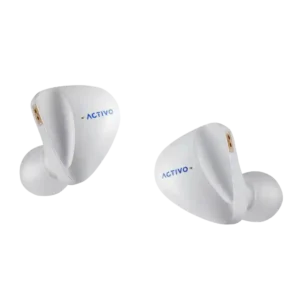
#1 Activo Scoop
4.7

Best for detailed, natural wired sound, three connector options, and standout value around $99. Skip it if you need wireless features, stronger bass, softer treble, or a compact fit for...

Pros: Value for money, Multi-platform compatibility

#2 Soundcore Anker Liberty Buds 2
4.5

Clear calls and a remarkably comfortable, secure fit make these compact earbuds an appealing value. Wind handling and touch-control convenience are less consistent, while ANC performance varies more than the...

Pros: Integrated microphone, Microphone quality for calls

Cons: Spatial audio

#3 Sennheiser Momentum True Wireless 5
4.5

Choose these for excellent, balanced sound, a comfortable redesign, deep EQ tools and uniquely replaceable batteries. Skip them if you need class-leading ANC, consistently great calls or the smoothest treble...

Pros: User-replaceable batteries, Overall satisfaction

Cons: Auracast support, Sensors

#4 Apple AirPods 5
4.4

Choose the AirPods 5 for strong open-ear ANC, clearer sound, easy Apple-device switching, and excellent value. Skip them if you need all-day battery, a very secure workout fit, or full...

Pros: Overall satisfaction, Sound quality

Cons: Battery, Eartips fit