Compare TCL QM8L vs Sony Bravia 7 II

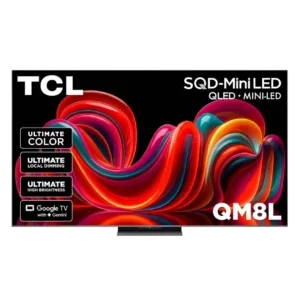
TCL QM8L

TCL QM8L

Overall score 4.4 / 5

Based on 27 scored reviews

vs
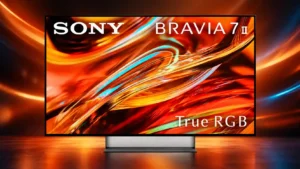
Sony Bravia 7 II

Sony Bravia 7 II

Overall score 4.2 / 5

Based on 41 scored reviews

How we score

Scorata scores summarize analyzed review evidence on a 1–5 scale; they are not laboratory measurements or a simple average of customer star ratings. Feature scores summarize the reviews covering that feature. The overall score averages feature scores within each review, then combines review averages. When both expert and customer evidence are available, those two groups receive equal weight. Products can have different review coverage, so small score gaps do not establish a winner.

Recommendations prioritize important features for the category, with a score of at least 3.5, a gap of at least 0.25 points and at least two supporting reviews per product. Features with widely varying scores or broad connectivity contexts are excluded from recommendations. These safeguards do not establish statistical significance.

Quick verdict

What each product is best for

The review evidence points to a tradeoff: HDMI 2.1 port count and daytime viewing performance versus stand quality. Choose according to which strengths matter more to you; the overall score alone does not settle that choice.

Choose TCL QM8L for HDMI 2.1 port count and daytime viewing performance.

Choose Sony Bravia 7 II for stand quality.

Why these recommendations?

TCL QM8L

Where It Has the Edge

  • HDMI 2.1 port count is 5.0 vs 1.9. Having four full-bandwidth HDMI 2.1 inputs removes the usual need to choose which devices receive premium gaming features.
  • daytime viewing performance is 5.0 vs 3.8. This TV excels in bright rooms, maintaining color, contrast, and visibility even with blinds open. Sports and daytime...
  • remote layout is 5.0 vs 4.1. Side-mounted brightness and picture-mode controls save repeated menu trips, while dedicated input and shortcut buttons remain easy to...

Sony Bravia 7 II

Where It Has the Edge

  • stand quality is 4.5 vs 2.8. The central Mirage Stand is sturdy, attractive and unusually practical, with its floating illusion earning repeated praise.
TCL QM8L 4.4 overall score
Sony Bravia 7 II 4.2 overall score

Compare features

Scores are out of 5. Missing scores mean missing review evidence, not a missing feature.

Scored on both products

Performance

Picture quality
TCL QM8L
5.0

The QM8L produces a sharp, vibrant, high-impact picture that repeatedly drew flagship and OLED-adjacent comparisons. Fine detail, bright highlights, and deep dark areas give movies, sports, and games strong depth.

Sony Bravia 7 II
4.7

Picture quality is the core attraction: vivid but controlled color, deep blacks, sharp detail and strong processing create a refined, dimensional image. A few critics prefer OLED or rival RGB models in tougher scenes.

White balance accuracy
TCL QM8L
3.0

Grayscale and bright whites are serviceable but not flawless out of the box, with the brightest tones showing the most visible deviation.

Sony Bravia 7 II
5.0

White balance is notably stable, even when the panel is driven to high brightness.

Daytime viewing performance
TCL QM8L
5.0

This TV excels in bright rooms, maintaining color, contrast, and visibility even with blinds open. Sports and daytime HDR are standout use cases.

Sony Bravia 7 II
3.8

The panel has enough brightness for sports and general daytime viewing, but direct windows and lamps can create distracting reflections. Bright rooms are its most context-dependent use case.

Color accuracy
TCL QM8L
3.7

Accuracy varies noticeably by mode and unit. Movie or Filmmaker settings can look natural and calibrate beautifully, while Standard and some HDR settings may run overly bright, cool, or saturated.

Sony Bravia 7 II
4.5

Color is the defining strength: it is usually rich, natural and highly accurate without looking cartoonish. A minority of tests found oversaturated reds, warm white balance or skin-tone errors in some modes.

HDR brightness
TCL QM8L
5.0

HDR highlights reach extraordinary levels, producing brilliant sparks, sunlight, reflections, and explosions. The panel has enough headroom to make premium HDR content look genuinely dramatic.

Sony Bravia 7 II
4.3

HDR is bright and impactful enough to make highlights pop and colors stay vivid. Measurements vary by mode and source, and several rivals can go brighter.

Dark-room performance
TCL QM8L
3.0

Deep blacks and strong local dimming make nighttime viewing impressive, though OLED still offers cleaner precision in the hardest near-black scenes.

Sony Bravia 7 II
3.6

In a controlled room the TV can look cinematic, detailed and impressively close to OLED in many scenes. A few critical tests found some very dark material difficult to read without raising brightness and exposing other artifacts.

Contrast ratio
TCL QM8L
4.8

Powerful light output and precise dimming create striking contrast, giving HDR scenes strong depth and punch without routinely washing out surrounding shadows.

Sony Bravia 7 II
4.2

Contrast is generally strong, with bright highlights set against deep blacks, but OLED still produces cleaner absolute blacks and stronger pinpoint contrast in the toughest scenes.

Overall image accuracy
TCL QM8L
5.0

Movie mode can deliver a bright, accurate image straight from the factory, making the TV easy to enjoy without extensive adjustment.

Sony Bravia 7 II
4.5

The TV can be exceptionally faithful to creative intent, with several tests calling its tuning reference-like. Accuracy depends on mode, and some factory presets show red or white-balance errors.

Gaming performance
TCL QM8L
4.6

The QM8L offers vivid HDR, low lag, multiple full-bandwidth ports, and high refresh rates for an excellent mainstream gaming experience. Competitive players may be bothered by its slower motion response.

Sony Bravia 7 II
4.2

Gaming is fast, colorful and responsive for consoles, particularly PS5. Enthusiast PC gamers may be less satisfied by 120Hz, two HDMI 2.1 ports and slower pixel transitions.

Display technology
TCL QM8L
5.0

TCL’s SQD Mini-LED system meaningfully improves color richness and overall picture quality, bringing premium panel performance to a less expensive tier.

Sony Bravia 7 II
4.6

True RGB is treated as a meaningful step forward for LCD, especially for color volume and backlight control. It narrows several OLED advantages without eliminating every LCD limitation.

Peak brightness
TCL QM8L
4.8

Extreme brightness is the QM8L’s defining strength, with measured peaks among the highest in its class. Highlights pop intensely and the screen remains commanding in bright rooms.

Sony Bravia 7 II
4.5

Peak output is strong enough for impactful HDR and bright-room use, though measured results vary substantially by mode and some competing RGB sets are brighter.

Local dimming performance
TCL QM8L
4.6

The dense local-dimming system controls bright and dark zones with impressive precision. Its backlight management is among the strongest available outside much costlier flagship models.

Sony Bravia 7 II
4.9

Local dimming is exceptionally well controlled for an LCD, balancing deep blacks with bright highlights without obvious brightness pumping in most real content.

Sound quality
TCL QM8L
4.1

Built-in audio is fuller and more capable than typical flat-panel sound, with clear mids and enough presence for everyday viewing. Movie enthusiasts will still gain scale and impact from an external system.

Sony Bravia 7 II
3.9

Built-in sound is above average in several tests, with good clarity, bass and useful volume. Other tests find it contained, shouty or not worthy of the picture, so a soundbar remains sensible for movies.

Bass performance
TCL QM8L
3.9

Rear woofers add useful mid-bass and more weight than most televisions. They cannot reproduce true subwoofer depth, so cinematic low-end still requires an add-on.

Sony Bravia 7 II
3.8

Built-in bass is stronger than typical TV audio and can add convincing punch, but some listening tests found it hollow, thick or lacking control in demanding scenes.

HDR performance
TCL QM8L
5.0

HDR is spectacularly punchy, combining intense highlights, deep blacks, rich color, and strong detail. Dolby Vision material is particularly impressive when the appropriate picture mode is selected.

Sony Bravia 7 II
5.0

HDR is a major strength, combining strong highlight detail, controlled blacks and excellent tone mapping without simply over-brightening dark scenes.

Soundstage
TCL QM8L
4.0

Virtual spatial processing adds a noticeable sense of height and width. It is effective for casual immersion but does not replace a real surround setup.

Sony Bravia 7 II
4.0

The TV can create a surprisingly wide, spacious stage, but some setups still make the sound feel tied to or behind the screen.

Sustained brightness
TCL QM8L
4.5

The TV can hold very high brightness for real viewing rather than only producing brief test-pattern spikes. Performance may settle below its initial peak, but remains exceptionally strong.

Sony Bravia 7 II
4.5

Full-screen brightness is strong for the class, though the 7 II gives up substantial sustained output to the Bravia 9 II.

Other features

Motion handling
TCL QM8L
3.8

Motion is the most divisive area. Many found sports, movies, and casual gaming smooth, while stricter testing exposed blur and weaker performance with fast-moving content.

Sony Bravia 7 II
4.4

Motion is usually smooth, composed and artifact-free, continuing a traditional Sony strength. A few critical tests found less of an advantage over rivals than expected.

Input lag
TCL QM8L
4.8

Input lag is consistently very low, typically around one frame or less. Controls feel immediate on consoles and PCs.

Sony Bravia 7 II
4.8

Input response is consistently fast, with measured lag around the low-10ms range at 60Hz and an even snappier feel at 120Hz.

G-SYNC compatibility
TCL QM8L
1.0

There is no G-SYNC support, a clear limitation for PC gamers invested in Nvidia’s ecosystem.

Sony Bravia 7 II
4.5

G-SYNC support broadens PC gaming compatibility and gives Nvidia users a useful variable-refresh option.

HDMI 2.1 port count
TCL QM8L
5.0

Having four full-bandwidth HDMI 2.1 inputs removes the usual need to choose which devices receive premium gaming features.

Sony Bravia 7 II
1.9

Only two of the four HDMI inputs are full-bandwidth HDMI 2.1, and one doubles as eARC. This is the most repeated hardware complaint, especially for multi-console setups.

Motion clarity
TCL QM8L
1.0

Slow pixel transitions can create obvious blur around fast-moving game objects, making tracking targets harder for demanding players.

Sony Bravia 7 II
3.6

Fast motion can look clean and well defined in films and sports, but gaming tests exposed blur from relatively slow pixel transitions.

Advertising intrusiveness
TCL QM8L
4.0

Google TV’s recommendation rows are present but generally feel relevant and unobtrusive rather than overwhelming the home screen.

Sony Bravia 7 II
2.0

Google TV’s home screen is not ad-free, and large promotional banners can be distracting.

Low-resolution content handling
TCL QM8L
5.0

Even 720p material can look surprisingly good, with useful cleanup and detail enhancement that makes older content more watchable on a large 4K screen.

Sony Bravia 7 II
3.0

Sony can make DVDs and weak sources look impressively clean, but not every source benefits; some tests found older video overprocessed or artificial.

Refresh rate
TCL QM8L
5.0

The native high refresh rate makes fast gameplay feel smooth and responsive, particularly with compatible consoles and PCs.

Sony Bravia 7 II
3.1

A native 120Hz panel is ideal for current consoles, but it looks conservative beside PC-focused rivals offering 144Hz, 165Hz or higher.

Wall-mount compatibility
TCL QM8L
4.0

Side-facing connections remain accessible after mounting, making wall installations less frustrating.

Sony Bravia 7 II
2.2

The relatively thick chassis is a poor fit for buyers who want a flush, ultra-slim wall installation.

Stand quality
TCL QM8L
2.8

The centered stand is practical and secure, but its plastic construction and deep footprint drew criticism at this price.

Sony Bravia 7 II
4.5

The central Mirage Stand is sturdy, attractive and unusually practical, with its floating illusion earning repeated praise.

Dirty screen effect
TCL QM8L
4.5

Dirty-screen effect was minimal in sports and test patterns, with only small variations that should not distract in normal viewing.

Sony Bravia 7 II
3.0

Fast gaming scenes can occasionally look muddied by a dirty-screen-like effect, but it does not appear constantly.

Calibration options
TCL QM8L
5.0

White-balance controls and picture adjustments allow the QM8L to reach excellent measured accuracy after calibration.

Sony Bravia 7 II
3.7

Sony provides useful picture modes and calibrated presets, but the lack of a full color-management system frustrates enthusiasts. Some settings are also less intuitive than they should be.

Judder handling
TCL QM8L
2.7

Low-frame-rate movies can look choppy until the judder controls are adjusted. Moderate settings help, but aggressive smoothing may introduce skipped frames or unnatural motion.

Sony Bravia 7 II
4.0

Film motion is mostly judder-free, and the small amount that can appear is easy to reduce with a modest MotionFlow adjustment.

Glare resistance
TCL QM8L
3.6

Bright output makes the picture easy to see in daylight, yet coating performance varies by comparison. Rooms with windows directly opposite the screen may still need curtains.

Sony Bravia 7 II
2.4

Glare control is a recurring weakness because the 7 II lacks the flagship’s anti-reflective coating. Some owners may find the semi-gloss screen acceptable, but direct light can be distracting.

Energy efficiency
TCL QM8L
4.0

Low-power settings can reduce electricity use without making startup noticeably bothersome, and eco controls are available within normal picture modes.

Sony Bravia 7 II
5.0

The native RGB backlight is praised for delivering very high brightness with unusually efficient light production and lower power waste.

High-refresh-rate gaming
TCL QM8L
5.0

High-refresh play looks smooth and responsive, giving modern consoles and gaming PCs room to run at their supported frame rates.

Sony Bravia 7 II
4.0

The TV is well suited to 120Hz console gaming, but its ceiling is less ambitious than newer 144Hz-and-higher competitors.

Response time
TCL QM8L
1.0

Pixel response is relatively slow for a premium gaming display, producing more blur than OLEDs and stronger gaming-focused competitors.

Sony Bravia 7 II
2.0

Pixel transitions in Game Mode can be slow enough to create visible motion blur in fast titles, despite otherwise low input lag.

Gaming mode quality
TCL QM8L
4.0

Game mode preserves much of the TV’s punchy picture while reducing latency, so speed does not require a severe loss in image quality.

Sony Bravia 7 II
4.9

Game Mode keeps brightness high while minimizing latency, and PlayStation-specific automation makes the experience especially seamless.

Remote layout
TCL QM8L
5.0

Side-mounted brightness and picture-mode controls save repeated menu trips, while dedicated input and shortcut buttons remain easy to find.

Sony Bravia 7 II
4.1

The remotes are generally easy to understand with useful direct-access buttons, though button placement and reduced controls do not please everyone.

Content recommendations
TCL QM8L
5.0

Google TV surfaces relevant titles effectively and keeps recommendations useful rather than burying apps behind clutter.

Sony Bravia 7 II
4.3

Google TV and Gemini provide useful, personalized recommendations, with conversational discovery making it easier to find something to watch.

Dialogue clarity
TCL QM8L
5.0

Dialogue remains clear, weighted, and easy to follow, avoiding the thin presentation common to many TV speakers.

Sony Bravia 7 II
4.3

Speech is usually crisp and easy to follow, and Sony’s dialogue tools can help further. Some tests found male voices a little thick or the overall tonal balance less natural than expected.

Screen uniformity
TCL QM8L
4.0

The center of the screen is generally smooth and consistent. Mild edge vignetting can appear, but broad dark areas usually remain uniform.

Sony Bravia 7 II
4.8

Uniformity is consistently strong, with clean dark fields and little cloudiness across the panel.

Remote control quality
TCL QM8L
4.6

The backlit silver remote is comfortable, substantial, and unusually useful. Dedicated controls make it one of the most consistently praised accessories.

Sony Bravia 7 II
3.9

Remote impressions vary by package: some units get a premium backlit rechargeable design, while standard remotes can feel light, cheap or frustratingly unlit.

Shadow detail
TCL QM8L
3.8

Dark-scene detail is generally strong, with textures and contours remaining visible near black. A few sources found patchiness, flicker, or lost detail in especially difficult scenes.

Sony Bravia 7 II
4.5

The TV usually preserves subtle near-black texture without lifting the whole image, a major reason dark films look detailed and cinematic. One critical test found some very dark scenes too difficult to read.

Search quality
TCL QM8L
5.0

Conversational search handles follow-up questions well and makes finding content easier than traditional title-by-title browsing.

Sony Bravia 7 II
4.4

Gemini’s conversational search is a useful upgrade, allowing natural-language discovery by topic, mood or follow-up request.

Upscaling quality
TCL QM8L
4.7

Older HD and cable sources look cleaner, sharper, and more detailed than expected without excessive artificial sharpening. TCL’s processing now approaches the better upscalers in the category.

Sony Bravia 7 II
4.1

Upscaling is generally a Sony strength and can rescue low-resolution or compressed sources impressively. A few tests found Reality Creation too aggressive on weaker material.

Banding control
TCL QM8L
5.0

Demanding dark and color-rich scenes showed little obvious banding, helping gradients remain smooth and natural.

Sony Bravia 7 II
4.4

True RGB and Sony’s processing usually produce exceptionally smooth gradients with little visible color banding. One test found distracting light banding from direct reflections, so lighting conditions can still expose artifacts.

Distortion control
TCL QM8L
5.0

Dialogue and midrange stayed clean without obvious distortion, even when the built-in speakers were asked to sound full.

Sony Bravia 7 II
4.5

The speakers stay impressively clean at high volume most of the time, though extreme bass can introduce a small amount of crackle.

Gaming dashboard
TCL QM8L
5.0

The Game Bar provides useful live information and quick controls for refresh rate, VRR, shadow enhancement, and other game-specific settings.

Sony Bravia 7 II
4.5

The dedicated gaming bar makes it easy to reach game-specific settings without digging through the full TV menus.

Motion interpolation
TCL QM8L
4.0

Low interpolation settings can smooth motion without immediately creating a soap-opera effect. Pushing the controls higher introduces more artificial-looking movement and artifacts.

Sony Bravia 7 II
3.5

Sony’s interpolation can look exceptionally polished when tuned well, but the default processing can also introduce glitches or brief blur in difficult scenes.

Variable refresh rate
TCL QM8L
4.0

VRR generally keeps gameplay fluid, but isolated flicker was observed in at least one demanding title. Most compatible games should still benefit.

Sony Bravia 7 II
4.5

VRR works reliably across console and PC use, with HDMI VRR and G-SYNC helping smooth frame-rate changes.

Image processing
TCL QM8L
5.0

Detail enhancement is subtle and effective rather than harsh. The processor adds texture and clarity while generally avoiding an overly processed appearance.

Sony Bravia 7 II
4.6

Sony’s processing remains a major advantage for detail, motion, scaling and tonal control. A small number of critical tests found some enhancements ineffective or overaggressive.

Stand stability
TCL QM8L
5.0

The central pedestal holds large panels securely and feels more balanced than many wide-foot designs.

Sony Bravia 7 II
4.8

The heavy metal base feels secure and rock-solid once assembled.

Cable management
TCL QM8L
4.7

Built-in channels and removable covers hide wiring neatly through the stand and rear panel.

Sony Bravia 7 II
4.9

The Mirage Stand’s cable-hiding trick is a consistent design highlight, making power and HDMI leads nearly disappear from the front.

Reflection handling
TCL QM8L
2.7

The glossy screen visibly reflects windows and direct lights. Extreme brightness helps overcome ambient light, but it cannot erase mirror-like reflections in dark scenes.

Sony Bravia 7 II
2.9

Reflection handling is the clearest environmental weakness. The semi-gloss screen can show mirror-like windows and lamps, although some hands-on tests found it improved enough for ordinary rooms.

Color gamut
TCL QM8L
4.7

Wide-gamut coverage approaches premium RGB LED and OLED competitors, with especially strong P3 performance. Claims of complete BT.2020 coverage were not consistently matched in measurements.

Sony Bravia 7 II
4.8

The TV reaches an unusually wide gamut for an LCD and keeps saturated colors strong in HDR. Its measured coverage is repeatedly competitive with premium OLED and RGB rivals.

Viewing angles
TCL QM8L
3.9

Off-axis performance is better than many VA-panel TVs and remains solid across a typical sofa. Color and contrast still fade at sharper angles, so centered seating remains best.

Sony Bravia 7 II
4.0

Off-axis performance is much better than conventional VA-based Mini-LED in many tests, preserving color surprisingly well. Other tests still see contrast loss, washout or extra blooming from the side.

Black levels
TCL QM8L
4.7

Black levels are unusually deep for an LCD TV, often approaching OLED-like darkness in normal scenes. Dark backgrounds stay convincing while preserving bright highlights.

Sony Bravia 7 II
4.6

Head-on black levels are often described as deep, inky and unusually OLED-like for an LCD. OLED still retains the edge in the hardest dark scenes, and a few tests noted slightly raised or tinted near-blacks.

Blooming control
TCL QM8L
4.4

Blooming is usually subtle or nearly invisible in ordinary viewing, including around subtitles and bright objects. Torture tests and a few difficult dark scenes can still expose faint halos.

Sony Bravia 7 II
4.4

Blooming control is one of the TV’s standout strengths, with halos often barely visible in normal head-on viewing. Blooming becomes easier to see off-axis, around subtitles or in stress-test patterns.

Color volume
TCL QM8L
4.8

SQD color is a major attraction, delivering exceptionally rich, bright hues without usually looking cartoonish. The expanded color remains vivid even as luminance climbs.

Sony Bravia 7 II
4.9

True RGB delivers exceptional color volume, preserving vivid reds, greens and blues even at high brightness instead of washing them toward white.

Gradient handling
TCL QM8L
5.0

Color transitions remain smooth in difficult scenes, avoiding the stepped or blocky look that often appears on lesser displays.

Sony Bravia 7 II
5.0

Gradients are exceptionally smooth in most content, with difficult skies and color transitions showing very little banding.

Resolution
TCL QM8L
5.0

Native 4K presentation keeps compatible games crisp and detailed, especially when paired with the TV’s strong HDR contrast.

Sony Bravia 7 II
5.0

4K material looks crisp and highly detailed, with games and movies gaining convincing depth and texture.

Stand width
TCL QM8L
5.0

A centered pedestal allows the television to fit on furniture much narrower than the screen and leaves flexible room for soundbar placement.

Sony Bravia 7 II
5.0

The central pedestal lets the TV fit on narrower furniture more easily than widely spaced feet.

Stutter handling
TCL QM8L
5.0

The newer processing reduces stutter even with motion smoothing disabled, making ordinary playback feel more natural than on the previous generation.

Sony Bravia 7 II
5.0

120fps VRR gaming showed no noticeable micro-stutter in hands-on play.

Ownership and support

FreeSync support
TCL QM8L
5.0

FreeSync Premium Pro adds a strong adaptive-sync option for compatible PCs and consoles.

Sony Bravia 7 II
2.0

FreeSync is missing, which is a drawback for gamers who specifically rely on AMD’s branded VRR implementation.

HDR format support
TCL QM8L
5.0

Broad HDR compatibility helps the QM8L display richly graded content across major formats rather than forcing buyers into a single ecosystem.

Sony Bravia 7 II
2.0

The format lineup is strong but incomplete because HDR10+ is missing, an omission that feels harder to justify at this price.

Dolby Atmos support
TCL QM8L
2.0

Atmos compatibility is present, but the lack of built-in up-firing speakers was viewed as a step backward for buyers hoping for convincing overhead effects without accessories.

Sony Bravia 7 II
4.5

Dolby Atmos content benefits from the built-in speaker system’s power and spaciousness, making the format worthwhile even before adding external audio.

4K at 144 Hz support
TCL QM8L
4.4

All four premium inputs can handle 4K/144Hz, making the TV unusually flexible for multiple consoles and PCs. One source wished the ceiling reached 165Hz.

Sony Bravia 7 II
2.0

The TV tops out at 120Hz at 4K, leaving PC gamers without the 144Hz-and-higher options available on several rivals.

Setup ease
TCL QM8L
4.2

Physical assembly is generally simple and the stand goes together easily. Google TV setup was smooth for most, although one tester encountered repeated account and network-transfer failures.

Sony Bravia 7 II
2.8

Basic setup is manageable, but stand assembly and account sign-in can add friction compared with simpler snap-in designs.

Value for money
TCL QM8L
4.5

Performance often approaches much more expensive flagships, making the QM8L a compelling premium value. Its launch price is still steep, and discounted previous-generation TCL models can be the smarter purchase until prices fall.

Sony Bravia 7 II
3.6

Value depends heavily on sale price and what it is compared against. It looks compelling beside the far pricier Bravia 9 II, but OLED and cheaper RGB rivals make full retail pricing harder to defend.

Chromecast support
TCL QM8L
5.0

Built-in Chromecast provides easy local streaming from Android devices and compatible apps.

Sony Bravia 7 II
4.5

Built-in Chromecast adds convenient everyday casting to an already strong Google TV streaming experience.

4K at 120 Hz support
TCL QM8L
5.0

Current consoles can run compatible games at 4K/120Hz smoothly, with low latency and strong HDR presentation.

Sony Bravia 7 II
4.6

4K/120Hz works well for current consoles and is repeatedly praised as enough for PS5 and Xbox gaming. The limitation is that only two HDMI inputs can carry the full signal.

4K gaming support
TCL QM8L
5.0

Games retain crisp native 4K detail while benefiting from the panel’s bright HDR and strong contrast.

Sony Bravia 7 II
5.0

PS5 games look excellent in 4K, with rich color, crisp detail and responsive play.

Casting support
TCL QM8L
5.0

Casting from phones and tablets is straightforward across both Google and Apple devices.

Sony Bravia 7 II
5.0

Casting worked reliably in hands-on use and avoided glitches seen on at least one competing RGB TV.

Controls and connectivity

Tone mapping
TCL QM8L
2.0

Tone mapping can deviate substantially from reference targets, with midtones and highlights sometimes rendered too bright. Lower peak-brightness settings improve tracking but sacrifice some impact.

Sony Bravia 7 II
4.9

Sony’s tone mapping is repeatedly praised for preserving highlight and shadow detail while respecting the intended overall brightness of the scene.

Privacy controls
TCL QM8L
2.0

Google TV can collect substantial account and usage data unless settings are adjusted. Location, advertising identifiers, app permissions, and the microphone deserve a privacy review during setup.

Sony Bravia 7 II
4.0

A physical microphone switch provides a useful hardware privacy control for users who do not want the TV listening for voice commands.

App performance
TCL QM8L
5.0

Popular apps launch quickly and reach playback without lengthy waits.

Sony Bravia 7 II
3.3

Apps are generally usable and smooth, but occasional loading delays and stutters keep performance from feeling consistently premium.

Operating system speed
TCL QM8L
4.8

Menus, scrolling, and app launches are consistently quick, with little lag or hesitation during normal use.

Sony Bravia 7 II
3.7

Google TV is generally smooth and polished once running, but occasional app stutters and slow cold starts keep it from feeling uniformly fast.

Smart TV platform
TCL QM8L
4.9

Google TV is attractive, familiar, and effective at bringing apps and content together. It runs smoothly enough that most owners will not need a separate streamer.

Sony Bravia 7 II
4.5

Google TV is broadly praised for app coverage, discoverability and familiar navigation. Ads and occasional performance hiccups are the main drawbacks.

Voice assistant support
TCL QM8L
4.8

Gemini is unusually capable for a TV assistant, handling conversational follow-ups, general questions, smart-home tasks, and content discovery.

Sony Bravia 7 II
4.5

Gemini adds a capable conversational assistant layer to Google TV, especially for finding content and answering follow-up requests.

Menu responsiveness
TCL QM8L
4.5

Quick settings make common adjustments easy without leaving the program. A few deeper settings add extra steps, but general navigation is responsive.

Sony Bravia 7 II
4.3

Quick Settings and My Cinema make common adjustments easy to reach, although deeper picture controls can feel layered or confusing.

App selection
TCL QM8L
5.0

Major streaming services are well covered, giving the built-in platform nearly everything most households need.

Sony Bravia 7 II
4.9

Google TV offers an exceptionally broad app catalog, with the major streaming services and plenty of downloadable options covered.

Smart home integration
TCL QM8L
4.0

Google Home and Apple HomeKit support broaden the TV’s role as a household hub, including access to compatible cameras and devices.

Sony Bravia 7 II
4.0

Google Home integration gives the TV useful control and visibility within a broader smart-home setup.

Streaming app support
TCL QM8L
5.0

The available streaming lineup is broad and easy to access, supporting everyday viewing without extra hardware.

Sony Bravia 7 II
5.0

Mainstream streaming coverage is excellent, with no meaningful gaps called out across the major services.

Comfort and build

Size options
TCL QM8L
2.0

Large-screen buyers have strong choices up to 98 inches, but the lack of smaller North American sizes limits the line for compact rooms.

Sony Bravia 7 II
4.8

The unusually broad 50- to 98-inch range is a major advantage, especially for buyers who want premium RGB performance in smaller rooms.

Bezel size
TCL QM8L
5.0

The almost frame-free edges make the picture feel expansive and close to floating in the room.

Sony Bravia 7 II
4.5

The slim bezels reinforce the floating, screen-first look and help the set appear sleeker from the front.

Build quality
TCL QM8L
3.8

The television generally looks and feels premium, though plastic elements—especially the stand on some sizes—keep it from matching the heft of costlier flagships.

Sony Bravia 7 II
4.2

The chassis and metal stand feel solid and secure, although the TV is bulkier and deeper than many premium alternatives.

Design and appearance
TCL QM8L
4.6

The nearly borderless face and restrained metallic finish create a clean premium look. The thicker rear profile is less elegant than ultra-slim flagships but unobtrusive from the front.

Sony Bravia 7 II
4.7

The floating Mirage Stand and restrained front design make the TV look distinctive and premium, even though the chassis itself is thicker than an OLED.

Evidence available for one product

Ownership and support

Reliability
TCL QM8L
4.3

Most long-term and first-impression testing was smooth and bug-free. One extended test found occasional brief wireless-audio dropouts, so accessory stability is not flawless.

Sony Bravia 7 IINo score yet
AirPlay support
TCL QM8L
5.0

AirPlay 2 makes sending content from iPhones, iPads, and Macs quick and uncomplicated.

Sony Bravia 7 IINo score yet
Dolby Vision support
TCL QM8L
5.0

Dolby Vision looks excellent, and the Light mode was repeatedly favored for balancing brightness, color, and facial detail.

Sony Bravia 7 IINo score yet
DTS support
TCL QM8LNo score yet
Sony Bravia 7 II
4.5

DTS:X playback is handled well by the integrated audio system and contributes to a broader, more cinematic presentation.

EARC support
TCL QM8L
5.0

The dedicated eARC connection was strongly welcomed for straightforward soundbar or receiver integration.

Sony Bravia 7 IINo score yet
HDMI 2.1 support
TCL QM8L
5.0

Full HDMI 2.1 capability supports modern high-bandwidth gaming features without restricting them to a single premium input.

Sony Bravia 7 IINo score yet
HDR10+ support
TCL QM8LNo score yet
Sony Bravia 7 II
2.0

HDR10+ is absent, and several sources call that omission disappointing on a premium-priced TV.

Headphone support
TCL QM8LNo score yet
Sony Bravia 7 II
4.5

Bluetooth headphones are a convenient option for private listening and work well for late-night viewing.

Tuner support
TCL QM8L
4.0

The ATSC 3.0 tuner and separate antenna guide make local channels convenient to browse alongside streaming content.

Sony Bravia 7 IINo score yet
Warranty
TCL QM8LNo score yet
Sony Bravia 7 II
5.0

The optional Pro package’s three-year on-site replacement coverage adds meaningful peace of mind over the standard one-year warranty.

Other features

Accessibility features
TCL QM8L
4.0

Conversational voice control can make content, settings, and general information easier to reach for users who benefit from hands-free interaction.

Sony Bravia 7 IINo score yet
Account requirements
TCL QM8LNo score yet
Sony Bravia 7 II
2.5

Google TV setup can require a Google account, and one installation hit enough sign-in friction to require manual email and password entry.

Antenna reception
TCL QM8L
4.0

Connected local stations are easy to access and organize through the dedicated antenna interface.

Sony Bravia 7 IINo score yet
Auto low-latency mode
TCL QM8LNo score yet
Sony Bravia 7 II
4.5

ALLM is a useful part of the gaming package, automatically helping consoles get a low-latency presentation without manual mode switching.

Color crosstalk
TCL QM8LNo score yet
Sony Bravia 7 II
3.7

Sony’s True RGB implementation usually keeps adjacent colors clean with little contamination, though a few demanding scenes and settings can still trigger color bleeding or shifts.

HDMI port count
TCL QM8L
5.0

The expanded four-port layout is especially useful for households with several consoles, a PC, and an external audio system.

Sony Bravia 7 IINo score yet
Maximum volume
TCL QM8LNo score yet
Sony Bravia 7 II
4.8

The speakers can play surprisingly loud for a TV without immediately falling apart, making them usable in more than just a small room.

Overall satisfaction
TCL QM8LNo score yet
Sony Bravia 7 II
4.4

The broad consensus is highly positive because the TV combines premium color, processing and black control at a lower cost than Sony’s flagship. The main dissent centers on reflections, HDMI limits and whether OLED or cheaper rivals offer better value.

Panel type
TCL QM8LNo score yet
Sony Bravia 7 II
3.5

The LCD foundation delivers impressive brightness and near-OLED blacks, but it still cannot fully match self-emissive OLED for absolute black, off-axis consistency and pinpoint contrast.

Portability and versatility
TCL QM8LNo score yet
Sony Bravia 7 II
2.5

The set is relatively thick and heavy for a premium TV, so it is less graceful to move or integrate than slimmer OLED models.

Screen mirroring
TCL QM8L
5.0

Phone and tablet mirroring is easy to start, with broad Apple and Google casting support built into the television.

Sony Bravia 7 IINo score yet

Performance

Audio/video sync
TCL QM8LNo score yet
Sony Bravia 7 II
2.5

A firmware update was reported to introduce lip-sync issues, although the problem was not experienced consistently and was expected to be fixable in software.

Audio passthrough
TCL QM8L
4.0

The TV can pass audio to a receiver or soundbar while letting the television remote manage power and volume, simplifying daily use.

Sony Bravia 7 IINo score yet
Noise reduction
TCL QM8L
5.0

Compression cleanup works well on older or lower-quality sources, reducing noise while preserving a natural film-like texture.

Sony Bravia 7 IINo score yet

Controls and connectivity

Bluetooth audio support
TCL QM8LNo score yet
Sony Bravia 7 II
4.5

Bluetooth headphone use is a genuinely useful option for private late-night viewing.

Bluetooth connectivity
TCL QM8LNo score yet
Sony Bravia 7 II
4.5

Bluetooth pairing worked smoothly with wireless headphones and proved useful for private listening.

Review contexts may differ, so use caution when interpreting the score gap.

Software updates
TCL QM8LNo score yet
Sony Bravia 7 II
3.5

A firmware-related lip-sync issue was reported, but confidence was expressed that Sony would address it quickly.

Voice control accuracy
TCL QM8L
3.7

Voice interaction feels natural and responsive, but answers and streaming destinations are not always reliable. It is useful, though not dependable enough to replace manual search.

Sony Bravia 7 IINo score yet
Wi-Fi performance
TCL QM8L
4.0

Wi-Fi 6 is a welcome upgrade intended to keep streaming and interface behavior responsive on a capable home network.

Sony Bravia 7 IINo score yet

Other Top TVs to Consider

#1 Samsung S90H
4.5

Choose the S90H for bright-room OLED viewing, deep blacks and top-tier gaming without flagship pricing. Skip it if you want Dolby Vision, a glossy screen or the simplest smart-TV software.

Pros: glare resistance, black levels

Cons: Dolby Vision support, color gamut

#2 Roku Pro Series (2025)
4.4

Best for bright Mini-LED picture, excellent built-in audio, easy Roku navigation, and responsive 4K/120 gaming. Skip it if you want ad-free menus, premium motion consistency, or stronger confidence in long-term...

Pros: overall satisfaction, picture quality

Cons: reliability, portability and versatility

#4 LG G6
4.4

Choose the G6 for class-leading bright-room OLED picture, rich color, deep blacks and elite gaming. Skip it if you want strong built-in audio, polished launch firmware, no account sign-in, or...

Pros: picture quality, peak brightness

Cons: value for money, sound quality

#5 LG B6
4.3

Best for excellent OLED gaming, deep blacks, and a polished smart platform. Skip it at full launch pricing if the cheaper B5 remains available, or if you need strong bright-room...

Pros: picture quality, value for money

Cons: stand quality, daytime viewing performance