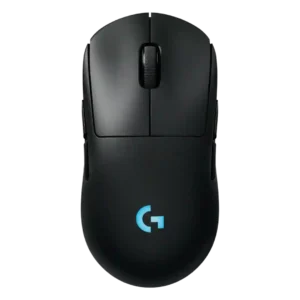
Compare ASUS ROG Harpe II Ace vs Logitech G Pro 2 Lightspeed

ASUS ROG Harpe II Ace

ASUS ROG Harpe II Ace

Overall score 4.6 / 5

Based on 13 scored reviews

vs
Logitech G Pro 2 Lightspeed

Logitech G Pro 2 Lightspeed

Overall score 3.8 / 5

Based on 8 scored reviews

How we score

Scorata scores summarize analyzed review evidence on a 1–5 scale; they are not laboratory measurements or a simple average of customer star ratings. Feature scores summarize the reviews covering that feature. The overall score averages feature scores within each review, then combines review averages. When both expert and customer evidence are available, those two groups receive equal weight. Products can have different review coverage, so small score gaps do not establish a winner.

Recommendations prioritize important features for the category, with a score of at least 3.5, a gap of at least 0.25 points and at least two supporting reviews per product. Features with widely varying scores or broad connectivity contexts are excluded from recommendations. These safeguards do not establish statistical significance.

Quick verdict

What each product is best for

The review evidence points to a tradeoff: polling rate and value for money versus handedness options and DPI range. Choose according to which strengths matter more to you; the overall score alone does not settle that choice.

Choose ASUS ROG Harpe II Ace for polling rate and value for money.

Choose Logitech G Pro 2 Lightspeed for handedness options and DPI range.

Why these recommendations?

ASUS ROG Harpe II Ace

Where It Has the Edge

  • polling rate is 4.4 vs 2.4. 8K polling was praised as a serious competitive feature, though several reviewers said gains can be subtle and...
  • value for money is 4.3 vs 2.4. Value was mixed-to-positive: reviewers called it competitive or easy to recommend, but several noted the high premium-mouse price.
  • premium feel is 4.7 vs 3.5. Premium feel was consistently strong, with reviewers describing high-quality impressions, sturdy construction, and a solid premium feel.

Logitech G Pro 2 Lightspeed

Where It Has the Edge

  • handedness options is 4.7 vs 3.4. Handedness options are one of the strongest points, with repeated praise for the ambidextrous shape and swappable side...
  • DPI range is 4.5 vs 3.9. The DPI range is treated as a strength because reviewers noted a wide sensitivity range and unusually high...
ASUS ROG Harpe II Ace 4.6 overall score
Logitech G Pro 2 Lightspeed 3.8 overall score

Compare features

Scores are out of 5. Missing scores mean missing review evidence, not a missing feature.

Scored on both products

Battery and charging

Battery life
ASUS ROG Harpe II Ace
4.3

Battery life was good at standard polling but mixed at 8K, where reviewers reported notably shorter runtimes.

Logitech G Pro 2 Lightspeed
4.5

Battery life is a major strength, repeatedly praised as good, improved, long-lasting, or exceptional.

Charging convenience
ASUS ROG Harpe II Ace
4.8

Charging convenience was positive because reviewers could keep playing while charging or recover hours of play from short top-ups.

Logitech G Pro 2 Lightspeed
4.6

Charging convenience is strong thanks to fast charging impressions, USB-C, and Power Play/constant-power convenience.

Controls and connectivity

Bluetooth support
ASUS ROG Harpe II Ace
4.6

Bluetooth support was praised for stable productivity use and broader multi-device convenience, though competitive use favored 2.4GHz.

Logitech G Pro 2 Lightspeed
1.5

Bluetooth support is a weakness because a reviewer explicitly felt Bluetooth should be included at this price.

Software usability
ASUS ROG Harpe II Ace
4.7

Software usability was a major win, with Gear Link described as clear, responsive, resource-saving, handy, full-featured, and better than Armoury Crate.

Logitech G Pro 2 Lightspeed
3.2

Software usability is mixed: G Hub offers useful controls, but reviewers complained about forced software, quirks, and a desire for a better setup experience.

Programmable buttons
ASUS ROG Harpe II Ace
4.7

Programmable button evidence was positive but limited, centered on freely assignable buttons and full-feature button remapping.

Logitech G Pro 2 Lightspeed
4.0

Programmable buttons are useful for flexible layouts, with one reviewer implying the richer button configuration is worth keeping.

Side button quality
ASUS ROG Harpe II Ace
4.6

Side buttons were broadly praised for placement, crispness, accessibility, and reduced accidental presses.

Logitech G Pro 2 Lightspeed
4.2

Side button quality is mostly strong thanks to low wobble and good feel, with one reviewer noting more travel than the Superlight 2.

Button responsiveness
ASUS ROG Harpe II Ace
4.7

Button responsiveness was widely positive, with reviewers calling the clicks immediate, quick, consistent, and dependable in play.

Logitech G Pro 2 Lightspeed
4.4

Button responsiveness is a clear strength, with reviewers praising satisfying, immediate, tactile button action.

Button customization
ASUS ROG Harpe II Ace
4.7

Button customization was rated well because Gear Link exposes broad assignment controls and reviewers found the interface comprehensive.

Logitech G Pro 2 Lightspeed
4.4

Button customization is a major advantage, with reviewers praising the easy magnetic swaps, remapping flexibility, and G Hub input options.

Software stability
ASUS ROG Harpe II Ace
3.0

Software stability had a concern: moving settings to a web server raised worries about future access if the service goes down.

Logitech G Pro 2 Lightspeed
2.8

Software stability is split, from a severe boot-loading problem in one review to reliable core adjustments in another.

Other features

Polling rate
ASUS ROG Harpe II Ace
4.4

8K polling was praised as a serious competitive feature, though several reviewers said gains can be subtle and battery cost rises at high rates.

Logitech G Pro 2 Lightspeed
2.4

Polling rate drew criticism: reviewers said the 1000 Hz limit trails newer high-polling competitors and feels odd for the price.

Profile switching
ASUS ROG Harpe II Ace
4.3

Profile and mode switching drew positive reactions for Zone Mode convenience, but underside DPI/profile controls created a usability caveat.

Logitech G Pro 2 Lightspeed
2.5

Profile or DPI switching is hurt by the bottom-mounted button, which reviewers found inconvenient for quick changes.

Portability
ASUS ROG Harpe II Ace
4.2

Portability was good thanks to low weight and travel-friendly size, though one reviewer wanted a carrying bag.

Logitech G Pro 2 Lightspeed
2.5

Portability is limited by the lack of Bluetooth, making travel-style use less convenient in the cited review.

Balance and weight distribution
ASUS ROG Harpe II Ace
4.7

Balance and weight distribution received strong praise from reviewers who found the mouse well balanced and natural in hand.

Logitech G Pro 2 Lightspeed
3.2

Weight balance is similarly split, with praise for balanced feel in one review and criticism that skates plus weight made it feel heavier.

Cable flexibility
ASUS ROG Harpe II Ace
4.8

Cable flexibility had limited but positive evidence, with one reviewer calling the included cable thin and flexible.

Logitech G Pro 2 Lightspeed
3.3

Cable impressions are mixed: one reviewer liked the long charging cable, while another wanted a lighter cable for wired play.

Handedness options
ASUS ROG Harpe II Ace
3.4

Handedness evidence was mixed: one left-handed reviewer liked it, while others noted the side-button layout favors right-handed users.

Logitech G Pro 2 Lightspeed
4.7

Handedness options are one of the strongest points, with repeated praise for the ambidextrous shape and swappable side buttons.

Premium feel
ASUS ROG Harpe II Ace
4.7

Premium feel was consistently strong, with reviewers describing high-quality impressions, sturdy construction, and a solid premium feel.

Logitech G Pro 2 Lightspeed
3.5

Premium feel is mixed: the mouse can feel like a premium, solid product, but some reviewers found it uninventive or disappointing for the price.

Glide smoothness
ASUS ROG Harpe II Ace
4.7

Glide smoothness was one of the clearest strengths, with reviewers praising smooth, low-friction movement across pads and stock feet.

Logitech G Pro 2 Lightspeed
3.5

Glide is sharply mixed: several reviewers found it smooth or very good, while comparison reviewers said the skates felt slow or draggy.

Left and right click quality
ASUS ROG Harpe II Ace
4.3

Left and right click quality was mostly strong, but one early unit had main-trigger rattle, creating a mild build-related caveat.

Logitech G Pro 2 Lightspeed
3.2

Main click quality is mixed because one reviewer liked the heavy tactile feel but criticized right-click ping.

Weight
ASUS ROG Harpe II Ace
4.7

The ultralight weight was one of the strongest points across reviews, repeatedly described as excellent, headline-worthy, and easy to move.

Logitech G Pro 2 Lightspeed
3.6

Weight is divisive: several reviewers found 80 g light or deliberate, while comparison-focused reviewers felt it was noticeably heavy.

FPS gaming suitability
ASUS ROG Harpe II Ace
4.8

FPS suitability was extremely strong, with repeated shooter-focused praise around instant reactions, precision, and competitive advantage.

Logitech G Pro 2 Lightspeed
4.0

FPS suitability is mixed but generally capable: some reviewers praised twitch-shooter performance, while others preferred lighter alternatives for FPS.

RGB features
ASUS ROG Harpe II Ace
4.4

RGB was treated as a small but useful extra, mainly around the illuminated scroll wheel and controllable logo lighting.

Logitech G Pro 2 Lightspeed
3.6

RGB opinions are mixed: some liked the lighting, while others found the logo placement wasted under the hand.

Grip texture
ASUS ROG Harpe II Ace
4.4

Grip texture was mostly positive for grippy coatings and matte finishes, but some reviewers disliked slipperiness or fingerprints.

Logitech G Pro 2 Lightspeed
3.9

Grip texture feedback is modestly positive, with reviewers calling the coating fine and the matte finish appealing.

DPI range
ASUS ROG Harpe II Ace
3.9

The 42,000 DPI ceiling was seen as impressive but partly overkill, with reviewers noting most players will never use such a high range.

Logitech G Pro 2 Lightspeed
4.5

The DPI range is treated as a strength because reviewers noted a wide sensitivity range and unusually high sensor ceiling.

Switch feel
ASUS ROG Harpe II Ace
4.6

Switch feel was generally crisp and clean, though one reviewer found the switches merely okay rather than best-in-class.

Logitech G Pro 2 Lightspeed
4.1

Switch feel is generally praised as satisfying, light, tactile, or strong, though one reviewer said it lacked the Superlight 2's tactility.

Wireless latency
ASUS ROG Harpe II Ace
4.9

Wireless latency was rated very highly, with reviewers reporting no noticeable delay, little to no input lag, and instant 2.4GHz response.

Logitech G Pro 2 Lightspeed
4.6

Wireless latency was praised in testing, with no noticeable stutter or latency reported.

Motion consistency
ASUS ROG Harpe II Ace
4.9

Motion consistency was rated strongly, with reviewers reporting stable cursors, reliable tracking, and no jitter under fast movement.

Logitech G Pro 2 Lightspeed
4.6

Motion felt smooth and consistent across reviews, including snappy gameplay and consistent testing performance.

Connection stability
ASUS ROG Harpe II Ace
4.8

Connection stability was a strength across Bluetooth, dongle, and wireless sessions, with no dropouts, desyncs, or odd behavior reported.

Logitech G Pro 2 Lightspeed
4.5

Connection stability feedback is positive, with one reviewer saying the wireless connection usually works without hiccups.

Click latency
ASUS ROG Harpe II Ace
4.8

Click latency evidence was limited but positive, with optical switches described as avoiding debounce delay.

Logitech G Pro 2 Lightspeed
4.6

Click latency impressions are positive, with the Lightforce switches described as quick and clicky.

MMO gaming suitability
ASUS ROG Harpe II Ace
2.5

MMO suitability was weak because one reviewer found the five-button layout limited for MMO gamers.

Logitech G Pro 2 Lightspeed
2.3

MMO suitability is weak because one reviewer said it is not the best choice for super-involved MMOs.

Scroll wheel quality
ASUS ROG Harpe II Ace
4.5

Scroll wheel feedback was positive overall for precision, tactile notches, smoothness, and tension, with some productivity limitations noted.

Logitech G Pro 2 Lightspeed
4.6

The scroll wheel is consistently praised, ranging from good and issue-free to absolutely fantastic.

Ownership and support

Value for money
ASUS ROG Harpe II Ace
4.3

Value was mixed-to-positive: reviewers called it competitive or easy to recommend, but several noted the high premium-mouse price.

Logitech G Pro 2 Lightspeed
2.4

Value for money is the most repeated concern, with reviewers often saying the upgrade is not compelling or costs too much versus alternatives.

Comfort and build

Materials quality
ASUS ROG Harpe II Ace
4.5

Materials quality was praised for the bio-based nylon's feel, rigidity, and grippy surface, with minor smudge and slipperiness caveats.

Logitech G Pro 2 Lightspeed
3.0

Materials quality is middling in the limited evidence, with one reviewer saying the shell felt dense but not as good as alternatives.

Palm grip comfort
ASUS ROG Harpe II Ace
3.6

Palm-grip comfort was mixed: one reviewer fit it well, while others preferred fuller right-handed shapes for long palm-heavy use.

Logitech G Pro 2 Lightspeed
4.7

Palm grip comfort received direct praise from a reviewer whose hand position fit the mouse well.

Build quality
ASUS ROG Harpe II Ace
4.7

Build quality was strongly praised, with repeated comments about rigidity, no flex, no creaks, and premium shell integrity.

Logitech G Pro 2 Lightspeed
3.9

Build quality is mostly solid but not flawless, with praise for secure buttons alongside wobble and click-ping concerns.

Shape comfort
ASUS ROG Harpe II Ace
4.6

Shape comfort was broadly positive for neutral, refined handling, though one reviewer found the mouse a little too big.

Logitech G Pro 2 Lightspeed
4.3

Shape comfort is mostly praised as familiar, smooth, and comfortable, especially for users who already like the Pro shape.

Claw grip comfort
ASUS ROG Harpe II Ace
4.6

Claw grip comfort was a major strength, with multiple reviewers calling the shape suitable, easy, or ideal for claw users.

Logitech G Pro 2 Lightspeed
4.4

Claw grip comfort is supported by one reviewer who said the shape works for claw grip and broad grip preferences.

Long-session comfort
ASUS ROG Harpe II Ace
4.5

Long-session comfort was positive for low fatigue and wrist relief, though palm-grip marathon comfort favored larger ergonomic alternatives.

Logitech G Pro 2 Lightspeed
4.6

Long-session comfort is supported by praise for the larger frame reducing cramping.

Ergonomic design
ASUS ROG Harpe II Ace
4.6

Ergonomic design was praised for comfort and not fighting the user's grip, but reviewers stressed that shape fit remains personal.

Logitech G Pro 2 Lightspeed
4.6

Ergonomics are strong for many hands, with reviewers praising the hand fit and shape across grip styles.

Performance

Click noise
ASUS ROG Harpe II Ace
3.9

Click noise was acceptable to positive: one reviewer found clicks louder than the predecessor, while another found the optical sound mild.

Logitech G Pro 2 Lightspeed
2.9

Click noise is mixed to negative: one reviewer said clickiness could annoy some, and another criticized audible right-click ping.

Sensor performance
ASUS ROG Harpe II Ace
4.7

Sensor feedback was highly positive overall, with reviewers reporting precise or flawless tracking and only mild caveats that extreme DPI is mostly beyond normal use.

Logitech G Pro 2 Lightspeed
4.3

Sensor feedback is broadly positive: reviewers called it excellent, upgraded, reliable, or even laughably good, while one felt the real-world difference was not massive.

Wireless performance
ASUS ROG Harpe II Ace
4.9

Wireless performance was consistently excellent, with reviewers reporting standout wireless, low interference, lag-free use, and strong real-play results.

Logitech G Pro 2 Lightspeed
4.5

Wireless performance was praised as solid and reliable in gaming and productivity use.

Tracking and training

Accuracy and tracking precision
ASUS ROG Harpe II Ace
4.8

Reviewers consistently described accurate, stable aiming and precise corrections, with especially strong praise in shooter and aim-control contexts.

Logitech G Pro 2 Lightspeed
4.2

Reviewers mostly found tracking accurate and dependable, with strong praise for the HERO 2 sensor, though one comparison-focused review felt less accurate in play.

Evidence available for one product

Other features

2.4GHz connectivity
ASUS ROG Harpe II Ace
4.7

2.4GHz connectivity received strong marks for gaming preference, lag-free behavior, and wireless 8K support without extra add-ons.

Logitech G Pro 2 LightspeedNo score yet
Acceleration control
ASUS ROG Harpe II Ace
5.0

Acceleration control was specifically praised in testing where the reviewer found no jitter, skipping, or unwanted acceleration.

Logitech G Pro 2 LightspeedNo score yet
Cross-platform compatibility
ASUS ROG Harpe II Ace
4.7

Cross-platform compatibility was positive because web-based settings and easy PC/Mac switching made the mouse flexible across devices.

Logitech G Pro 2 LightspeedNo score yet
Dock compatibility
ASUS ROG Harpe II AceNo score yet
Logitech G Pro 2 Lightspeed
4.6

Dock or Power Play compatibility was praised as a solid way to use the mouse without battery worry.

Onboard memory
ASUS ROG Harpe II Ace
2.0

Onboard memory was the clearest functional drawback: one reviewer explicitly called its absence a downside for multi-PC use.

Logitech G Pro 2 LightspeedNo score yet
Surface compatibility
ASUS ROG Harpe II Ace
4.7

Surface compatibility was positive, including praise for tracking on varied surfaces and tempered glass, with one reviewer still recommending cloth pads.

Logitech G Pro 2 LightspeedNo score yet

Comfort and build

Durability over time
ASUS ROG Harpe II Ace
4.6

Durability over time evidence was positive but short-term, with click feel and button consistency holding up after intensive use.

Logitech G Pro 2 LightspeedNo score yet
Fingertip grip comfort
ASUS ROG Harpe II Ace
4.5

Fingertip grip comfort was also strong, with praise for low-hump control and micro-adjustments, though size may affect smaller-hand users.

Logitech G Pro 2 LightspeedNo score yet
Switch durability
ASUS ROG Harpe II Ace
4.6

Switch durability evidence came from short-to-medium use outcomes: reviewers said the click feel stayed consistent after intensive sessions.

Logitech G Pro 2 LightspeedNo score yet

Other Top Gaming Mice to Consider

#2 Razer Viper V4 Pro
4.4

Best for ultra-light, competition-focused speed, precise tracking, stable wireless, and long battery life. Skip it if you need quieter clicks, left-handed support, Bluetooth, more buttons, or better value for casual...

Pros: value for money, weight

Cons: click noise, RGB features

#3 Corsair Scimitar Elite Wireless SE

4.4

Choose it if you want a premium MMO/productivity mouse with 12 adjustable side buttons, strong battery life, and Stream Deck integration. Skip it if you need an ultralight FPS mouse,...

Pros: button customization, MMO gaming suitability

Cons: FPS gaming suitability

#4 MSI Versa 300 Wireless 8K

4.4

Best for precise wireless tracking, smooth glide, strong battery life, and unusually good 8K value. Skip it if you need polished software, quiet snappy clicks, true left-handed controls, or gentle...

Pros: software usability, sensor performance

Cons: RGB features, scroll wheel quality

#5 Razer DeathAdder V3

4.4

Good if you want an ultralight wired FPS mouse with elite tracking, fast clicks, and large-hand comfort. Skip it if you need wireless freedom, left-handed support, RGB, richer buttons, or...

Pros: value for money, weight

Cons: fingertip grip comfort, profile switching