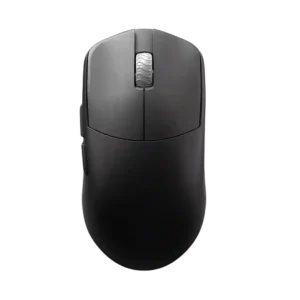
Compare Logitech G PRO X Superlight 2 vs LAMZU Maya X

Logitech G PRO X Superlight 2

Logitech G PRO X Superlight 2

Overall score 4.0 / 5

Based on 23 scored reviews

vs
LAMZU Maya X

LAMZU Maya X

Overall score 4.3 / 5

Based on 9 scored reviews

How we score

Scorata scores summarize analyzed review evidence on a 1–5 scale; they are not laboratory measurements or a simple average of customer star ratings. Feature scores summarize the reviews covering that feature. The overall score averages feature scores within each review, then combines review averages. When both expert and customer evidence are available, those two groups receive equal weight. Products can have different review coverage, so small score gaps do not establish a winner.

Recommendations prioritize important features for the category, with a score of at least 3.5, a gap of at least 0.25 points and at least two supporting reviews per product. Features with widely varying scores or broad connectivity contexts are excluded from recommendations. These safeguards do not establish statistical significance.

Quick verdict

What each product is best for

The review evidence points to a tradeoff: battery life and fingertip grip comfort versus value for money and scroll wheel quality. Choose according to which strengths matter more to you; the overall score alone does not settle that choice.

Choose Logitech G PRO X Superlight 2 for battery life and fingertip grip comfort.

Choose LAMZU Maya X for value for money and scroll wheel quality.

Why these recommendations?

Logitech G PRO X Superlight 2

Where It Has the Edge

  • battery life is 4.7 vs 3.6. Battery life was generally praised as long-lasting, though reviewers noted it drops with higher polling rates.
  • fingertip grip comfort is 5.0 vs 3.3. Fingertip grip comfort was praised by reviewers who found the shape comfortable for fingertip use.
  • lift-off distance is 4.2 vs 3.8. Lift-off distance control was viewed as useful and noticeably adjustable, especially for players who fine-tune mouse behavior.

LAMZU Maya X

Where It Has the Edge

  • value for money is 4.4 vs 3.1. Value for money is broadly favorable, with reviewers citing price, bundled extras, and strong performance, though some acknowledge...
  • scroll wheel quality is 4.2 vs 3.0. Scroll wheel quality is mostly positive for lightness, tactility, and safe tuning, but one review reported an intermittent...
  • switch feel is 4.6 vs 4.2. Switch feel is generally excellent, especially Omron optical crispness, though one reviewer found the implementation lackluster.
Logitech G PRO X Superlight 2 4.0 overall score
LAMZU Maya X 4.3 overall score

Compare features

Scores are out of 5. Missing scores mean missing review evidence, not a missing feature.

Scored on both products

Battery and charging

Battery life
Logitech G PRO X Superlight 2
4.7

Battery life was generally praised as long-lasting, though reviewers noted it drops with higher polling rates.

LAMZU Maya X
3.6

Battery life is the main performance caveat: acceptable at lower polling, but below some rivals and quick to drain at higher polling rates.

Charging convenience
Logitech G PRO X Superlight 2
4.6

Charging convenience was praised for USB-C, faster charging, and fewer desk cables.

LAMZU Maya X
2.0

Charging convenience is weak because the included cable makes using the mouse while charging difficult.

Other features

MOBA gaming suitability
Logitech G PRO X Superlight 2
2.5

MOBA suitability was weaker because one reviewer found the heavier clicks worse for spam-click games.

LAMZU Maya X
5.0

MOBA gaming suitability has one strong supporting review from League of Legends ranked use.

DPI range
Logitech G PRO X Superlight 2
3.7

DPI coverage was seen as technically strong and granular, but one reviewer felt the extreme ceiling is more marketing than everyday value.

LAMZU Maya X
5.0

The DPI range receives positive evidence because it is considered more than enough even for very high-sensitivity players.

Glide smoothness
Logitech G PRO X Superlight 2
3.5

Glide smoothness was highly mixed: some reviewers praised effortless glide, while others disliked stock-skate drag or control-heavy movement.

LAMZU Maya X
4.8

Glide smoothness is a major consensus strength, with stock skates repeatedly called smooth, excellent, and among the best.

Scroll wheel quality
Logitech G PRO X Superlight 2
3.0

Scroll wheel feedback was mixed, with some praise for tactility but repeated criticism that it felt stiff, mushy, vague, or less precise.

LAMZU Maya X
4.2

Scroll wheel quality is mostly positive for lightness, tactility, and safe tuning, but one review reported an intermittent registration issue.

Surface compatibility
Logitech G PRO X Superlight 2
3.8

Surface compatibility was mixed, with good results across many surfaces but complaints on softer pads and warnings to tune surface modes.

LAMZU Maya X
4.7

Surface compatibility is praised through smooth behavior across surfaces and compatibility with any mouse pad.

Balance and weight distribution
Logitech G PRO X Superlight 2
4.5

Weight distribution received positive evidence from a reviewer who specifically praised the balance.

LAMZU Maya X
5.0

Balance and weight distribution receive focused praise from one reviewer who said the balancing was on point.

Cable flexibility
Logitech G PRO X Superlight 2
2.0

Cable quality was a recurring complaint, with reviewers criticizing drag, resistance, and the dated rubber cable.

LAMZU Maya X
2.5

Cable flexibility is a weakness, with multiple reviewers calling the USB-C cable stiff or draggy during wired use.

Lift-off distance
Logitech G PRO X Superlight 2
4.2

Lift-off distance control was viewed as useful and noticeably adjustable, especially for players who fine-tune mouse behavior.

LAMZU Maya X
3.8

Lift-off distance is mixed: one review praises steadier movement, while another says the 1 mm setting did not feel consistent with other mice.

Switch feel
Logitech G PRO X Superlight 2
4.2

Switch feel split reviewers: many loved the crisp, tactile Lightforce feel, while others found the clicks heavier or too tactile.

LAMZU Maya X
4.6

Switch feel is generally excellent, especially Omron optical crispness, though one reviewer found the implementation lackluster.

FPS gaming suitability
Logitech G PRO X Superlight 2
5.0

FPS suitability was one of the strongest areas, with repeated praise for speed, responsiveness, and competitive first-person shooter use.

LAMZU Maya X
4.7

FPS gaming suitability is strong, with reviewers tying the mouse to top-tier performance, locked-in aim, and high-performance gaming.

Click latency
Logitech G PRO X Superlight 2
4.2

Click latency was praised as very low by some reviewers, though one technical reviewer found it merely good rather than flagship-leading.

LAMZU Maya X
4.5

Click latency evidence is positive but limited, with one reviewer saying the light optical clicks would not affect reaction time.

Connection stability
Logitech G PRO X Superlight 2
5.0

Connection stability was praised in one review for not faltering even in a difficult RF environment.

LAMZU Maya X
4.8

Connection stability receives positive evidence from no-anomaly testing and a very good wireless feel.

Motion consistency
Logitech G PRO X Superlight 2
4.8

Motion consistency was described positively, with reviewers calling motion smooth, sharp, and accurate.

LAMZU Maya X
4.5

Motion consistency is praised in-game, with the mouse described as planted, stable, and consistent in performance.

Grip texture
Logitech G PRO X Superlight 2
4.4

Grip texture was well received, with reviewers praising the grippy surface, recessed sides, or usefulness for clammy hands.

LAMZU Maya X
4.1

Grip texture is positive overall for coating grip, but black finish smudging and dry-coating feel make it somewhat user-dependent.

Weight
Logitech G PRO X Superlight 2
4.7

Reviewers strongly praised the low weight, calling it excellent, effortless, and well balanced for the mouse size.

LAMZU Maya X
4.6

Weight is a defining strength, repeatedly praised around 47 g, though one reviewer warned micro movements may need adjustment.

Left and right click quality
Logitech G PRO X Superlight 2
4.8

Left and right clicks were praised for satisfying tactility, light rapid tapping, and improved main-button feel.

LAMZU Maya X
4.7

Left and right click quality is strongly praised for clean implementation, bounce, lightness, and a close-to-perfect feel.

Polling rate
Logitech G PRO X Superlight 2
4.1

Polling-rate opinions were mixed: several reviewers felt clear responsiveness gains, while others saw 2,000Hz as fine but not industry-leading.

LAMZU Maya X
4.1

Polling-rate support is valued, especially 8K wireless, though reviewers note 8K may not be useful to everyone and can trade off against battery life.

Comfort and build

Skate durability
Logitech G PRO X Superlight 2
2.0

Skate durability was a repeated concern, with reviewers calling the PTFE feet thin, meh, or unlikely to last long.

LAMZU Maya X
4.5

Skate durability has limited but positive evidence, with one reviewer saying the newer skates were definitely better than prior Maya skates.

Fingertip grip comfort
Logitech G PRO X Superlight 2
5.0

Fingertip grip comfort was praised by reviewers who found the shape comfortable for fingertip use.

LAMZU Maya X
3.3

Fingertip grip comfort is conditional, with reviewers generally steering smaller-hand fingertip users toward smaller or flatter alternatives.

Palm grip comfort
Logitech G PRO X Superlight 2
2.5

Palm grip comfort was limited by one review saying palm-grip players may be better served elsewhere.

LAMZU Maya X
3.5

Palm grip comfort is mixed: one reviewer found palm support good, while others said large-hand palm users may want other options.

Ergonomic design
Logitech G PRO X Superlight 2
4.0

Ergonomics were generally positive for comfort and contouring, but one review noted large hands may find the shape less ergonomic.

LAMZU Maya X
4.4

Ergonomic design is positively received for multi-grip flexibility, ergonomic button shaping, and broad grip-style support.

Long-session comfort
Logitech G PRO X Superlight 2
5.0

Long-session comfort was strongly positive in one review that reported almost no hand fatigue after long sessions.

LAMZU Maya X
4.6

Long-session comfort is positive, with reviewers calling the mouse comfortable to play with and suitable as a daily driver.

Materials quality
Logitech G PRO X Superlight 2
4.5

Materials quality was praised for a cool, soft matte plastic feel.

LAMZU Maya X
4.1

Materials quality trends positive, though reviewers treat the coating as a tradeoff because grip can bring cleaning or wear concerns.

Build quality
Logitech G PRO X Superlight 2
4.8

Build quality was repeatedly praised as solid, squeak-free, well put together, and elite despite the light shell.

LAMZU Maya X
4.5

Build quality is broadly praised as sturdy, premium, and solid, with one notable review flagging a small creaking/QC issue.

Durability over time
Logitech G PRO X Superlight 2
4.5

Durability over time had limited but positive evidence from a longer-use reviewer whose unit remained rock solid.

LAMZU Maya X
4.3

Durability over time is cautiously positive based on weeks of use without decay and a reviewer sense that the shell would hold up longer.

Shape comfort
Logitech G PRO X Superlight 2
4.4

Shape comfort was broadly praised as safe, familiar, and very comfortable, though a few reviewers disliked the rounded shape personally.

LAMZU Maya X
4.6

Shape comfort is one of the strongest themes, especially for a larger, formed ambidextrous shape that several reviewers enjoyed.

Claw grip comfort
Logitech G PRO X Superlight 2
4.6

Claw grip comfort was broadly positive, with reviewers calling the mouse comfortable or easy to use for claw grip.

LAMZU Maya X
4.8

Claw grip comfort is consistently strong, with reviewers describing the shape as excellent for claw, relaxed claw, or aggressive claw grips.

Ownership and support

Macro support
Logitech G PRO X Superlight 2
5.0

Macro support was praised for an easy-to-use macro tool that guides users through setup.

LAMZU Maya X
3.5

Macro support is present through software and judged useful, though the same review criticized the app's lag.

Value for money
Logitech G PRO X Superlight 2
3.1

Value was mixed: reviewers praised the performance tier but often questioned the price and upgrade value from the original Superlight.

LAMZU Maya X
4.4

Value for money is broadly favorable, with reviewers citing price, bundled extras, and strong performance, though some acknowledge it costs more than budget competitors.

Performance

Click noise
Logitech G PRO X Superlight 2
3.3

Click noise was mixed: some liked the satisfying click sound, while others found it loud or high-pitched.

LAMZU Maya X
2.0

Click noise has negative evidence focused on loud, unpleasant side-click sound.

Wireless performance
Logitech G PRO X Superlight 2
5.0

Wireless performance was praised as seamless and flawless, with no cable-related compromise in use.

LAMZU Maya X
4.9

Wireless performance is praised for top-tier or elite implementation, with reviewers placing it among the best or describing it as very good.

Sensor performance
Logitech G PRO X Superlight 2
4.9

The HERO 2 sensor was widely praised as crisp, precise, fast, and close to flawless, though some reviewers framed the higher specs as incremental.

LAMZU Maya X
4.9

Sensor performance is described as stellar or perfectly well-working, with reviewers treating the PAW3950 implementation as a standout strength.

Controls and connectivity

Button responsiveness
Logitech G PRO X Superlight 2
4.0

Button responsiveness was mostly praised for tactile, responsive clicks, though one reviewer disliked the heavier actuation for spam clicking.

LAMZU Maya X
4.8

Button responsiveness is a major strength, with repeated praise for fast, crisp, light, spammable, and precise actuation.

Software stability
Logitech G PRO X Superlight 2
4.5

Software stability had limited but positive evidence from one review calling the G Hub interface stable.

LAMZU Maya X
3.7

Software stability is mixed-to-positive, ranging from perfectly fine and quick-loading web UI to one app performance complaint.

Side button quality
Logitech G PRO X Superlight 2
2.6

Side button quality was the most contested control area, ranging from well-placed and improved to repeatedly described as mushy.

LAMZU Maya X
3.3

Side button quality is the clearest split: some reviewers found them crisp and accessible, while others complained of stiffness, mushiness, or post-click travel.

Software usability
Logitech G PRO X Superlight 2
3.9

Software usability was split sharply: some reviewers found G Hub easy and powerful, while others called it unintuitive or frustrating.

LAMZU Maya X
3.9

Software usability is mixed: web-based Aurora is often liked for simplicity, but one companion-app experience was slow and laggy.

Tracking and training

Accuracy and tracking precision
Logitech G PRO X Superlight 2
4.9

Reviewers consistently described the mouse as accurate in games, with especially strong praise for tracking, pointer accuracy, and shot control.

LAMZU Maya X
4.7

Tracking precision is consistently praised, with no anomalies at 8000 Hz, predictable movement, strong pad tracking, and one reviewer reporting a personal-best result.

Evidence available for one product

Other features

2.4GHz connectivity
Logitech G PRO X Superlight 2
5.0

The 2.4GHz connection was praised through an instant, fast connection experience with the included dongle.

LAMZU Maya XNo score yet
Acceleration control
Logitech G PRO X Superlight 2
4.5

Acceleration feel received direct praise in one review, where the reviewer enjoyed its smoothness in Diablo IV.

LAMZU Maya XNo score yet
Cross-platform compatibility
Logitech G PRO X Superlight 2
4.5

Cross-platform compatibility was praised through G Hub support for both Windows and macOS.

LAMZU Maya XNo score yet
Dock compatibility
Logitech G PRO X Superlight 2
4.3

PowerPlay compatibility was viewed positively, though one reviewer called the accessory expensive.

LAMZU Maya XNo score yet
Ecosystem integration
Logitech G PRO X Superlight 2
4.5

Ecosystem integration was praised for Logitech presets, backward compatibility, and community/profile support.

LAMZU Maya XNo score yet
Handedness options
Logitech G PRO X Superlight 2
3.5

Handedness support was mixed because the symmetrical shape helps lefties, but the side buttons remain left-side only.

LAMZU Maya XNo score yet
Onboard memory
Logitech G PRO X Superlight 2
4.0

Onboard memory was supported by the ability to save multiple profiles, though evidence was more about usefulness than enthusiasm.

LAMZU Maya XNo score yet
Portability
Logitech G PRO X Superlight 2
4.5

Portability was supported by the dongle-storage cover, which one reviewer framed as essential for esports travel.

LAMZU Maya XNo score yet
Premium feel
Logitech G PRO X Superlight 2
4.5

Premium feel was positive overall, with reviewers saying the mouse feels sturdy, premium, and high quality.

LAMZU Maya XNo score yet
Profile switching
Logitech G PRO X Superlight 2
3.0

Profile behavior was mixed: app-linked settings were useful, but onboard-profile handling was described as confusing in G Hub.

LAMZU Maya XNo score yet
RGB features
Logitech G PRO X Superlight 2
4.3

The lack of RGB was generally accepted as a worthwhile tradeoff for battery life, weight, and the mouse’s clean look.

LAMZU Maya XNo score yet
Water and dust resistance
Logitech G PRO X Superlight 2No score yet
LAMZU Maya X
4.0

Dust resistance is only partially supported, but one reviewer praised the dust-proof encoder and reduced concern about debris.

Weight tuning
Logitech G PRO X Superlight 2
2.0

Weight tuning was weakly received because the swappable cover options were seen as features most people would not find useful.

LAMZU Maya XNo score yet
Wireless latency
Logitech G PRO X Superlight 2
5.0

Wireless latency was praised directly, with reviewers reporting no latency issues or seemingly no latency at all.

LAMZU Maya XNo score yet

Controls and connectivity

Button customization
Logitech G PRO X Superlight 2
4.7

Customization drew positive comments for granular controls and strong software-hardware integration, though it still depends heavily on G Hub.

LAMZU Maya XNo score yet
Programmable buttons
Logitech G PRO X Superlight 2
4.5

Programmable side buttons were useful to one reviewer for DPI adjustment, especially because the mouse lacks a dedicated DPI button.

LAMZU Maya XNo score yet

Ownership and support

Drag click support
Logitech G PRO X Superlight 2
4.0

Drag click support had limited positive evidence from one reviewer who called drag clicking pretty awesome.

LAMZU Maya XNo score yet

Comfort and build

Switch durability
Logitech G PRO X Superlight 2
4.7

Switch durability evidence centered on optical-switch reliability and reduced double-click concerns, with reviewers treating it as a meaningful benefit.

LAMZU Maya XNo score yet

Other Top Gaming Mice to Consider

#1 ASUS ROG Harpe II Ace
4.6

Choose the ROG Harpe II Ace for ultralight FPS play, precise tracking, smooth glide, and web-based tuning. Skip it if you need palm-grip support, MMO buttons, onboard profiles, or long...

Pros: glide smoothness, weight

Cons: handedness options

#2 Razer Viper V4 Pro

4.4

Best for ultra-light, competition-focused speed, precise tracking, stable wireless, and long battery life. Skip it if you need quieter clicks, left-handed support, Bluetooth, more buttons, or better value for casual...

Pros: value for money, weight

Cons: click noise, RGB features

#3 Corsair Scimitar Elite Wireless SE

4.4

Choose it if you want a premium MMO/productivity mouse with 12 adjustable side buttons, strong battery life, and Stream Deck integration. Skip it if you need an ultralight FPS mouse,...

Pros: button customization, MMO gaming suitability

Cons: FPS gaming suitability

#4 MSI Versa 300 Wireless 8K

4.4

Best for precise wireless tracking, smooth glide, strong battery life, and unusually good 8K value. Skip it if you need polished software, quiet snappy clicks, true left-handed controls, or gentle...

Pros: software usability, sensor performance

Cons: RGB features, scroll wheel quality