Scorata scores summarize analyzed review evidence on a 1–5 scale; they are not laboratory measurements or a simple average of customer star ratings. Feature scores summarize the reviews covering that feature. The overall score averages feature scores within each review, then combines review averages. When both expert and customer evidence are available, those two groups receive equal weight. Products can have different review coverage, so small score gaps do not establish a winner.
Recommendations prioritize important features for the category, with a score of at least 3.5, a gap of at least 0.25 points and at least two supporting reviews per product. Features with widely varying scores or broad connectivity contexts are excluded from recommendations. These safeguards do not establish statistical significance.
Quick verdict
What each product is best for
The review evidence points to a tradeoff: Battery and Smart-home integration (Alexa, Google, Siri, HomeKit, Matter, Thread) versus Wi-Fi and Value and Price. Choose according to which strengths matter more to you; the overall score alone does not settle that choice.
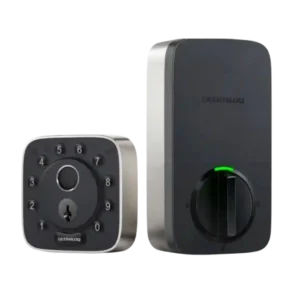
Choose ULTRALOQ Bolt Fingerprint Smart Lock for Battery and Smart-home integration (Alexa, Google, Siri, HomeKit, Matter, Thread).
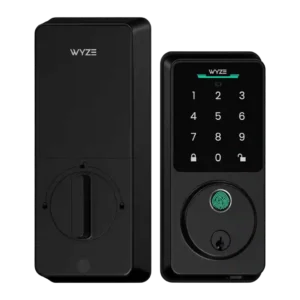
Choose Wyze Auto-Lock Bolt v2 Smart Lock for Wi-Fi and Value and Price.
Why these recommendations?
ULTRALOQ Bolt Fingerprint Smart Lock
Where It Has the Edge
Battery is 3.7 vs 2.5. Battery impressions were mixed: reviewers liked the long-life claims or early battery status, but disliked replaceable AAs, limited...
Smart-home integration (Alexa, Google, Siri, HomeKit, Matter, Thread) is 4.3 vs 3.2. Smart-home integration was a major selling point across reviews, but enthusiasm was tempered by missing Home Key, Home...
Physical attack resistance is 4.8 vs 4.0. Physical attack resistance had strong evidence from ANSI-grade commentary and especially from an expert’s praise for bump resistance.
Wyze Auto-Lock Bolt v2 Smart Lock
Where It Has the Edge
Wi-Fi is 5.0 vs 1.6. Wi-Fi is framed as a major upgrade that makes the lock more powerful while preserving the low price.
Value and Price is 5.0 vs 3.8. Value is the clearest strength, with reviewers repeatedly emphasizing sub-$100 pricing, feature density, and premium-like capabilities for the...
Lock/unlock speed is 5.0 vs 4.7. Unlocking speed is strongly positive, with reviewers calling keypad/fingerprint unlocking speedy, seamless, and quick.
Scores are out of 5. Missing scores mean missing review evidence, not a missing feature.
Scored on both products
Other features
Remote access
ULTRALOQ Bolt Fingerprint Smart Lock
1.0
Remote access was a major failure point for one reviewer because unstable Wi-Fi made remote control impossible.
Wyze Auto-Lock Bolt v2 Smart Lock
5.0
Remote access is a major strength: reviewers praise true remote control, app operation from far away, and full control from anywhere.
Locking motor
ULTRALOQ Bolt Fingerprint Smart Lock
1.0
The Matter model’s motor was the sharpest hardware complaint, described as grinding, whining, and unpleasant.
Wyze Auto-Lock Bolt v2 Smart Lock
4.0
The motor is praised for quiet operation, though one review says the lock chimes enough that the reviewer turned operation volume off.
Door-sense
ULTRALOQ Bolt Fingerprint Smart Lock
3.8
The door sensor was useful for door-open awareness and auto-lock behavior, but reviewers disliked its looks and noted it was not exposed to Apple Home.
Wyze Auto-Lock Bolt v2 Smart Lock
1.5
One review flags the lack of open/close detection as a weakness because auto-lock can engage without knowing whether the door is shut.
Hub requirement
ULTRALOQ Bolt Fingerprint Smart Lock
3.3
Hub requirements depended on the version and workflow: built-in Wi-Fi avoided a separate bridge for one reviewer, while the Matter model drew criticism for bridge needs.
Wyze Auto-Lock Bolt v2 Smart Lock
5.0
Reviewers praise the lack of a hub requirement because Wi-Fi removes the need for helper devices and puts the lock closer to pricier competitors.
Physical attack resistance
ULTRALOQ Bolt Fingerprint Smart Lock
4.8
Physical attack resistance had strong evidence from ANSI-grade commentary and especially from an expert’s praise for bump resistance.
Wyze Auto-Lock Bolt v2 Smart Lock
4.0
Physical durability/security is treated as good enough for typical homes, with one review citing suburban suitability and another praising durability.
Weather resistance
ULTRALOQ Bolt Fingerprint Smart Lock
4.8
Weather resistance received positive support from the reviewer who connected the IP65 rating with durability for rain and dust exposure.
Wyze Auto-Lock Bolt v2 Smart Lock
4.0
Weather resistance is adequate to positive: one review calls IP53 less impressive than typical, while others say it suits residential use and rain exposure.
Access logs
ULTRALOQ Bolt Fingerprint Smart Lock
4.6
Access logs were praised where reviewers discussed them, especially for showing who entered or left and maintaining a robust lock/unlock history.
Wyze Auto-Lock Bolt v2 Smart Lock
5.0
One hands-on review praises the activity history/logging as robust and detailed.
Lock/unlock speed
ULTRALOQ Bolt Fingerprint Smart Lock
4.7
Unlock speed was praised across most reviews, especially through fingerprint and app commands, though one Matter review found Matter actions slightly slower.
Wyze Auto-Lock Bolt v2 Smart Lock
5.0
Unlocking speed is strongly positive, with reviewers calling keypad/fingerprint unlocking speedy, seamless, and quick.
Keypad
ULTRALOQ Bolt Fingerprint Smart Lock
4.7
The physical keypad was a recurring positive because reviewers liked the tactile feel, responsiveness, and guest-friendly button design.
Wyze Auto-Lock Bolt v2 Smart Lock
5.0
The keypad earns praise in one hands-on review for fast, seamless unlocking.
User access management
ULTRALOQ Bolt Fingerprint Smart Lock
4.8
User access management was praised for scheduled codes, admin/normal/temporary roles, and flexible control over who can enter and when.
Wyze Auto-Lock Bolt v2 Smart Lock
5.0
User access management receives strong praise for being intuitive and fast.
Auto-lock
ULTRALOQ Bolt Fingerprint Smart Lock
4.1
Auto-lock was highly valued when it worked, with multiple reviewers praising its usefulness, but one reviewer could not enable it reliably.
Wyze Auto-Lock Bolt v2 Smart Lock
4.3
Auto-lock is viewed positively for end-of-day or accidental-unlocked protection, with praise for configurable lock behavior.
Fingerprint
ULTRALOQ Bolt Fingerprint Smart Lock
4.8
Fingerprint access was the strongest consensus feature: nearly every reviewer found it fast, accurate, reliable, or instantly responsive, with only occasional issues noted.
Wyze Auto-Lock Bolt v2 Smart Lock
4.7
Fingerprint access is one of the strongest themes, with reviewers repeatedly praising speed, accuracy, convenience, and the learning scanner, though one notes it is not perfect.
Security features (encryption)
ULTRALOQ Bolt Fingerprint Smart Lock
4.6
Security features beyond the core lock were praised, especially anti-peep PIN entry and the usefulness of random digits when someone may be watching.
Wyze Auto-Lock Bolt v2 Smart Lock
4.5
Security features are praised around anti-peep PIN protection and local biometric storage, which reviewers frame as reassuring.
Guest Codes and Access
ULTRALOQ Bolt Fingerprint Smart Lock
4.8
Guest and temporary access was a clear strength, with reviewers appreciating scheduled access, single-use or limited codes, and easy access for neighbors or service visitors.
Wyze Auto-Lock Bolt v2 Smart Lock
4.8
Guest and code access is praised for flawless one-time codes and flexible household access options.
Controls and connectivity
Wi-Fi
ULTRALOQ Bolt Fingerprint Smart Lock
1.6
Wi-Fi was polarizing: built-in Wi-Fi was a major idea, but one reviewer had severe reliability failures and another criticized a Matter version for lacking built-in Wi-Fi.
Wyze Auto-Lock Bolt v2 Smart Lock
5.0
Wi-Fi is framed as a major upgrade that makes the lock more powerful while preserving the low price.
Smart-home integration was a major selling point across reviews, but enthusiasm was tempered by missing Home Key, Home Assistant issues, and model-specific platform limits.
Wyze Auto-Lock Bolt v2 Smart Lock
3.2
Smart-home integration is mixed: the lock fits Wyze well and supports common assistants, but limited third-party support and missing Matter/HomeKit remain caveats.
Voice control
ULTRALOQ Bolt Fingerprint Smart Lock
3.4
Voice control was positive in one professional review with Alexa and Siri working well, but another review captured a Siri non-response.
Wyze Auto-Lock Bolt v2 Smart Lock
4.5
Voice control is praised in the context of Alexa and Google Assistant hands-free control, though broader ecosystem limits remain separate caveats.
App
ULTRALOQ Bolt Fingerprint Smart Lock
4.1
App feedback ranged from excellent and simple to inconsistent; some reviewers found the app easy or seamless, while one had repeated connection problems.
Wyze Auto-Lock Bolt v2 Smart Lock
3.8
The app is useful but uneven: one review calls it overloaded during onboarding, while another praises its automation area as the coolest part of the app.
Notifications
ULTRALOQ Bolt Fingerprint Smart Lock
4.7
Notifications were consistently praised as helpful, especially for open-door alerts, user-specific activity, and keeping track of household or guest access.
Wyze Auto-Lock Bolt v2 Smart Lock
4.5
Notifications benefit from the move to Wi-Fi, with one review framing real-time alerts as part of what v2 fixes over the earlier Bluetooth-only model.
Ownership and support
Value and Price
ULTRALOQ Bolt Fingerprint Smart Lock
3.8
Value was mixed: reviewers said it offered a lot or a reasonable price, but several still called it expensive or undercut by software flaws.
Wyze Auto-Lock Bolt v2 Smart Lock
5.0
Value is the clearest strength, with reviewers repeatedly emphasizing sub-$100 pricing, feature density, and premium-like capabilities for the cost.
Installation and Setup
ULTRALOQ Bolt Fingerprint Smart Lock
4.7
Installation was one of the clearest strengths: reviewers repeatedly called setup easy, quick, straightforward, or manageable with only a few screws.
Wyze Auto-Lock Bolt v2 Smart Lock
4.0
Setup is mostly viewed as DIY-friendly, but one review reports failed first onboarding/calibration attempts, keeping the overall impression mixed.
Locking reliability
ULTRALOQ Bolt Fingerprint Smart Lock
4.3
Core lock operation was usually reliable in testing, but app-based locking and unlocking was inconsistent for one reviewer and the Matter model had a loud motor caveat.
Wyze Auto-Lock Bolt v2 Smart Lock
4.8
Locking reliability is praised, with one review saying the lock works great and another describing it as built for everyday reliability.
Key override reliability
ULTRALOQ Bolt Fingerprint Smart Lock
4.3
Mechanical key backup worked in the hands-on demo, with the reviewer noting the keys looked good and successfully operated the lock.
Wyze Auto-Lock Bolt v2 Smart Lock
4.5
One demo shows the physical key backup working without issue.
Battery and charging
Battery
ULTRALOQ Bolt Fingerprint Smart Lock
3.7
Battery impressions were mixed: reviewers liked the long-life claims or early battery status, but disliked replaceable AAs, limited battery detail, or the number of cells.
Wyze Auto-Lock Bolt v2 Smart Lock
2.5
Battery feedback is mixed: one review notes an eight-month target is a slight hit, while another dislikes the non-rechargeable AA approach as a step back.
Comfort and build
Build quality and durability
ULTRALOQ Bolt Fingerprint Smart Lock
4.0
Build impressions were mostly positive, with reviewers praising solidity and materials, though one Matter review raised longevity concerns because of the motor noise.
Wyze Auto-Lock Bolt v2 Smart Lock
4.8
Build quality is praised, with reviews describing the upgraded body as closer to premium brands and the build as awesome.
Finish durability
ULTRALOQ Bolt Fingerprint Smart Lock
4.4
Finish durability evidence was positive, with praise for fit and finish and expectations that the revised keypad materials and printed numbers would wear better.
Wyze Auto-Lock Bolt v2 Smart Lock
4.3
Finish durability gets positive comments for resisting visible fingerprints and improving smudge resistance and visibility.
Industrial design
ULTRALOQ Bolt Fingerprint Smart Lock
3.8
Industrial design split reviewers: some liked the size, solidity, or simple look, while others found it cheap-looking or unattractive.
Wyze Auto-Lock Bolt v2 Smart Lock
3.8
Design reactions are generally positive but not unqualified: one review calls it clean but uninspired, while others praise the tempered-glass update and lower profile.
Evidence available for one product
Controls and connectivity
Bluetooth
ULTRALOQ Bolt Fingerprint Smart Lock
3.2
Bluetooth drew a limited but important caveat: one Apple Home-focused reviewer found Bluetooth-based control a little slow at times.
Wyze Auto-Lock Bolt v2 Smart LockNo score yet
Touchscreen
ULTRALOQ Bolt Fingerprint Smart LockNo score yet
Wyze Auto-Lock Bolt v2 Smart Lock
4.3
The touchscreen/touchpad is praised for a sleeker tempered-glass upgrade plus better smudge resistance and visibility.
Other features
Existing hardware reuse
ULTRALOQ Bolt Fingerprint Smart Lock
3.0
Existing hardware reuse was mixed: one reviewer thought reusing the old strike would save time, but that choice made installation take longer.
Wyze Auto-Lock Bolt v2 Smart LockNo score yet
Geofencing
ULTRALOQ Bolt Fingerprint Smart Lock
4.1
Geofencing and auto-unlock were mixed: some reviewers found it useful or better than most, while others found it slow or inconsistent.
Wyze Auto-Lock Bolt v2 Smart LockNo score yet
Keyway quality
ULTRALOQ Bolt Fingerprint Smart Lock
2.4
The backup cylinder/keyway drew a critical expert reaction because the key bow and blade combination was described as highly unusual for North American locks.
Wyze Auto-Lock Bolt v2 Smart LockNo score yet
Pick/drill resistance (if rated)
ULTRALOQ Bolt Fingerprint Smart Lock
2.0
Pick resistance was criticized by the lock-picking review, which was not impressed with the anti-pick features.
Wyze Auto-Lock Bolt v2 Smart LockNo score yet
Tamper detection sensitivity
ULTRALOQ Bolt Fingerprint Smart LockNo score yet
Wyze Auto-Lock Bolt v2 Smart Lock
4.5
Tamper detection is viewed positively as an added security layer, with one demo showing the lock reacting to repeated failed attempts.
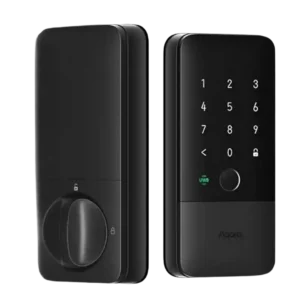
Choose the Aqara U400 if you want hands-free UWB unlocking, strong Apple Home integration, and many backup entry methods. Skip it if you dislike bulky smart-lock hardware or need a...
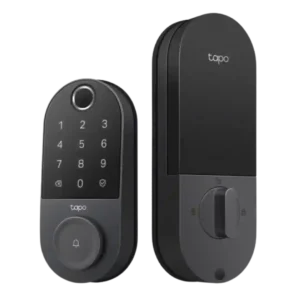
Choose the Tapo DL110 if you want fast fingerprint entry, strong app control, long battery life, and premium features under a lower price. Skip it if your door/strike alignment is...
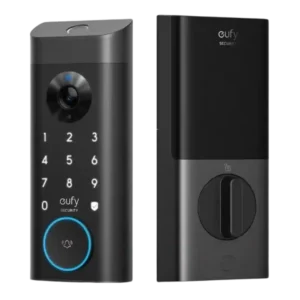
Good if you want one polished lock, camera, and doorbell with excellent fingerprint access. Skip it if short battery life, screen/storm doors, or a narrow camera view would frustrate you.
Pros: Camera and doorbell performance, Installation and Setup
Cons: Keyway quality, Door compatibility (deadbolt fit)
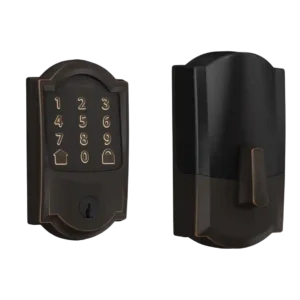
Choose the Schlage Encode if you want a sturdy, hub-free Wi-Fi deadbolt with strong codes, logs, and remote access. Skip it if you need geofencing, HomeKit/IFTTT, quiet motor noise, or...