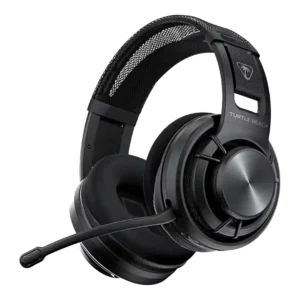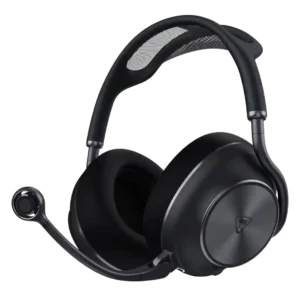
Compare Turtle Beach Atlas Air Wireless Gaming Headset vs Turtle Beach Stealth Pro II

Turtle Beach Atlas Air Wireless Gaming Headset

Turtle Beach Atlas Air Wireless Gaming Headset

Overall score 3.9 / 5

Based on 14 scored reviews

vs
Turtle Beach Stealth Pro II

Turtle Beach Stealth Pro II

Overall score 4.1 / 5

Based on 63 scored reviews

How we score

Scorata scores summarize analyzed review evidence on a 1–5 scale; they are not laboratory measurements or a simple average of customer star ratings. Feature scores summarize the reviews covering that feature. The overall score averages feature scores within each review, then combines review averages. When both expert and customer evidence are available, those two groups receive equal weight. Products can have different review coverage, so small score gaps do not establish a winner.

Recommendations prioritize important features for the category, with a score of at least 3.5, a gap of at least 0.25 points and at least two supporting reviews per product. Features with widely varying scores or broad connectivity contexts are excluded from recommendations. These safeguards do not establish statistical significance.

Quick verdict

What each product is best for

The review evidence points to a tradeoff: Headband adjustability and Frequency response accuracy versus Active noise cancellation and Carry case quality. Choose according to which strengths matter more to you; the overall score alone does not settle that choice.

Choose Turtle Beach Atlas Air Wireless Gaming Headset for Headband adjustability and Frequency response accuracy.

Choose Turtle Beach Stealth Pro II for Active noise cancellation and Carry case quality.

Why these recommendations?

Turtle Beach Atlas Air Wireless Gaming Headset

Where It Has the Edge

  • Headband adjustability is 4.0 vs 2.1. Headband adjustability is comfortable and clever, but the Velcro-style adjustment raises concerns about convenience and long-term tension stability.
  • Frequency response accuracy is 4.1 vs 2.7. Frequency response is generally natural and well-measured, but reviewers mention treble unevenness, limited sub-bass, or non-studio accuracy caveats.

Turtle Beach Stealth Pro II

Where It Has the Edge

  • Active noise cancellation is 4.3 vs 1.5. ANC is unusually effective for a gaming headset, cutting steady hums, appliances, and even nearby construction. A few...
  • Carry case quality is 4.7 vs 3.0. The rigid fitted case is widely praised for protecting the headset, batteries, dock, mic, and accessories. It feels...
  • Multi-platform compatibility is 4.9 vs 3.7. The Xbox version works across Xbox, PlayStation, PC, Switch, and mobile, making it the safest all-platform purchase. The...
Turtle Beach Atlas Air Wireless Gaming Headset 3.9 overall score
Turtle Beach Stealth Pro II 4.1 overall score

Compare features

Scores are out of 5. Missing scores mean missing review evidence, not a missing feature.

Scored on both products

Performance

Sound quality
Turtle Beach Atlas Air Wireless Gaming Headset
4.8

Sound quality is broadly praised as detailed, natural, balanced, spacious, and unusually strong for a wireless gaming headset.

Turtle Beach Stealth Pro II
4.6

The broad consensus favors rich, punchy, highly immersive sound with strong detail for games, music, and movies. Its stock bass and treble are not neutral, and a minority finds the result muddy, sharp, or inferior to cheaper alternatives.

Active noise cancellation
Turtle Beach Atlas Air Wireless Gaming Headset
1.5

Reviewers treat noise cancellation as a poor fit because the open-back design does not block the room and cannot substitute for ANC headphones.

Turtle Beach Stealth Pro II
4.3

ANC is unusually effective for a gaming headset, cutting steady hums, appliances, and even nearby construction. A few users report cabin pressure, seal-related rumble, wind weakness, or occasional artifacts.

Noise isolation (passive)
Turtle Beach Atlas Air Wireless Gaming Headset
1.8

Passive isolation is intentionally poor due to the open-back design, making the headset best for quiet rooms rather than noisy spaces.

Turtle Beach Stealth Pro II
3.8

The sculpted cushions create a useful passive seal that blocks a surprising amount of room noise before ANC is enabled. Cloth coverings and imperfect fit can still let voices and sound leakage through.

Frequency response accuracy
Turtle Beach Atlas Air Wireless Gaming Headset
4.1

Frequency response is generally natural and well-measured, but reviewers mention treble unevenness, limited sub-bass, or non-studio accuracy caveats.

Turtle Beach Stealth Pro II
2.7

The default signature is intentionally V-shaped rather than neutral, emphasizing bass and upper treble while keeping most mids audible. Listeners seeking studio accuracy will need EQ and may still notice uneven low-end character.

Bass performance
Turtle Beach Atlas Air Wireless Gaming Headset
3.4

Bass impressions are mixed: some reviewers found punch and clean low end, but many said open-back tuning limits rumble, impact, and bass-heavy excitement.

Turtle Beach Stealth Pro II
4.3

The dual-driver design produces powerful, physical bass that makes games feel cinematic without always sacrificing detail. The stock tuning can be overly boomy, and extreme boost or ANC behavior may introduce distortion.

Microphone noise reduction
Turtle Beach Atlas Air Wireless Gaming Headset
3.9

Microphone noise reduction is useful and often effective, but not perfect; reviewers mention compression dips, artifacts, and background noise limits.

Turtle Beach Stealth Pro II
4.3

AI processing and noise-gate controls can reduce keyboards, chatter, and machinery without heavily damaging speech. It is not always aggressive enough, and some reviewers prefer it off because it flattens the voice.

Sound leakage
Turtle Beach Atlas Air Wireless Gaming Headset
2.2

Sound leakage is an unavoidable tradeoff, with reviewers repeatedly warning that audio leaks out and can be heard nearby.

Turtle Beach Stealth Pro II
2.0

The breathable cloth cushions do not contain sound as effectively as denser leatherette pads, so some audio can escape at higher levels.

Spatial audio
Turtle Beach Atlas Air Wireless Gaming Headset
4.3

Spatial audio is strong overall, especially on PC with Waves 3D, though not every reviewer found it more precise than alternatives.

Turtle Beach Stealth Pro II
4.4

Dolby Atmos adds enjoyable height, distance, and environmental detail in supported games and movies. Competitive players may prefer native game audio because virtualization can add reverb or soften precise cues.

Positional audio accuracy
Turtle Beach Atlas Air Wireless Gaming Headset
4.6

Positional accuracy is a major strength, with reviewers hearing footsteps, distance, direction, and spatial cues clearly in games.

Turtle Beach Stealth Pro II
4.5

Most reviewers locate footsteps, gunfire, distance, and movement with excellent precision, especially in tactical shooters. Dense action, low-volume complaints, and a few negative customer experiences show performance is not flawless for everyone.

Soundstage width
Turtle Beach Atlas Air Wireless Gaming Headset
4.5

Soundstage is one of the defining strengths, with reviewers describing wider, more open, more immersive presentation than typical closed-back headsets.

Turtle Beach Stealth Pro II
4.6

The closed-back headset creates a surprisingly broad, enveloping stage with strong depth and atmosphere. It still trails good open-back designs in openness, and one customer found it narrower than an older Turtle Beach model.

Footstep sound level scaling feature
Turtle Beach Atlas Air Wireless Gaming Headset
3.2

The footstep-enhancing Superhuman Hearing feature is divisive, with some benefit for cues but frequent complaints about artificial or fatiguing sound.

Turtle Beach Stealth Pro II
3.3

Superhuman Hearing can make footsteps and gunfire more obvious in tactical shooters. Its heavy rebalancing often hollows out music, dialogue, and other effects, so many prefer a custom EQ instead.

Other features

Packaging quality and presentation
Turtle Beach Atlas Air Wireless Gaming Headset
2.5

Packaging drew limited criticism from one reviewer who felt the folder insert was unnecessary rather than useful.

Turtle Beach Stealth Pro II
5.0

The presentation feels premium and carefully organized, matching the headset’s flagship positioning.

Xbox compatibility
Turtle Beach Atlas Air Wireless Gaming Headset
2.8

Xbox compatibility is a limitation because wireless Xbox support is absent, though wired analog use still works well.

Turtle Beach Stealth Pro II
5.0

The Xbox version works natively with Microsoft consoles while retaining broad support for PC, PlayStation, Switch, and mobile. It is the preferred version for buyers who own multiple console families.

Headband adjustability
Turtle Beach Atlas Air Wireless Gaming Headset
4.0

Headband adjustability is comfortable and clever, but the Velcro-style adjustment raises concerns about convenience and long-term tension stability.

Turtle Beach Stealth Pro II
2.1

The metal sliders hold their position securely but can require excessive force and are awkward to change while worn. Several users also need frequent repositioning or cannot size the headset down enough.

Carry case quality
Turtle Beach Atlas Air Wireless Gaming Headset
3.0

The included pouch is appreciated for scratch protection but not considered a highly protective travel case.

Turtle Beach Stealth Pro II
4.7

The rigid fitted case is widely praised for protecting the headset, batteries, dock, mic, and accessories. It feels suitably premium, although its large footprint makes it less travel-friendly than it first appears.

Game/Chat balance control
Turtle Beach Atlas Air Wireless Gaming Headset
2.0

Game/chat balance is a recurring weakness because controls are mostly software-based, lack physical mixing, or fail to feel useful in practice.

Turtle Beach Stealth Pro II
3.6

The dedicated mix wheel is convenient where supported and can be reassigned. Its function depends on the headset version and platform, and mobile control behavior was inconsistent for at least one tester.

Ear cup swivel/rotation range
Turtle Beach Atlas Air Wireless Gaming Headset
2.5

Swivel and foldability are limited because the floating cups do not rotate flat, which hurts desk, neck, and travel convenience.

Turtle Beach Stealth Pro II
3.9

The cups generally swivel and tilt far enough to sit flush or rest comfortably around the neck. One customer found the movement slow enough to make single-ear listening awkward.

Portability/foldability
Turtle Beach Atlas Air Wireless Gaming Headset
2.5

Portability is limited because the open-back design is poor for streets or noisy public spaces and the cups do not fold flat.

Turtle Beach Stealth Pro II
3.8

The removable mic and restrained styling make the headset usable away from a desk. Nearly 400 grams, deep earcups, and an oversized case prevent it from being genuinely compact travel gear.

Multi-platform compatibility
Turtle Beach Atlas Air Wireless Gaming Headset
3.7

Multi-platform compatibility is good across PC, PlayStation, Switch, mobile, and wired Xbox, but full feature support is not equal everywhere.

Turtle Beach Stealth Pro II
4.9

The Xbox version works across Xbox, PlayStation, PC, Switch, and mobile, making it the safest all-platform purchase. The PC/PlayStation version is similarly flexible except for its complete lack of Xbox support.

Android compatibility
Turtle Beach Atlas Air Wireless Gaming Headset
4.0

Android support is viewed positively where discussed through the Swarm II app, which reviewers said offers robust customization across Android, iOS, Windows, and PC.

Turtle Beach Stealth Pro II
5.0

The Android version of Swarm II mirrors the useful PC controls, letting players adjust headset settings from a phone while using another gaming source.

Included accessories
Turtle Beach Atlas Air Wireless Gaming Headset
4.7

Included accessories are considered generous and premium for the price, especially the braided cables, pouch, mic, dongle, and cable options.

Turtle Beach Stealth Pro II
3.8

The package is generous, with a hard case, two batteries, charging transmitter, second dongle, detachable mic, and cable. Some buyers still wanted another transmitter or charging cable included at this price.

Maximum volume clarity
Turtle Beach Atlas Air Wireless Gaming Headset
4.5

Maximum volume clarity is good when loud enough, with no distortion reported at maximum in one review, though volume output itself is uneven.

Turtle Beach Stealth Pro II
3.7

The headset can play very loudly while staying impressively clean in many tests. At the extremes, boosted bass or sharp treble can become distorted, fatiguing, or painful.

Preset EQ profile quality
Turtle Beach Atlas Air Wireless Gaming Headset
3.3

Preset EQ quality is mixed: Signature Sound earns praise, while Superhuman Hearing and preset handling draw complaints.

Turtle Beach Stealth Pro II
4.0

The built-in profiles provide quick tonal changes and several reviewers enjoy them. Bass-heavy or competitive modes can sound exaggerated or hollow, making custom EQ the more reliable option.

Dongle
Turtle Beach Atlas Air Wireless Gaming Headset
3.0

The dongle works well for low-latency wireless, but one reviewer disliked the always-flashing transmitter light.

Turtle Beach Stealth Pro II
3.6

The included second transmitter is a major convenience for switching between separated systems without moving cables. Expansion units cost extra and have sometimes been unavailable, defective, or unrecognized by Swarm II.

Console compatibility limitations
Turtle Beach Atlas Air Wireless Gaming Headset
2.3

Console limitations center on Xbox wireless and PC-only software features, while wired fallback keeps it usable beyond PC and PlayStation.

Turtle Beach Stealth Pro II
2.8

The Xbox model offers the broadest native compatibility, while the PC/PlayStation model cannot connect to Xbox. Game/chat mixing and certain codecs are also tied to the selected version, creating avoidable fine print.

Microphone
Turtle Beach Atlas Air Wireless Gaming Headset
4.0

Microphone quality is generally good to great for a gaming headset, but some reviewers report tinny sound, Bluetooth weakness, or minor artifacts.

Turtle Beach Stealth Pro II
4.4

The detachable 9mm boom is one of the strongest headset microphones in this class, often described as clear, warm, and suitable for meetings or casual content creation. Some listeners hear thinness or sibilance, and a few launch units suffered severe bugs.

Instrument separation
Turtle Beach Atlas Air Wireless Gaming Headset
4.6

Instrument separation is praised for keeping busy mixes, instruments, vocals, and game effects identifiable instead of blurred together.

Turtle Beach Stealth Pro II
4.3

The dual drivers usually keep layered effects, music, and ambience distinct, even in busy shooters. Separation can become less convincing in chaotic battle-royale mixes or beside strong open-back and planar competitors.

Wireless latency
Turtle Beach Atlas Air Wireless Gaming Headset
4.7

Wireless latency and stability are good over the 2.4GHz dongle, with reviewers reporting low-latency gaming and no dropout issues.

Turtle Beach Stealth Pro II
5.0

The 2.4GHz connection and low-latency Bluetooth options produce effectively immediate game audio, with multiple reviewers reporting no perceptible lag.

Connectivity options
Turtle Beach Atlas Air Wireless Gaming Headset
4.3

Connectivity is versatile across dongle, Bluetooth, wired use, and quick switching, though some reviewers want simultaneous source mixing.

Turtle Beach Stealth Pro II
4.6

CrossPlay switching, dual wireless audio, and optional transmitters make the headset exceptionally flexible across rooms and systems. Extra dongles cost more, only one 2.4GHz stream plays at a time, and some launch setups were unreliable.

Volume output
Turtle Beach Atlas Air Wireless Gaming Headset
2.6

Volume output is a recurring complaint because several reviewers found the range too quiet below high settings or too uneven to fine-tune.

Turtle Beach Stealth Pro II
2.9

Output ranges from extremely powerful on some PCs to unexpectedly quiet on PS5 or Bluetooth for several users. Coarse wheel increments and occasional control bugs make level adjustment less consistent than it should be.

Sidetone adjustment quality
Turtle Beach Atlas Air Wireless Gaming Headset
2.8

Sidetone or mic monitoring is mixed to weak: some reviewers like the lack of hiss, while others find it too quiet, eerie, or ineffective.

Turtle Beach Stealth Pro II
2.6

Mic monitoring is useful for controlling speaking volume, but current implementation is inconsistent. It can be very quiet, fail to work as expected, or become unavailable when ANC is active.

Detachable microphone convenience
Turtle Beach Atlas Air Wireless Gaming Headset
4.6

The detachable flip-to-mute microphone is considered convenient, easy to set up, and useful when users want to remove or quickly mute it.

Turtle Beach Stealth Pro II
4.3

Removing the boom mic quickly converts the headset into a cleaner-looking pair of everyday headphones, while flip-to-mute is usually convenient. A few users prefer retractable designs or trigger mute accidentally when moving the boom.

Ear cup padding quality
Turtle Beach Atlas Air Wireless Gaming Headset
4.8

Earcup padding is a major comfort strength, with reviewers praising the soft cloth, memory foam, plush feel, and glasses-friendly cushioning.

Turtle Beach Stealth Pro II
4.5

The angled memory-foam cushions are usually described as soft, breathable, plush, and glasses-friendly. A minority find the cloth scratchy or warm, and it isolates less completely than leatherette.

Stability
Turtle Beach Atlas Air Wireless Gaming Headset
3.0

Stability is mixed because the headset feels secure enough for desk gaming but can shift with stronger movement due to the light clamp.

Turtle Beach Stealth Pro II
3.2

The main 2.4GHz link is usually rock-solid, reconnects quickly, and reaches through walls farther than most rivals. Isolated low-battery hiccups, Bluetooth pairing problems, and defective dongles temper that strength.

Built-in DAC and hi-res playback
Turtle Beach Atlas Air Wireless Gaming Headset
4.6

Hi-res and 24-bit PC playback are praised for adding detail and clarity, especially when high-bandwidth audio is enabled on PC.

Turtle Beach Stealth Pro II
4.5

Certified 24-bit/96kHz playback gives the headset ample detail and headroom over compatible USB connections. Platform caps and subtle real-world differences mean the hi-res badge matters more to PC listeners than every console player.

Midrange clarity
Turtle Beach Atlas Air Wireless Gaming Headset
4.4

Midrange clarity is a strength, especially for dialogue and busy game mixes, with reviewers saying mids stay clean and detailed.

Turtle Beach Stealth Pro II
4.5

Mids and vocals are generally detailed despite the strong bass, supporting both games and music well. The stock tuning can recess dialogue in dense scenes or become muddy before EQ correction.

Treble clarity
Turtle Beach Atlas Air Wireless Gaming Headset
3.7

Treble clarity is mixed: highs can be clean and non-piercing, but several reviewers mention brightness, sibilance, or harshness.

Turtle Beach Stealth Pro II
3.7

Highs are crisp and reveal fine effects, but the stock tuning often pushes them too far. Sensitive listeners report sibilance or painful sharpness, which is usually reduced with EQ.

Comfort and build

Weight comfort
Turtle Beach Atlas Air Wireless Gaming Headset
4.9

Weight comfort is excellent, with reviewers repeatedly praising the lightweight 300g-class build for long gaming sessions and glasses use.

Turtle Beach Stealth Pro II
3.1

At roughly 382–396 grams, the headset is objectively heavy, though good cushions and distribution make it feel manageable for many. Others develop head or neck discomfort quickly because the narrow mesh carries too much load.

Hinge durability
Turtle Beach Atlas Air Wireless Gaming Headset
4.0

Hinge durability is a relative strength because the floating elastic design avoids traditional hinge failure points, though metal sturdiness is limited.

Turtle Beach Stealth Pro II
2.5

The frame feels robust overall, but one owner added a headband accessory out of concern that the suspension structure might deteriorate over time.

Clamping force comfort
Turtle Beach Atlas Air Wireless Gaming Headset
4.5

Most reviewers praise the light clamp for comfort, especially with glasses, though a few say the loose clamp can hurt stability.

Turtle Beach Stealth Pro II
3.4

Clamp is comfortable or moderate for many heads and helps maintain a reliable seal. Others experience initial tightness, vacuum-like pressure, or concentrated discomfort, so fit is highly head-shape dependent.

Comfort during long use
Turtle Beach Atlas Air Wireless Gaming Headset
4.8

Comfort is the strongest consensus point: reviewers repeatedly call it extremely comfortable, featherweight, cool-wearing, and suitable for long sessions.

Turtle Beach Stealth Pro II
3.7

Soft sculpted cushions and good weight distribution let many reviewers wear the headset for full workdays or marathon gaming. Others develop top-of-head pain within an hour or two, making long-session comfort the product’s most divisive trait.

Design and aesthetics
Turtle Beach Atlas Air Wireless Gaming Headset
4.4

The design is widely seen as distinctive, clean, and innovative thanks to the open-back floating earcup layout, though restrained styling is not flashy.

Turtle Beach Stealth Pro II
4.8

The understated metal-and-fabric design looks far more luxurious and less overtly gamer-like than earlier Turtle Beach headsets. Its large earcups remain bulky, but most reviewers are comfortable wearing it in public.

Build quality
Turtle Beach Atlas Air Wireless Gaming Headset
4.3

Build quality is generally good for a lightweight plastic headset, with praise for durability and flexibility balanced by a few less-premium feel complaints.

Turtle Beach Stealth Pro II
4.7

Most users describe a premium, sturdy mix of metal, soft-touch plastic, fabric, and tactile controls that withstands normal knocks well. Concerns center mainly on the thin suspension mesh and isolated durability complaints.

Ownership and support

Fit/seal reliability
Turtle Beach Atlas Air Wireless Gaming Headset
2.7

Fit reliability is mixed because the light clamp is comfortable but can shift, budge, or feel too loose for movement.

Turtle Beach Stealth Pro II
3.9

The contoured pads and swiveling yokes usually form a secure ANC-friendly seal across varied head shapes. Small heads, unusually large heads, and seal-sensitive users report slipping, pressure, or vacuum sensations.

Value for money
Turtle Beach Atlas Air Wireless Gaming Headset
4.4

Value is favorable for users who want wireless open-back sound and comfort under $200, but software and feature tradeoffs keep it from universal appeal.

Turtle Beach Stealth Pro II
3.6

At about $350, the headset is undeniably expensive, but enthusiasts often see the money in its audio, ANC, mic, batteries, case, and connectivity. Casual players and comfort-sensitive buyers can obtain solid results for much less.

Earpad replaceability and replacement ease
Turtle Beach Atlas Air Wireless Gaming Headset
4.4

Replaceable earpads are a convenience win where mentioned, since reviewers note the pads can be removed or interchanged.

Turtle Beach Stealth Pro II
5.0

The stock pads can be removed with easy twist locks, simplifying replacement or reseating when the ANC seal is wrong.

Multipoint connectivity reliability
Turtle Beach Atlas Air Wireless Gaming Headset
2.2

Multipoint and simultaneous connectivity are weak because reviewers repeatedly wanted Bluetooth plus game audio at the same time.

Turtle Beach Stealth Pro II
1.8

The headset mixes one Bluetooth source with one 2.4GHz source, but it does not provide true Bluetooth multipoint. Some users report device-priority confusion or call-volume failures when multiple connections are involved.

Controls and connectivity

Software/setup simplicity
Turtle Beach Atlas Air Wireless Gaming Headset
2.6

Software and setup are inconsistent; some reviewers found Swarm II simple and easy, while others hit bugs, confusing navigation, or default-setting issues.

Turtle Beach Stealth Pro II
3.5

Basic pairing and source switching are often instant and intuitive out of the box. Firmware updates, first-time CrossPlay configuration, and Swarm II detection caused serious friction for a notable minority.

Bluetooth
Turtle Beach Atlas Air Wireless Gaming Headset
3.6

Bluetooth is useful for phones and switching, but reviewers repeatedly note it is weaker than the dongle for gaming or lacks simultaneous audio.

Turtle Beach Stealth Pro II
4.4

Simultaneous Bluetooth and 2.4GHz audio is excellent for calls, music, and gaming at once, with separate volume control. Pairing and call-volume bugs appear in some units, and this is not true multi-device Bluetooth multipoint.

App
Turtle Beach Atlas Air Wireless Gaming Headset
3.2

Swarm II app feedback is mixed: reviewers like its customization depth when it works, but report PC-only limits, navigation problems, connection issues, and bugs.

Turtle Beach Stealth Pro II
3.9

Swarm II exposes ANC, microphone controls, button mapping, EQ, and device settings on PC and mobile. Its breadth is a strength, but several launch-period users encountered crashes, stalled updates, or transmitter-detection failures.

Equalizer customization
Turtle Beach Atlas Air Wireless Gaming Headset
3.8

EQ customization is powerful but inconsistent: reviewers value the 10-band EQ, yet some report preset overwrites, artifacts, or app-related limits.

Turtle Beach Stealth Pro II
4.5

The onboard-saving 10-band EQ can tame the strong bass and treble or create game-specific profiles. It is effective, though some reviewers want finer bands, more presets, or a truly neutral starting point.

Button control usability
Turtle Beach Atlas Air Wireless Gaming Headset
3.4

Controls are split: several reviewers liked the easy left-cup layout, while others criticized similar-feeling buttons, stiff presses, cheap volume feel, or delayed adjustment.

Turtle Beach Stealth Pro II
3.8

The physical wheels and buttons are generally tactile, logically placed, and partly remappable. Some find the controls crowded, the volume steps too coarse, or individual functions hard to identify by touch.

Microphone quality for calls
Turtle Beach Atlas Air Wireless Gaming Headset
4.4

Call and chat quality is strong overall, with Discord and party-chat users reporting clear, understandable voice capture.

Turtle Beach Stealth Pro II
4.2

Teams, Discord, party chat, and work calls usually sound clear and full through the boom mic. The integrated microphones are less dependable, and one customer experienced unusably low voice volume.

Battery and charging

Charging
Turtle Beach Atlas Air Wireless Gaming Headset
4.4

Charging is viewed positively because full charges are quick, quick charge helps, and the headset can be used for long stretches between charges.

Turtle Beach Stealth Pro II
4.9

The compact transmitter dock keeps the spare battery charged and ejects it cleanly for a seconds-long swap. This rotation gives desk users nearly uninterrupted wireless operation.

Battery
Turtle Beach Atlas Air Wireless Gaming Headset
4.6

Battery life is one of the clearest strengths, with reviewers reporting multi-day use, 50-plus-hour endurance, and little need to worry about charging.

Turtle Beach Stealth Pro II
4.9

Two roughly 40-hour removable batteries make battery anxiety almost disappear, with reported runtime ranging from about 30 to 50 hours per pack. The spare is normally charged and ready before the active one is depleted.

Evidence available for one product

Other features

Cable quality
Turtle Beach Atlas Air Wireless Gaming Headset
4.8

Cable quality receives consistent praise, especially for braided USB and analog cables that feel premium and avoid distracting cable noise.

Turtle Beach Stealth Pro IINo score yet
Detachable cable convenience
Turtle Beach Atlas Air Wireless Gaming Headset
4.0

The detachable/wired cable option is a practical convenience for backup wired use, especially when wireless or Xbox support is limited.

Turtle Beach Stealth Pro IINo score yet
Fingerprint and smudge resistance
Turtle Beach Atlas Air Wireless Gaming HeadsetNo score yet
Turtle Beach Stealth Pro II
2.5

Soft-touch surfaces and ridged metal plates readily show oils, dust, and trapped debris, although fingerprints generally wipe away without much effort.

Glasses and hat compatibility
Turtle Beach Atlas Air Wireless Gaming HeadsetNo score yet
Turtle Beach Stealth Pro II
4.7

The large cushions and ProSpecs relief channels are repeatedly praised for avoiding painful pressure on glasses arms. Even long-session glasses wearers generally report a comfortable fit.

Integrated microphone
Turtle Beach Atlas Air Wireless Gaming HeadsetNo score yet
Turtle Beach Stealth Pro II
2.9

The built-in beamforming mics are convenient for calls when the boom is removed and provide more discreet public use. They pick up more room noise, sound less polished, and were buggy or inaccessible for some reviewers.

LDAC
Turtle Beach Atlas Air Wireless Gaming HeadsetNo score yet
Turtle Beach Stealth Pro II
3.3

LDAC can provide higher-quality Bluetooth listening, but support is restricted to the PC/PlayStation version rather than the broadly compatible Xbox model.

Overall satisfaction
Turtle Beach Atlas Air Wireless Gaming HeadsetNo score yet
Turtle Beach Stealth Pro II
4.3

The dominant view is that this is a flagship headset with exceptional audio, battery convenience, microphone quality, and platform flexibility. The premium price, polarized headband comfort, and early software bugs keep it from being universally safe.

Replaceable ear plates
Turtle Beach Atlas Air Wireless Gaming HeadsetNo score yet
Turtle Beach Stealth Pro II
2.0

Only the battery-side faceplate is removable, so the design does not meaningfully support interchangeable cosmetic plates or broad aftermarket customization.

Transparency mode quality
Turtle Beach Atlas Air Wireless Gaming HeadsetNo score yet
Turtle Beach Stealth Pro II
4.3

Transparency mode is useful for hearing family, calls, or surroundings without removing the headset, and its level can be adjusted in the app. On-headset mode control is less flexible than some users expect.

USB-C
Turtle Beach Atlas Air Wireless Gaming HeadsetNo score yet
Turtle Beach Stealth Pro II
4.3

USB-C supports charging and wired digital playback on compatible PC and PlayStation setups. Wired platform support and included cable types are limited enough that some users will need an adapter.

Ownership and support

Codec support
Turtle Beach Atlas Air Wireless Gaming HeadsetNo score yet
Turtle Beach Stealth Pro II
5.0

Support for modern Bluetooth codecs such as LC3+ and LDAC can deliver high-quality wireless streams on compatible devices, though availability varies by headset version.

Performance

Earpad noise
Turtle Beach Atlas Air Wireless Gaming HeadsetNo score yet
Turtle Beach Stealth Pro II
2.0

An incorrectly seated earpad can cause unwanted ANC noise or rumble. Reinstalling and fully twisting the pad into place resolved the issue in testing.

Other Top Headsets to Consider

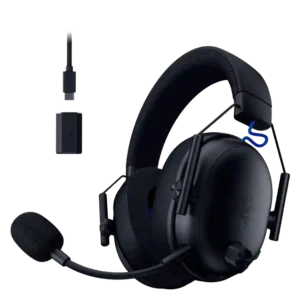
#1 Razer BlackShark V3
4.4

Best for excellent game audio, long-session comfort, clear voice chat, strong battery life, and low-latency wireless. Skip it if you need very high volume, flawless software, or zero tolerance for...

Pros: Overall satisfaction, Sound quality

Cons: Button control usability, Dongle

#2 SteelSeries Arctis Nova Elite
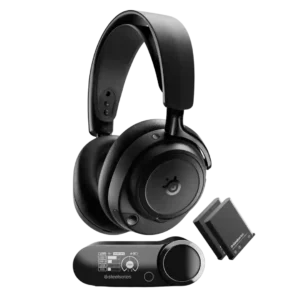
4.3

Choose the Arctis Nova Elite if you want top-tier wireless sound, ANC, hot-swap batteries, and multi-device mixing. Skip it if $600 feels excessive, you game on one console, or tight/heavy...

Pros: Sound quality, Connectivity versatility

Cons: Value for money, Carry case quality

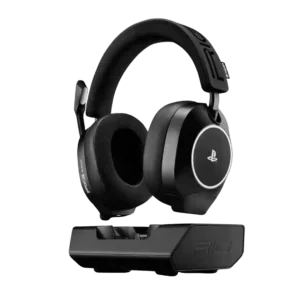
#3 RIG Spectre R8 Pro
4.3

Best for sharp gaming audio, long battery life, an excellent dock, and strong value. Skip it if you need ANC, a detachable mic, maximum console volume, or seamless PS5/Xbox switching.

Pros: Sound quality, Included stand quality

Cons: Detachable microphone convenience

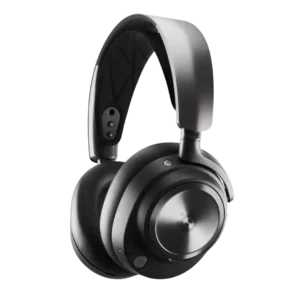
#4 SteelSeries Arctis Nova Pro Wireless Gaming Headset
4.3

Choose the Arctis Nova Pro Wireless for premium gaming audio, hot-swappable batteries, broad device support, and deep EQ control. Skip it if the high price, mixed mic quality, or uneven...

Pros: Battery, Comfort during long use

Cons: Console compatibility limitations, USB-C