Scorata scores summarize analyzed review evidence on a 1–5 scale; they are not laboratory measurements or a simple average of customer star ratings. Feature scores summarize the reviews covering that feature. The overall score averages feature scores within each review, then combines review averages. When both expert and customer evidence are available, those two groups receive equal weight. Products can have different review coverage, so small score gaps do not establish a winner.
Recommendations prioritize important features for the category, with a score of at least 3.5, a gap of at least 0.25 points and at least two supporting reviews per product. Features with widely varying scores or broad connectivity contexts are excluded from recommendations. These safeguards do not establish statistical significance.
Quick verdict
What each product is best for
The review evidence points to a tradeoff: gaming performance and daytime viewing performance versus picture quality and input lag. Choose according to which strengths matter more to you; the overall score alone does not settle that choice.
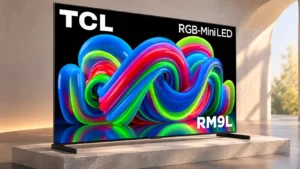
Choose TCL RM9L for gaming performance and daytime viewing performance.
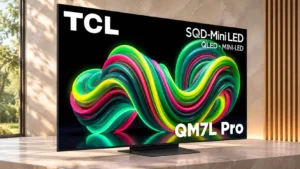
Choose TCL QM7L Pro for picture quality and input lag.
Why these recommendations?
TCL RM9L
Where It Has the Edge
gaming performance is 4.7 vs 2.5. Games look brilliant, expansive, and responsive on this screen. Slight trailing and the occasional picture-mode quirk keep it...
daytime viewing performance is 4.8 vs 4.0. Sunlit rooms are no match for the RM9L's enormous brightness reserve. Some direct reflections remain visible despite the...
glare resistance is 3.8 vs 3.0. Immense light output does much of the work against room glare. Direct reflections and some diffraction effects still...
TCL QM7L Pro
Where It Has the Edge
picture quality is 4.8 vs 4.3. Color, contrast and fine detail make a powerful impression, but the image becomes less convincing from the sides...
input lag is 5.0 vs 4.4. Input delay is extraordinarily low in Game Master, particularly at higher refresh rates, keeping controller actions immediate.
value for money is 4.0 vs 2.1. The showroom impression is that the picture and slim design look good for the asking price, although price...
TCL RM9L3.8 overall score
TCL QM7L Pro4.1 overall score
Compare features
Scores are out of 5. Missing scores mean missing review evidence, not a missing feature.
Scored on both products
Performance
Picture quality
TCL RM9L
4.3
The best scenes look spectacularly bright, colorful, and three-dimensional. Some lower-quality content, color errors, and inconsistent processing stop the performance from being uniformly excellent.
TCL QM7L Pro
4.8
Color, contrast and fine detail make a powerful impression, but the image becomes less convincing from the sides and during fast action.
Gaming performance
TCL RM9L
4.7
Games look brilliant, expansive, and responsive on this screen. Slight trailing and the occasional picture-mode quirk keep it short of flawless.
TCL QM7L Pro
2.5
Control response is a standout, yet fast-moving objects leave blur and soft trails. This is a responsive gaming TV rather than a particularly sharp one in motion.
Bass performance
TCL RM9L
2.0
Deep bass is a repeated limitation, and built-in low-frequency weight trails the scale of the screen. An external subwoofer helps.
TCL QM7L Pro
3.5
Bass carries more weight than many built-in TV speakers, giving music and movie effects some fullness. At high volume, thumping and loss of balance become distracting.
Local dimming performance
TCL RM9L
4.1
A large number of effective dimming zones preserves intense highlights without washing out adjacent blacks. Very bright settings can still create visible halos.
TCL QM7L Pro
3.0
Local dimming supports strong dark-scene contrast, though halos around highlights become more conspicuous from an angle.
Overall image accuracy
TCL RM9L
2.0
The factory picture can be too cool, with blue-heavy grayscale and HDR midtones brighter than intended. Accurate reproduction needs a carefully chosen preset or calibration.
TCL QM7L Pro
3.0
HDR colors can look convincing out of the box, but SDR leans too warm and certain HDR scenes render at the wrong brightness.
Peak brightness
TCL RM9L
4.9
Enormous peak luminance is one of the TV's defining advantages, making bright highlights and daytime scenes exceptionally punchy.
TCL QM7L Pro
4.0
HDR highlights can be exceptionally bright. A short-lived Boost burst should not be mistaken for the same sustained brightness or a clear advantage over the QM7L and QM8L.
Daytime viewing performance
TCL RM9L
4.8
Sunlit rooms are no match for the RM9L's enormous brightness reserve. Some direct reflections remain visible despite the panel's anti-glare treatment.
TCL QM7L Pro
4.0
The screen remains punchy in well-lit rooms, with blacks holding up against indirect light. Facing a strong light source can create distracting streaks.
Picture detail
TCL RM9L
4.3
High-quality footage reveals remarkable textures, from animal hair to intricate movie effects. Compressed feeds sometimes expose softness or blotchy artifacts instead.
TCL QM7L Pro
5.0
Fine image textures and detail reproduce excellently in tested content.
Contrast ratio
TCL RM9L
4.6
The strong native panel contrast and precise backlight create excellent separation between deep shadows and bright highlights.
TCL QM7L Pro
4.0
Dark movie scenes show convincing depth between light and dark areas, helped by deep black reproduction.
Sound quality
TCL RM9L
3.4
Built-in audio divides opinion: it can sound clear and balanced for everyday television, yet lacks the punch and refinement expected beside such a large picture.
TCL QM7L Pro
3.0
Audio is acceptable at ordinary listening volumes, with some bass fullness. Loud playback can become unbalanced and less intelligible.
Color accuracy
TCL RM9L
3.2
Color is beautifully saturated, but accuracy assessments vary by picture preset. Factory blues can be too cool, while Filmmaker Mode and calibration give much better balance.
TCL QM7L Pro
3.0
Color judgments differ by material and evaluation: one assessment notes a warm, reddish SDR cast, while another finds natural skin tones and good HDR color.
HDR brightness
TCL RM9L
4.9
Extremely bright highlights and vivid daylight scenes give HDR films tremendous impact. Long sustained highlights, however, can dim over time.
TCL QM7L Pro
5.0
Bright highlights are a recurring strength, giving HDR footage vivid impact and a realistic sense of illumination.
Audio passthrough
TCL RM9L
5.0
Major surround formats can pass to a compatible receiver or soundbar, making the TV easy to fit into a more serious audio setup.
TCL QM7L Pro
5.0
High-quality uncompressed audio and major formats can pass to a receiver or soundbar, making an external sound system straightforward to use.
Dark-room performance
TCL RM9L
4.5
Dark-room movies benefit from very deep blacks and intense pinpoints of light. Viewers sensitive to blooming may need to lower peak-brightness settings.
TCL QM7L Pro
4.5
Deep blacks and emphatic HDR highlights give films strong impact in dim rooms. The most precise HDR brightness balance is less consistent.
HDR performance
TCL RM9L
4.5
Bright HDR material can be strikingly vivid and immersive, with strong blacks and saturated color. Tracking inaccuracies and mode inconsistencies limit its faithfulness to the source.
TCL QM7L Pro
4.5
HDR content looks striking thanks to deep blacks, colorful scenes and strong highlights. Fine highlight detail and scene-to-scene brightness balance are less reliable.
Sustained brightness
TCL RM9L
2.0
Peak highlights are spectacular, but brightness falls noticeably if those bright elements remain on screen for a sustained period.
TCL QM7L Pro
2.0
The brightest Boost output lasts only briefly, so exceptional peak measurements do not translate into constant luminance.
Other features
Motion handling
TCL RM9L
4.3
Sports and gaming generally look smooth and controlled, with better performance than older models. Some sources still show blur or uneven cadence.
TCL QM7L Pro
2.7
Motion performance is inconsistent across assessments. Some moving scenes appear reasonably clean, but fast sports and games can show significant blur or artifacts.
Input lag
TCL RM9L
4.4
Controls generally feel responsive, especially at high refresh rates. Sixty-hertz lag is somewhat less competitive but still satisfactory for everyday gaming.
TCL QM7L Pro
5.0
Input delay is extraordinarily low in Game Master, particularly at higher refresh rates, keeping controller actions immediate.
High-refresh-rate gaming
TCL RM9L
4.5
The combination of 4K/144Hz inputs and even faster lower-resolution modes makes high-frame-rate gaming flexible and enjoyable.
TCL QM7L Pro
2.0
Fast 4K and 1080p modes look appealing on paper, but pixel transitions make 144Hz action surprisingly blurry.
Stand width
TCL RM9L
2.7
The far-apart feet require a very wide TV unit. They offer stable support but little flexibility for smaller furniture.
TCL QM7L Pro
5.0
The compact stand footprint makes it easier to position the TV on a smaller cabinet.
Image processing
TCL RM9L
2.8
Upscaling and optional detail enhancement can improve ordinary material, but automatic adjustments sometimes produce inconsistent colors between inputs and presets.
TCL QM7L Pro
5.0
The upgraded processor provides cleaner scaling and smoothing of low-quality video, a useful strength beyond the extra HDMI ports.
Banding control
TCL RM9L
3.0
Most gradients look smooth, but one assessment found serious banding in certain Dolby Vision scenes. Changing to Dolby Vision Dark can resolve that specific issue.
TCL QM7L Pro
5.0
Near-black shading looks smooth with no obvious vertical banding, and gradual HDR tones also transition cleanly.
Low-resolution content handling
TCL RM9L
3.3
Compressed streams lose much of their blockiness, though aggressive cleanup can soften tiny details and make textures seem waxy.
TCL QM7L Pro
5.0
Older HD broadcasts are cleaned up effectively, with smooth upconverted edges and strong 1080i deinterlacing.
Motion clarity
TCL RM9L
4.0
Games and action scenes remain fairly sharp, although darker pixel transitions sometimes leave mild blur trails behind fast objects.
TCL QM7L Pro
2.3
This is one of the biggest disagreements: one test found minimal blurring, while others report obvious softness, ghosting and slow pixel transitions.
Wall-mount compatibility
TCL RM9L
3.0
Wall mounting is possible, but the thicker rear profile looks less sleek than TCL's slimmer SQD flagship.
TCL QM7L Pro
4.7
The slim body sits close to the wall and the side-facing inputs are relatively accessible even after mounting.
Calibration options
TCL RM9L
3.5
Careful calibration can transform color accuracy into one of the TV's strengths. The process is awkward because menus and local dimming interfere with measurements.
TCL QM7L Pro
2.0
HDR picture adjustments are limited, which matters because some scenes appear too bright or too dark. Careful buyers should not assume every imbalance can be corrected.
HDR highlight detail
TCL RM9L
4.5
Small sparks, bright reflections, and camera flashes pop sharply against darker scenes. Only the most extreme peaks occasionally lose subtle shading.
TCL QM7L Pro
3.0
The brightest specular areas can lose fine detail even while the TV creates an otherwise impressive sense of luminance.
Response time
TCL RM9L
3.5
Motion response is generally respectable, but transitions between dark and bright shades can be slow enough to create light trails.
TCL QM7L Pro
2.0
Slow pixel changes smear action even at 120Hz and 144Hz, undermining motion clarity despite the low input lag.
Remote control usability
TCL RM9L
3.7
Backlighting, a programmable shortcut, and direct picture controls are convenient. Some button placements and the brightness rocker direction are less intuitive.
TCL QM7L Pro
5.0
The remote works without direct line of sight and makes everyday navigation easier.
Shadow detail
TCL RM9L
3.8
Strong contrast can reveal excellent dark-scene texture, though some factory modes crush shadows and need adjustment.
TCL QM7L Pro
5.0
Nuanced tones in dark scenes are preserved well, bringing out texture that flatter-looking images may obscure.
Advertising intrusiveness
TCL RM9L
2.0
Google TV continues showing ads even when personalization is disabled. Avoiding them requires a basic setup that sacrifices many smart functions.
TCL QM7L Pro
1.0
Google TV serves advertisements that cannot be disabled while keeping the full smart interface. Basic TV mode avoids them, but strips out most smart features.
Dirty screen effect
TCL RM9L
4.0
The center of the screen stays relatively clean during sports, but darker edges can be distracting on large, uniform fields.
TCL QM7L Pro
3.0
A little screen unevenness appears near the center and the edges look dimmer, though the dirty-screen pattern is not severe.
Judder handling
TCL RM9L
4.5
Movies play with very little judder across most sources, though unusual frame-rate combinations can show small timing issues.
TCL QM7L Pro
3.5
Most film judder is removed effectively, but 1080i film compensation and unusual 25p-in-60p signals are less polished.
Maximum volume
TCL RM9L
2.0
The internal speakers cannot get especially loud, limiting how well their sound fills a large entertainment room.
TCL QM7L Pro
3.0
Assessments disagree about how loud its speakers can play: one finds them adequate for a quiet room, another hears limited output and worsening dialogue at higher levels.
Stand quality
TCL RM9L
4.0
The two blade-style feet look neat and support the large panel effectively, although they offer no narrow mounting position.
TCL QM7L Pro
5.0
The height-adjustable center stand offers useful placement options and takes up relatively little furniture space.
Overall satisfaction
TCL RM9L
4.1
The RM9L earns enthusiasm for extraordinary color, brightness, and immersive gaming, but its price and inconsistent picture behavior prevent universal endorsement.
TCL QM7L Pro
5.0
The thin design and striking store-display picture leave a strongly positive first impression, although those impressions do not resolve the deeper motion tradeoffs.
Reflection handling
TCL RM9L
3.4
The screen reduces indirect glare reasonably well but can still show mirror-like reflections and rainbow artifacts from bright light sources.
TCL QM7L Pro
2.5
Direct reflections are conspicuous in dark content despite respectable overall reflection reduction; positioning matters.
Glare resistance
TCL RM9L
3.8
Immense light output does much of the work against room glare. Direct reflections and some diffraction effects still show up under challenging lighting.
TCL QM7L Pro
3.0
Indirect room light is reasonably manageable, but lamps or windows reflecting directly off the screen can create a distracting band or rainbow smear.
Color volume
TCL RM9L
4.8
Brilliant colors retain impressive intensity as brightness rises. Some white-adjacent colors and saturated scenes reveal the technology's limits.
TCL QM7L Pro
4.0
Colors retain their visual strength in ambient light. Apparent advantages over neighboring TCL models partly come from a fleeting brightness boost rather than a lasting improvement.
Motion interpolation
TCL RM9L
4.3
Gentle smoothing improves camera pans, but stronger settings can make films look artificially processed.
TCL QM7L Pro
5.0
Frame interpolation noticeably reduces stutter and can smooth gameplay without a major input-lag penalty.
Variable refresh rate
TCL RM9L
4.8
VRR works smoothly across compatible sources and helps avoid tearing even through sharp frame-rate drops.
TCL QM7L Pro
4.0
VRR works well for consoles and AMD graphics and reduces tearing at low frame rates. NVIDIA systems locked to 60Hz remain a specific exception.
Blooming control
TCL RM9L
3.7
Local dimming usually keeps halos modest, particularly head-on, but increasing brightness makes blooming more visible. Fully suppressing halos costs substantial light output.
TCL QM7L Pro
3.0
Bright-object halos become more noticeable when viewed from the side, so local-dimming artifacts can intrude for off-center seats.
Gaming mode quality
TCL RM9L
4.3
Automatic game detection and intuitive settings reduce friction, although the most accurate HDR Game Mode can look dimmer than other modes.
TCL QM7L Pro
5.0
Game Master mode delivers exceptionally low lag and responsive control. Motion interpolation can make play appear smoother without adding much delay.
Viewing angles
TCL RM9L
3.5
Side-viewing performance is contentious, ranging from impressively steady at moderate angles to obvious color and brightness shifts farther off-axis.
TCL QM7L Pro
2.8
This is a disputed weakness: two reports flag strong degradation from the sides, while other evaluations find typical off-center seating more acceptable.
Remote control quality
TCL RM9L
4.3
The backlit metal-look remote feels premium, with convenient programmable and picture-adjustment buttons.
TCL QM7L Pro
5.0
Backlit buttons are a welcome convenience when using the TV in darkness.
Black uniformity
TCL RM9L
4.5
Near-black pictures look clean with almost no visible banding or backlight bleed. Mild clouding is present when local dimming is disabled.
TCL QM7L Pro
5.0
Near-black areas are impressively even, with no apparent vertical bands and only small differences in darkness.
Cable management
TCL RM9L
4.5
Rear cable guides and a stand notch help route multiple connections without leaving an untidy trail.
TCL QM7L Pro
5.0
A dedicated channel through the stand helps keep wires tidy, particularly with several HDMI devices connected.
Dialogue clarity
TCL RM9L
3.5
Speech can sound clean and suitably full, although uneven speaker response sometimes makes dialogue less consistent.
TCL QM7L Pro
3.0
Speech sounds clear at modest listening levels but becomes hard to follow when the speakers are pushed to maximum volume.
Flicker control
TCL RM9L
4.5
Backlight zone transitions track moving objects smoothly with little visible flicker or instability.
TCL QM7L Pro
4.0
The backlight flickers at an extremely high frequency that should be imperceptible to most viewers; particularly sensitive people may still notice discomfort.
Gradient handling
TCL RM9L
4.5
Most color transitions are smooth with only minor, barely noticeable steps outside the problematic Dolby Vision examples.
TCL QM7L Pro
5.0
Gradual color and brightness changes remain smooth, with no obvious banding across gently shaded HDR areas.
PC text clarity
TCL RM9L
4.5
Full chroma support and an RGB subpixel layout keep desktop text well defined, making occasional PC display use practical.
TCL QM7L Pro
5.0
Full chroma 4:4:4 and an RGB subpixel layout help desktop lettering stay legible.
Stutter handling
TCL RM9L
4.5
Low levels of interpolation reduce the hold-time stutter that can appear in slow panning shots.
TCL QM7L Pro
4.0
Relatively low stutter keeps most panning footage watchable, though slow pans can still look slightly choppy.
VRR range
TCL RM9L
4.5
Low-frame-rate compensation helps maintain tear-free play even when games drop well below their target frame rates.
TCL QM7L Pro
4.0
Low Framerate Compensation helps games stay nearly free of tearing even when performance dips sharply.
Auto low-latency mode
TCL RM9L
4.7
Compatible consoles automatically trigger the low-lag gaming settings, avoiding manual switching each time a game starts.
TCL QM7L Pro
5.0
The TV switches into its low-lag game setting automatically with compatible consoles, avoiding manual mode changes.
Black levels
TCL RM9L
4.4
Deep blacks remain convincing beside small bright objects, often approaching OLED-like depth. Extreme peak-brightness settings can lift black levels.
TCL QM7L Pro
4.7
Deep blacks give dark scenes convincing weight and remain surprisingly stable under ambient light. That makes contrast a particular strength for centered viewers.
Remote layout
TCL RM9L
3.8
Useful shortcuts speed up picture changes, but the off-center Home key and reversed brightness rocker may take getting used to.
TCL QM7L Pro
4.0
A small selection of buttons keeps the remote straightforward rather than crowded.
Color gamut
TCL RM9L
4.8
The RGB backlight covers an exceptionally broad range of color, producing vivid reds, greens, and fine variations that standard televisions struggle to match.
TCL QM7L Pro
5.0
The in-store picture looks notably vibrant and colorful, an immediate part of its visual appeal.
Burn-in resistance
TCL RM9L
5.0
The LCD panel avoids permanent OLED-style burn-in, helping ease concerns about static interfaces and long gaming sessions.
TCL QM7L Pro
5.0
LCD construction avoids permanent image burn-in, an advantage for static interfaces and prolonged use.
HDMI 2.1 port count
TCL RM9L
5.0
Four full-featured HDMI 2.1 ports remove a common flagship-TV compromise, making it easy to connect several high-end gaming devices.
TCL QM7L Pro
5.0
Four full-bandwidth HDMI 2.1 inputs are a practical upgrade over the standard QM7L for several consoles or other demanding sources.
HDMI port count
TCL RM9L
5.0
Four well-equipped HDMI inputs provide ample room for a console, gaming PC, sound system, and additional streaming devices.
TCL QM7L Pro
5.0
Four HDMI connections let multiple devices stay plugged in without constantly swapping cables.
Screen uniformity
TCL RM9L
4.0
Near-black scenes are impressively even, while large gray or bright areas show some darker edges and modest uniformity issues.
TCL QM7L Pro
4.0
Near-black shading is very even, although the edges can appear slightly dimmer than the center.
Upscaling quality
TCL RM9L
5.0
High-definition and lower-resolution sources upscale to a clean, detailed image, making even older shows convincing at 85 inches.
TCL QM7L Pro
5.0
Upscaling is one of the stronger areas, keeping HD-to-4K edges smooth and improving lower-quality feeds.
Ownership and support
Reliability
TCL RM9L
2.8
Panel risk factors appear favorable in theory, yet an actual dead-zone failure and changing image output raise legitimate concerns.
TCL QM7L Pro
4.0
The panel design is judged at low risk for common degradation problems, while individual stuck pixels and failed LEDs remain possible over time.
Value for money
TCL RM9L
2.1
The visual quality is impressive, yet flagship pricing makes standard Mini LED and OLED alternatives hard to ignore. Value improves only for buyers who specifically want this RGB technology and scale.
TCL QM7L Pro
4.0
The showroom impression is that the picture and slim design look good for the asking price, although price comparisons with other TCL models need care.
4K at 144 Hz support
TCL RM9L
5.0
Every HDMI port handles 4K at 144Hz, giving high-refresh PCs and consoles flexible connection options without needing a special input.
TCL QM7L Pro
4.5
All four HDMI connections support 4K at 144Hz, a useful advantage for compatible gaming PCs. The ability to accept those signals is much stronger than the clarity of fast-moving images.
FreeSync support
TCL RM9L
4.5
Broad variable-refresh support helps reduce screen tearing and works with low-frame-rate compensation for smoother games.
TCL QM7L Pro
5.0
Variable refresh works well with AMD graphics hardware and compatible consoles, reducing visible tearing as frame rates vary.
4K at 120 Hz support
TCL RM9L
5.0
PlayStation 5 and Xbox Series consoles can use their full 4K/120Hz output with responsive motion and VRR support.
TCL QM7L Pro
5.0
The television handles the 4K/120Hz output offered by current PlayStation and Xbox consoles, making it an easy match for their higher-frame-rate modes.
4K gaming support
TCL RM9L
5.0
Modern 4K games look detailed, colorful, and smooth on the gigantic panel. Full-rate HDMI connectivity makes the large screen particularly capable.
TCL QM7L Pro
5.0
Current Xbox and PlayStation feature sets are well covered, including 4K/120Hz output. Players still need to tolerate motion blur in quick sequences.
EARC support
TCL RM9L
5.0
The eARC connection handles high-quality uncompressed audio to compatible external receivers or soundbars.
TCL QM7L Pro
5.0
eARC can deliver uncompressed audio to a compatible soundbar or receiver, helping the TV pair with better external speakers.
HDMI 2.1 support
TCL RM9L
5.0
Modern HDMI features are available across every input, including high-refresh 4K signals and the gaming modes buyers expect.
TCL QM7L Pro
5.0
Every HDMI socket offers modern high-bandwidth video capability, giving buyers more flexibility than sets with only one or two fast inputs.
Controls and connectivity
Smart TV platform
TCL RM9L
4.5
Google TV brings a familiar layout, user profiles, and plentiful content options. Advertising remains a nuisance unless the set is configured with fewer smart functions.
TCL QM7L Pro
3.0
Google TV offers the familiar connected experience, but advertisements cannot be disabled without switching to a stripped-down Basic TV mode.
HDR tone mapping accuracy
TCL RM9L
2.0
HDR midtones and bright scenes can be pushed far above the intended brightness. Calibration and more restrained picture settings matter for accurate reproduction.
TCL QM7L Pro
3.0
Some HDR material renders too bright or too dark, so the otherwise appealing image is not perfectly balanced in every scene.
Comfort and build
Size options
TCL RM9L
2.0
The range favors enormous 85-, 98-, and 115-inch installations rather than common 55- to 75-inch living-room sizes.
TCL QM7L Pro
3.0
The range of larger panels offers room-matching flexibility, but bigger is not automatically better if it strains furniture placement or budget.
Build quality
TCL RM9L
4.2
The set feels solid and premium overall, with reassuring stand stability. The rear panel is less rigid than the rest of the construction.
TCL QM7L Pro
4.0
Mostly plastic construction nonetheless feels solid and convincingly finished.
Design and appearance
TCL RM9L
4.0
The slim-bezel, dark-metal presentation looks upscale from the front, but the thicker rear body is less graceful from the side or on a wall.
TCL QM7L Pro
4.0
The thin chassis has a premium appearance, even though much of the housing is plastic. It looks especially sleek mounted close to a wall.
Evidence available for one product
Other features
Ease of use
TCL RM9LNo score yet
TCL QM7L Pro
4.0
An uncluttered, backlit remote makes basic control straightforward, even in a darkened room.
AI scene optimization
TCL RM9L
2.0
Automatic picture adjustment can leave the TV looking different after a source or mode change. An occasional incorrect transition makes the result difficult to trust.
TCL QM7L ProNo score yet
Backlight strobing
TCL RM9LNo score yet
TCL QM7L Pro
2.0
Optional backlight strobing operates at 60Hz and 120Hz but introduces image duplication and fails to eliminate the television’s motion softness.
Color crosstalk
TCL RM9L
2.8
Bright saturated objects can tint neighboring white or pale areas, especially in demanding scenes. It is barely noticeable in some viewing, yet a recurring flaw at high brightness.
TCL QM7L ProNo score yet
G-SYNC compatibility
TCL RM9LNo score yet
TCL QM7L Pro
2.0
NVIDIA systems locked to 60Hz can fail to use variable refresh correctly. Higher-refresh PC modes avoid the specific problem.
Gaming dashboard
TCL RM9L
4.8
The Game Bar is easy to reach and provides useful signal readouts, frame-rate information, and practical adjustments during play.
TCL QM7L ProNo score yet
Large-screen immersion
TCL RM9L
5.0
The 85-inch panel makes movie characters, racing environments, and game landscapes feel almost life-size. Its scale can also overwhelm a modest room.
TCL QM7L ProNo score yet
Motion artifacts
TCL RM9LNo score yet
TCL QM7L Pro
1.5
Colored trails, ghosting and soft edges can follow moving objects, particularly in fast sports and gameplay.
Portability and versatility
TCL RM9L
1.5
Moving or positioning the exceptionally large panel is difficult and may require multiple people and an oversized route into the room.
TCL QM7L ProNo score yet
Refresh rate
TCL RM9LNo score yet
TCL QM7L Pro
4.0
4K up to 144Hz and 1080p up to 288Hz provide broad high-refresh input options, subject to the capabilities of the connected system.
Speaker quality
TCL RM9LNo score yet
TCL QM7L Pro
3.0
Built-in speakers are generally serviceable for routine TV, but they lack the polish and balance of stronger sound systems.
Stand stability
TCL RM9L
5.0
The wide feet keep the massive display surprisingly steady, with minimal wobble.
TCL QM7L ProNo score yet
Wireless speaker expansion
TCL RM9L
4.5
Wireless satellite and subwoofer support provide a practical way to build bigger audio than the built-in speakers can deliver.
TCL QM7L ProNo score yet
Controls and connectivity
App selection
TCL RM9L
5.0
The Google TV ecosystem covers a very wide range of services, including major catch-up and subscription streaming apps.
TCL QM7L ProNo score yet
Menu responsiveness
TCL RM9L
5.0
Navigation is snappy, with Google TV responding quickly to directional inputs.
TCL QM7L ProNo score yet
Operating system speed
TCL RM9L
5.0
Google TV feels fast and responsive when opening menus and moving through the interface.
TCL QM7L ProNo score yet
Privacy controls
TCL RM9L
3.0
Personalized ad targeting can be disabled, but ordinary Google TV ads remain unless smart functions are restricted.
TCL QM7L ProNo score yet
Tone mapping
TCL RM9L
2.0
HDR midtones and bright scenes are often pushed too high, so the picture looks more intense than the mastered signal intended.
TCL QM7L ProNo score yet
Performance
Art display mode
TCL RM9L
2.5
Artwork can look impressive at this size, with automatic dimming in screensaver mode. The glossy panel and fixed bezels do not replicate a dedicated art television.
TCL QM7L ProNo score yet
Audio settings
TCL RM9L
5.0
Simple controls let users shift between brighter, warmer, and more energetic sound profiles without mastering an equalizer.
TCL QM7L ProNo score yet
Display technology
TCL RM9L
3.8
RGB Mini LED delivers unusually pure, bright color, making its benefits obvious with vivid source material. Color bleeding and a thicker backlight structure remain compromises.
TCL QM7L ProNo score yet
Noise reduction
TCL RM9L
4.0
Low-bitrate streaming artifacts are handled effectively, with a small sacrifice in fine texture at heavier smoothing levels.
TCL QM7L ProNo score yet
Picture consistency between source changes
TCL RM9L
1.0
Switching sources or picture modes can produce different colors and light output despite returning to the same calibrated preset. This unpredictability is especially frustrating at flagship pricing.
TCL QM7L ProNo score yet
Picture mode tuning
TCL RM9L
2.8
Picture settings have an unusually large effect on the result: good choices reveal beautiful images, while aggressive defaults can skew color or create artifacts.
TCL QM7L ProNo score yet
Soundbar clearance
TCL RM9LNo score yet
TCL QM7L Pro
5.0
The higher stand setting creates enough clearance for almost any soundbar to fit below the panel.
Soundstage
TCL RM9L
4.0
Despite side- and rear-mounted speakers, the sound spreads convincingly across the width of the screen.
TCL QM7L ProNo score yet
White balance accuracy
TCL RM9L
3.0
The factory white balance can lean blue, though other presets and professional calibration improve it substantially.
TCL QM7L ProNo score yet
Comfort and build
Bezel size
TCL RM9L
4.8
The fine border keeps the emphasis on the picture and makes the large display feel cleaner and more immersive.
TCL QM7L ProNo score yet
Screen bezel design
TCL RM9L
4.5
Very slim side borders help the display seem almost frameless. The thicker lower edge and somewhat bulky back are easier to notice from certain angles.
TCL QM7L ProNo score yet
Ownership and support
Casting support
TCL RM9L
5.0
Streaming from an iPhone worked smoothly, with reliable playback and no observed control glitches.
TCL QM7L ProNo score yet
Dolby Vision support
TCL RM9L
2.0
Dolby Vision is available, but some Dolby Vision picture modes have produced troublesome banding. Dark mode can be a safer choice than brighter presets.
TCL QM7L ProNo score yet
HDR format support
TCL RM9L
5.0
The range of supported HDR formats is broad enough to avoid choosing a TV around one preferred HDR standard.
TCL QM7L ProNo score yet
Setup ease
TCL RM9L
2.8
Attaching the feet is straightforward, but the huge, heavy panel is awkward to lift, position, or bring through narrow doors.
Choose the S90H for bright-room OLED viewing, deep blacks and top-tier gaming without flagship pricing. Skip it if you want Dolby Vision, a glossy screen or the simplest smart-TV software.
Best for bright Mini-LED picture, excellent built-in audio, easy Roku navigation, and responsive 4K/120 gaming. Skip it if you want ad-free menus, premium motion consistency, or stronger confidence in long-term...
Choose the QM8L for a big, brilliantly bright TV with vivid HDR, deep mini-LED blacks, low input lag, and four HDMI 2.1 ports. Skip it if you need OLED-clean motion,...
Choose the G6 for class-leading bright-room OLED picture, rich color, deep blacks and elite gaming. Skip it if you want strong built-in audio, polished launch firmware, no account sign-in, or...