Scorata scores summarize analyzed review evidence on a 1–5 scale; they are not laboratory measurements or a simple average of customer star ratings. Feature scores summarize the reviews covering that feature. The overall score averages feature scores within each review, then combines review averages. When both expert and customer evidence are available, those two groups receive equal weight. Products can have different review coverage, so small score gaps do not establish a winner.
Recommendations prioritize important features for the category, with a score of at least 3.5, a gap of at least 0.25 points and at least two supporting reviews per product. Features with widely varying scores or broad connectivity contexts are excluded from recommendations. These safeguards do not establish statistical significance.
Quick verdict
What each product is best for
The review evidence points to a tradeoff: Industrial design and Locking motor versus Keypad and Door-sense. Choose according to which strengths matter more to you; the overall score alone does not settle that choice.
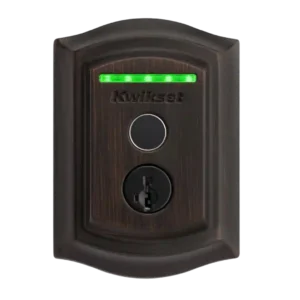
Choose Kwikset Halo Touch Fingerprint Smart Lock for Industrial design and Locking motor.
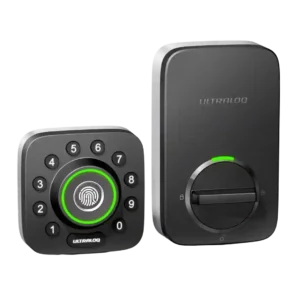
Choose ULTRALOQ U-Bolt Pro Smart Lock for Keypad and Door-sense.
Why these recommendations?
Kwikset Halo Touch Fingerprint Smart Lock
Where It Has the Edge
Industrial design is 4.5 vs 3.8. Industrial design was widely liked for a sleek, compact, discreet, or elegant exterior, although one review noted the...
Locking motor is 4.8 vs 4.3. Motor operation drew positive comments where tested, especially for smooth and quiet locking/unlocking and a smooth interior deadbolt...
Lock/unlock speed is 4.9 vs 4.5. Locking and unlocking speed was consistently praised, with reviewers describing fingerprint entry, app control, and operation as fast...
ULTRALOQ U-Bolt Pro Smart Lock
Where It Has the Edge
Keypad is 4.3 vs 1.8. The physical keypad was mostly praised for tactile, accurate buttons and anti-peep use, though one reviewer said the...
Door-sense is 4.4 vs 2.2. Door-sense feedback was positive where tested; reviewers liked the added sensor and remote reporting of open/closed and lock/unlock...
Guest Codes and Access is 4.7 vs 2.5. Guest and temporary access were repeatedly praised, especially scheduled codes for cleaners, dog walkers, renters, family, and one-time...
Scores are out of 5. Missing scores mean missing review evidence, not a missing feature.
Scored on both products
Other features
Keypad
Kwikset Halo Touch Fingerprint Smart Lock
1.8
The lack of a keypad hurt remote guest/code workflows, with reviewers noting that users who want PIN entry or quick code issuance should look elsewhere.
ULTRALOQ U-Bolt Pro Smart Lock
4.3
The physical keypad was mostly praised for tactile, accurate buttons and anti-peep use, though one reviewer said the circular layout slowed code entry.
Door-sense
Kwikset Halo Touch Fingerprint Smart Lock
2.2
Door-sense was a repeated weakness because the lock does not know whether the door is actually shut, making auto-lock behavior less safe.
ULTRALOQ U-Bolt Pro Smart Lock
4.4
Door-sense feedback was positive where tested; reviewers liked the added sensor and remote reporting of open/closed and lock/unlock state.
Guest Codes and Access
Kwikset Halo Touch Fingerprint Smart Lock
2.5
Guest access was convenient for scheduled users but less flexible than PIN-based systems because fingerprint guests generally need to be physically present for enrollment.
ULTRALOQ U-Bolt Pro Smart Lock
4.7
Guest and temporary access were repeatedly praised, especially scheduled codes for cleaners, dog walkers, renters, family, and one-time visitors.
Two-factor authentication availability
Kwikset Halo Touch Fingerprint Smart Lock
3.5
Voice-unlock PIN requirements were viewed both as a useful extra security layer and, by one reviewer, a security flaw if the code is spoken aloud.
ULTRALOQ U-Bolt Pro Smart Lock
2.0
Two-factor authentication was a clear weakness in the Reviewed review, which criticized the app for lacking this extra account-protection layer.
Hub requirement
Kwikset Halo Touch Fingerprint Smart Lock
4.6
No-hub operation was consistently treated as a plus because Wi-Fi is built in and reviewers did not need an extra bridge or controller for core remote access.
ULTRALOQ U-Bolt Pro Smart Lock
3.3
Hub feedback depended on version and setup: built-in Wi-Fi was praised for removing a bridge, while bridge-based versions drew complaints about range and pairing friction.
Auto-lock
Kwikset Halo Touch Fingerprint Smart Lock
3.3
Auto-lock split reviewers: some liked it as a safety net for forgotten locks, while others saw it as risky because the lock can throw the bolt while the door is open.
ULTRALOQ U-Bolt Pro Smart Lock
3.8
Auto-lock was valued for peace of mind, especially with door sensing, but multiple reviewers disliked that it could lock too quickly or surprise them by being enabled by default.
Locking motor
Kwikset Halo Touch Fingerprint Smart Lock
4.8
Motor operation drew positive comments where tested, especially for smooth and quiet locking/unlocking and a smooth interior deadbolt feel.
ULTRALOQ U-Bolt Pro Smart Lock
4.3
The motor generally felt smooth and quick, but some reviewers found the locking action louder or shakier than competing locks.
Lock/unlock speed
Kwikset Halo Touch Fingerprint Smart Lock
4.9
Locking and unlocking speed was consistently praised, with reviewers describing fingerprint entry, app control, and operation as fast or instant.
ULTRALOQ U-Bolt Pro Smart Lock
4.5
Locking and unlocking were typically fast, with several reviewers praising instant response; Magic Shake was the notable speed-related exception.
User access management
Kwikset Halo Touch Fingerprint Smart Lock
4.3
User management was useful for schedules and multiple people, but it was constrained by in-person fingerprint enrollment and, in one review, limited fingerprints per person.
ULTRALOQ U-Bolt Pro Smart Lock
4.7
User access management was a standout for families and rentals, with reviewers praising individual profiles, schedules, temporary users, and revocable access.
Remote access
Kwikset Halo Touch Fingerprint Smart Lock
4.8
Remote access was praised when Wi-Fi was working, with reviewers reporting control from outside the home or anywhere with internet access.
ULTRALOQ U-Bolt Pro Smart Lock
4.5
Remote access was a major strength when Wi-Fi or a bridge was working, letting reviewers lock, unlock, and check status away from home; Wi-Fi/cloud latency was the main caveat.
Physical attack resistance
Kwikset Halo Touch Fingerprint Smart Lock
4.5
Physical attack resistance was viewed positively through strong deadbolt hardware, SmartKey security, and passed break-in testing references.
ULTRALOQ U-Bolt Pro Smart Lock
4.2
Physical security impressions were positive where discussed, with reviewers valuing stronger screws, reinforced security, and ANSI-related strength claims.
Access logs
Kwikset Halo Touch Fingerprint Smart Lock
4.3
Access history was usually praised for showing who used the lock and how, but one review criticized the absence of failed-attempt history.
ULTRALOQ U-Bolt Pro Smart Lock
4.2
Reviewers who discussed logs found them useful for seeing who entered, when access happened, and how the lock was used; notification-style detail was praised more often than criticized.
Fingerprint
Kwikset Halo Touch Fingerprint Smart Lock
4.6
Fingerprint access was the clearest strength, repeatedly praised as fast, accurate, convenient, and reliable, with only some limits around enrollment smoothness and two-finger capacity.
ULTRALOQ U-Bolt Pro Smart Lock
4.6
Fingerprint access was one of the strongest areas, with most reviewers calling it fast, reliable, accurate, or flawless; the main caveat was angle sensitivity in one review.
Weather resistance
Kwikset Halo Touch Fingerprint Smart Lock
4.0
Weather resistance had limited but positive support, with one reviewer saying the lock looked and felt able to withstand outdoor elements.
ULTRALOQ U-Bolt Pro Smart Lock
4.0
Weather resistance was supported by limited real-world evidence and positive expectations, with reviewers noting temperature performance and IP65 confidence.
Smart-home integration was a recurring weakness despite Alexa and Google support because reviewers wanted HomeKit, IFTTT, security-system, and doorbell integrations.
ULTRALOQ U-Bolt Pro Smart Lock
4.2
Smart-home integration was broad and useful across Alexa, Google, IFTTT, SmartThings, and routines, but HomeKit, Amazon Key, and 2.4 GHz setup limits created tradeoffs.
Notifications
Kwikset Halo Touch Fingerprint Smart Lock
3.2
Notifications were uneven: some reviewers got prompt lock alerts, but others missed user notifications or received no alerts for failed fingerprint attempts.
ULTRALOQ U-Bolt Pro Smart Lock
3.8
Notifications were useful for low battery, remote status, and entry alerts, but one reviewer criticized the lack of blanket notifications across users.
Bluetooth
Kwikset Halo Touch Fingerprint Smart Lock
4.2
Bluetooth evidence was limited to setup, where reviewers reported successful pairing and recognition during initial connection.
ULTRALOQ U-Bolt Pro Smart Lock
4.0
Bluetooth pairing was generally smooth, with reviewers appreciating quick pairing and local control, though it was less central than Wi-Fi in the overall experience.
App
Kwikset Halo Touch Fingerprint Smart Lock
3.8
The app received mixed evidence: some reviewers found it simple and easy, while others criticized lag, limited controls, firmware delays, or an underdeveloped feel.
ULTRALOQ U-Bolt Pro Smart Lock
3.7
The app drew mixed reactions: several reviewers found it intuitive or easy, while others reported connection hiccups, slow loading, or an unpolished interface.
Voice control
Kwikset Halo Touch Fingerprint Smart Lock
4.2
Voice control generally worked well with Alexa or Google, but reviews noted limitations, including Alexa unlock restrictions and concerns about spoken PINs.
ULTRALOQ U-Bolt Pro Smart Lock
4.3
Voice control worked well in the reviews that tested it, especially Alexa setup and commands, though some reviewers saw it as useful only in limited scenarios.
Wi-Fi
Kwikset Halo Touch Fingerprint Smart Lock
3.7
Wi-Fi was useful for no-hub control and remote operation, but reviewers noted limitations such as factory-resetting for network changes and needing a dedicated 2.4GHz network.
ULTRALOQ U-Bolt Pro Smart Lock
3.7
Wi-Fi was the biggest technical split: built-in Wi-Fi and remote access were praised, but 2.4 GHz requirements, pairing trouble, and slower cloud response drew criticism.
Ownership and support
Value and Price
Kwikset Halo Touch Fingerprint Smart Lock
3.6
Value was divisive: some reviewers thought the feature set justified the price, while others found the $250 range expensive versus competing locks.
ULTRALOQ U-Bolt Pro Smart Lock
4.4
Value was viewed favorably overall: even when called expensive, reviewers often concluded the lock was worth it because of its feature set and access flexibility.
Warranty and support
Kwikset Halo Touch Fingerprint Smart Lock
4.5
Warranty and support evidence was limited but positive, with one reviewer saying Kwikset had historically been great to work with on product and finish issues.
ULTRALOQ U-Bolt Pro Smart Lock
4.0
Support evidence was limited but positive, with one review summarizing users as generally satisfied with responsiveness and replacement help.
Installation and Setup
Kwikset Halo Touch Fingerprint Smart Lock
4.6
Reviewers generally found setup approachable, with several calling installation easy or quick, though one review warned that thinner 1-3/8-inch doors created fit problems.
ULTRALOQ U-Bolt Pro Smart Lock
4.3
Installation was usually described as easy, quick, or straightforward on the newer Wi-Fi version, but older and bridge-based experiences included serious setup frustrations.
Locking reliability
Kwikset Halo Touch Fingerprint Smart Lock
4.9
Core locking reliability was one of the strongest themes, with multiple reviewers saying it worked every time, worked well, or performed reliably.
ULTRALOQ U-Bolt Pro Smart Lock
4.7
Core locking reliability was very strong overall, with most reviewers reporting no failures, smooth operation, or dependable keyless entry.
Key override reliability
Kwikset Halo Touch Fingerprint Smart Lock
4.4
Reviewers valued the physical key as a dependable backup, especially for dead batteries, malfunctions, or users who prefer traditional entry.
ULTRALOQ U-Bolt Pro Smart Lock
4.3
Physical key backup was treated as a reassuring safety feature, especially for dead batteries, forgotten phones, or other electronic access failures.
Comfort and build
Industrial design
Kwikset Halo Touch Fingerprint Smart Lock
4.5
Industrial design was widely liked for a sleek, compact, discreet, or elegant exterior, although one review noted the lock is not especially small overall.
ULTRALOQ U-Bolt Pro Smart Lock
3.8
Design opinions varied sharply: some liked the compact or satin finish, while others found the look industrial, unattractive, or lacking curb appeal.
Build quality and durability
Kwikset Halo Touch Fingerprint Smart Lock
4.2
Build quality drew mostly positive comments for sturdy, strong hardware, but one reviewer noticed a weaker plastic cover area and a shipping scratch.
ULTRALOQ U-Bolt Pro Smart Lock
4.7
Build quality was a clear strength, with reviewers repeatedly describing the lock as solid, durable, heavy-duty, or tank-like.
Battery and charging
Battery
Kwikset Halo Touch Fingerprint Smart Lock
4.1
Battery feedback was mostly positive thanks to common AA cells, visible battery status, and easy replacement, though one review projected at least yearly replacement.
ULTRALOQ U-Bolt Pro Smart Lock
3.7
Battery impressions were mixed: some reviewers expected months of use and liked low-battery warnings, while others worried about fast drain and vague battery reporting.
Evidence available for one product
Other features
Auto-relock after failed attempts
Kwikset Halo Touch Fingerprint Smart Lock
1.3
Failed-attempt relock/lockdown was a weakness; reviewers reported no lockdown after repeated unrecognized fingerprint attempts.
Backset setup had one notable quirk: one reviewer found the embossed sizing guidance backward, which made this otherwise standard compatibility step confusing.
Door compatibility (deadbolt fit)
Kwikset Halo Touch Fingerprint Smart Lock
1.8
Door fit is a notable caveat: one review warned against doors under 1 3/4 inches, and another locksmith review said a 1-3/8-inch door was not a good match.
Reviewers viewed the Wi-Fi model’s added capabilities as meaningful improvements over earlier versions, especially built-in Wi-Fi, door sensing, and Smart Auto Lock.
Geofencing divided reviewers: some found auto-unlock slick or improved, while one older review said it never activated and others noted setup behavior mattered.
Keyway quality
Kwikset Halo Touch Fingerprint Smart Lock
3.8
Keyway comments were mixed-positive: reviewers liked the rekeyable SmartKey cylinder and bump resistance, though one locksmith disliked the SmartKey design in general.
ULTRALOQ U-Bolt Pro Smart LockNo score yet
Pick/drill resistance (if rated)
Kwikset Halo Touch Fingerprint Smart Lock
4.8
Pick, bump, and drill resistance was praised where discussed, especially around SmartKey protection and claims that the lock resists picking, raking, banging, and drilling.
Encryption and account/security features were generally reassuring, but security confidence came mostly from reviewer judgments rather than deep technical testing.
Comfort and build
Finish durability
Kwikset Halo Touch Fingerprint Smart Lock
3.5
Finish durability was mixed: one reviewer cited the high finish rating positively, while another saw a scratch from shipping on the interior module cover.
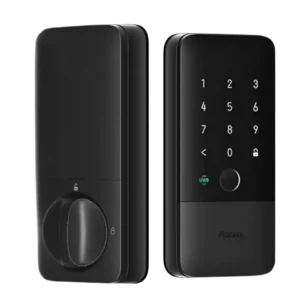
Choose the Aqara U400 if you want hands-free UWB unlocking, strong Apple Home integration, and many backup entry methods. Skip it if you dislike bulky smart-lock hardware or need a...
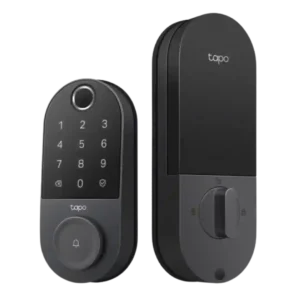
Choose the Tapo DL110 if you want fast fingerprint entry, strong app control, long battery life, and premium features under a lower price. Skip it if your door/strike alignment is...
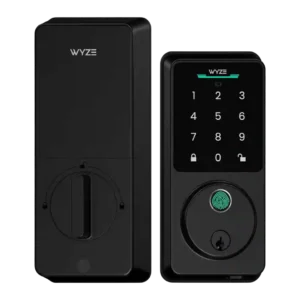
Choose the Wyze Lock Bolt v2 for low-cost Wi-Fi, fast fingerprint entry, and flexible codes. Skip it if you need Matter/HomeKit support, rechargeable batteries, or stronger door-sense behavior.
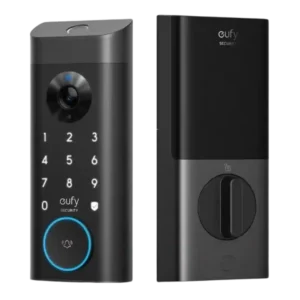
Good if you want one polished lock, camera, and doorbell with excellent fingerprint access. Skip it if short battery life, screen/storm doors, or a narrow camera view would frustrate you.
Pros: Camera and doorbell performance, Installation and Setup
Cons: Keyway quality, Door compatibility (deadbolt fit)